AI detection is now a product decision, not a novelty feature. Teams use it to protect academic integrity, reduce brand risk, and keep editorial standards consistent—without punishing the wrong people. This playbook shows how to evaluate detectors, what “good” looks like in production, and how to implement tool workflows that hold up under scrutiny. You’ll get baseline signals to watch, tool-by-tool setup guidance, and a practical way to measure accuracy and false positives before you roll anything out.
If you’re still browsing, start with our curated list of AI Detection tools and come back here to choose a workflow that matches your risk tolerance.
The problem: detection is probabilistic, and your process must be defensible
Most buyers ask a simple question: is AI detection accurate? The honest answer is: accurate enough for triage in many cases, but not reliable enough to be the sole evidence for high-stakes outcomes.
That’s not a tool flaw. It’s the nature of the task:
- Models change fast, so detectors drift.
- Short text is hard to classify.
- Heavy editing and paraphrasing can erase signals.
- Some human writing (especially formulaic or ESL writing) can look “AI-like.”
So the real goal is not “perfect detection.” The goal is a decision workflow that reduces risk: fewer false accusations, fewer missed cases, and clear audit trails.
If you need a governance lens for this, borrow language from the NIST AI Risk Management Framework: define the risk, measure it, monitor it, and document decisions. Detection is one control inside a broader system.
Baseline signals: what to look for before you buy anything
Before tools, align on what you’re trying to detect. “AI-generated” can mean at least three different things:
- Fully generated text (prompt → output, minimal edits)
- AI-assisted text (outline, rewrites, paragraph-level help)
- Human text with AI-like style (templated, repetitive, non-native patterns)
Most detectors are best at #1, weaker at #2, and can misfire on #3.
Practical signals that matter in production
Use these as your baseline evaluation criteria:
- Input length sensitivity: Does performance collapse under 150–300 words?
- Mixed-document handling: Can it highlight AI-like sections inside a mostly human doc?
- Explainability: Sentence-level highlights and “why” notes reduce disputes.
- False positive controls: ESL de-biasing, academic mode, or conservative thresholds.
- Workflow fit: Chrome/Docs/LMS/CMS plugins vs API-first integration.
- Evidence packaging: Exportable reports, scan history, and provenance features.
This is also where you decide policy: what happens when a document is flagged? “Flagged” should usually mean “review,” not “punish.”
How do AI detectors work (in plain terms)?
If you’re evaluating vendors, you’ll keep hearing about perplexity, burstiness, stylometry, and classifiers.
A practical mental model:
- Detectors estimate whether text looks like it came from a language model by analyzing predictability and distributional patterns.
- Many tools combine multiple signals (style, repetition, transitions, punctuation, vocabulary) into a probability score.
- Some add provenance signals (writing process replay, authorship verification) to strengthen confidence.
The key operational point: the score is not a fact. Treat it like a risk score that triggers the next step in your workflow.
Implementation playbook: four common workflows (and the tools that fit)
Below are tool-by-tool setups you can copy into your own process. Pick the workflow that matches your environment: education, publishing/SEO, internal comms, or fraud/security.
1) Education workflow: “review-first” detection for student writing
Best for: teachers, academic integrity teams, student success programs
Goal: detect ChatGPT writing in student papers without escalating false accusations
Tool fit: Gptzero for interpretability and classroom workflow; Originality if you also need plagiarism + reporting at scale.
Implementation steps
- Set a minimum text length rule. Below ~150–200 words, treat results as “low confidence.” (Method: internal policy; most vendors also caution that short text is noisy.)
- Use “two-signal” review. Require at least two of:
- high AI-likelihood score,
- clear sentence-level clustering (not scattered single sentences),
- mismatch with in-class writing samples,
- suspicious citation patterns (fabricated sources).
- Standardize the conversation. Build a short script for instructors:
- “This tool flagged sections as likely AI-assisted.”
- “Let’s review your draft history, outline, and sources.”
- “We’ll resolve this with evidence, not assumptions.”
Why Gptzero works here
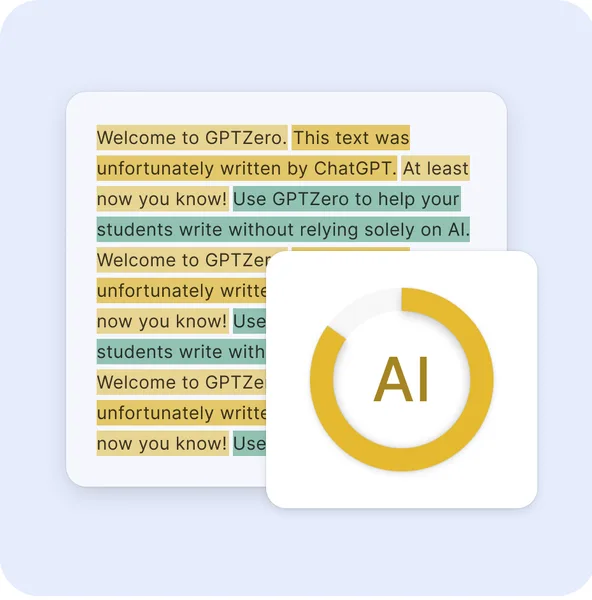
- Sentence-level highlights and writing reports help you explain outcomes.
- Authorship/provenance features (like writing process replay in some plans) can reduce disputes.
- ESL de-biasing is a meaningful guardrail when your student body is diverse.
Tradeoff: Educators often want a single “yes/no.” You won’t get that responsibly. Your policy must accept gray zones.
2) Publishing + SEO workflow: quality control for AI-assisted content
Best for: product-led content teams, agencies, publishers
Goal: manage AI detection for SEO content while protecting brand voice and avoiding low-quality scaling
Tool fit: Originality for bulk scanning, QA suite (AI + plagiarism + fact checking), and team workflows.
Implementation steps
- Define what you’re policing. Many teams don’t need “no AI.” They need:
- no unedited AI drafts,
- no fabricated citations,
- no plagiarism,
- consistent readability and tone.
- Add a “pre-publish gate.” For each article:
- run AI scan,
- run plagiarism scan,
- run fact check on claims that could cause reputational harm.
- Use thresholds as routing, not verdicts.
- Low score → publish as normal.
- Medium score → editor review for voice and originality.
- High score → require rewrite + source verification.
- Bulk scan legacy content. If you acquired a site or scaled freelancers fast, bulk scans help you find risky pages and prioritize human review.
Why Originality works here
- Multiple tuned models (including academic/multilingual options) can reduce misclassification in mixed content.
- Bulk site scanning and team controls fit real editorial operations.
- Plagiarism + fact checking reduces the “AI wrote it confidently but wrong” failure mode.
Tradeoff: A strict “AI detector” gate can incentivize shallow rewrites that keep the same weak ideas. Pair detection with editorial standards (brief quality, sourcing, unique POV).
3) Internal comms workflow: emails, reports, and compliance-sensitive writing
Best for: product leaders, ops, legal, HR
Goal: AI detection for emails and reports where disclosure, confidentiality, or authorship matters
Tool fit: Start with Gptzero for quick checks and interpretable reports; move to Originality if you need team governance and broader QA.
Implementation steps
- Classify documents by risk.
- Low risk: routine updates, internal FAQs.
- Medium risk: customer-facing announcements, pricing explanations.
- High risk: legal statements, regulatory responses, performance reviews.
- Require disclosure at high risk. Detection is not enough; policy is stronger:
- “If AI assisted, disclose in the doc footer and keep prompts/drafts.”
- Store evidence lightly. Keep scan results and final doc version, not full raw inputs, unless you have a clear retention policy.
Counterpoint: If you over-monitor internal writing, you’ll reduce adoption of helpful tools. Use detection sparingly and only where the risk is real.
4) “Adversarial” workflow: when people try to evade detectors
Some environments are adversarial by default (high-stakes education disputes, spam, reputation attacks). In those cases, assume evasion attempts.
Tool mention: Aiundetect is positioned as a “humanizer” that rewrites text to bypass detectors and also aggregates detector outputs.
How to respond (without playing whack-a-mole)
- Don’t rely on a single detector score.
- Use provenance where possible (draft history, writing process, version control).
- Evaluate ideas and sources, not just style.
- For education: design assessments that require process (outlines, drafts, oral defense).
This is the hard truth: if someone is determined to evade text-only detection, they often can. Your best defense is process evidence and assessment design, not stricter thresholds.
Optional comparison: which tool fits which job?
| Tool | Best fit | Strength | Watch-outs |
|---|---|---|---|
| Gptzero | Education, quick triage | Interpretability, reports, integrations | Not a courtroom-proof verdict; short text is noisy |
| Originality | Publishing/SEO, scaled QA | Bulk scanning + plagiarism + fact checking | Credit-based costs can surprise at scale if you don’t forecast usage |
| Aiundetect | Adversarial awareness | Shows how bypassing happens; multi-detector view | Incentivizes evasion; not suitable as a compliance control |
| Hokentech | Non-text authenticity (watches) | Photo-based counterfeit detection | Different domain than text; don’t confuse with content detection |
| trusted-clicks | Traffic fraud | IP risk scoring | Not text detection; separate problem space |
| octoeverywhere | 3D printing | Failure detection | Not text detection; included here only as “detection” adjacent |
Note the category confusion: “AI detection” can mean text detection, fraud detection, or image authenticity. Keep your procurement scope tight.
How to evaluate accuracy (without vendor theater)
If you want a defensible answer to “best AI detector for essays” or “AI detector for academic writing,” run a small benchmark that matches your reality.
A simple, high-signal evaluation plan (2–3 days)
- Build a test set (50–200 docs).
- 1/3 human-only writing (include ESL and formulaic writing)
- 1/3 AI-generated (multiple models, multiple prompts)
- 1/3 mixed (AI draft + heavy human edits)
- Blind-label it. Keep ground truth in a separate sheet.
- Run each tool with consistent settings.
- Measure what you actually need:
- false positives (human flagged as AI),
- false negatives (AI missed),
- “review load” (how many docs end up in manual review).
- Decide thresholds by cost of error.
- In education, false positives are expensive (harm to students).
- In SEO spam filtering, false negatives may be more expensive.
If you cite numbers internally, document your method and dataset composition. That matters more than a vendor’s headline accuracy claim.
For broader context on policy and adoption pressures, the OECD AI policy observatory and McKinsey AI insights are useful for framing governance and organizational change.
Practical recommendations (decision-grade)
If you’re a product leader choosing a default stack
- Education-first integrity: start with Gptzero and a review-first policy.
- Publisher/SEO QA at scale: start with Originality, and treat detection as one check in a QA bundle (plagiarism + fact checking + editorial review).
- Budget or quick pilots: use the AI Detection free tools hub to test workflows before procurement.
Guardrails that reduce risk immediately
- Never use a single score as the sole basis for punishment or termination.
- Set minimum length thresholds and “low confidence” rules.
- Require human review for medium/high flags.
- Keep an appeal path with clear evidence types (drafts, sources, revision history).
- Monitor drift quarterly (models and writing norms change).
FAQ (fast answers your stakeholders will ask)
How to detect AI generated text reliably?
Use a detector to triage, then confirm with process evidence (draft history, sources, revision trail). Reliability comes from the workflow, not the score.
Is AI detection accurate enough for enforcement?
It can be accurate enough to trigger review, but it’s not consistently accurate enough for high-stakes enforcement without additional evidence. Plan for false positives.
What’s the best AI detector for essays?
The best choice depends on your error cost. For schools, prioritize interpretability and false-positive controls over aggressive flagging. Run a small benchmark with your own student writing.
How do AI detectors work against paraphrasing?
Paraphrasing and heavy editing reduce detectable signals. That’s why provenance and process checks matter in adversarial settings.
Conclusion: choose a workflow, then choose a tool
AI detection should reduce risk, not create new harm. Start by defining the decision you’re trying to make, the cost of false positives, and the evidence you’ll accept in disputes. Then pick tools that match that workflow—often a detector plus plagiarism/fact checks plus a human review step. If you do that, you’ll get real value from AI detection without turning a probability score into a policy mistake.
Next step: shortlist 2 tools from our AI Detection tools, run the 50–200 document benchmark, and set thresholds that reflect your real-world risk.