
Adobe Firefly AI Anime Generator
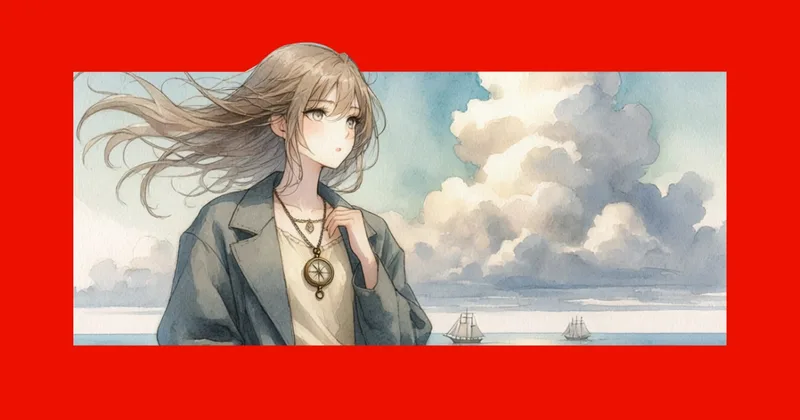
Adobe Firefly creates anime-style images and videos from text prompts and reference images. Illustrators, character artists, and video creators can refine and download visuals for creative projects.
One of 49 tools in Generative Art
Who it's for
- Illustrators and character artists who want to create anime characters from prompts or reference images.
- Comic and storyboard creators who need character consistency across multiple images.
- Video creators who want to turn prompts or still images into anime-style motion.
How it fits your workflow
In the Firefly web app, choose an image or video tool, then describe the desired subject, action, place, mood, or style in a prompt. For image work, upload a reference image if useful for composition or style.
Generate the result, adjust the prompt or settings to explore variations, and download images as JPEGs or videos as MP4s. For video sequences, the last frame of one generation can be used to start the next.
Pricing
Free: Free use is available with an Adobe account and includes daily generations; the page does not specify the daily allowance.
Free
Free with an Adobe account; free users receive daily generations, with the number not specified on the page.
- · Daily generations
- · Create anime-inspired images using text prompts and a range of anime styles
Paid Adobe Firefly plan
Price not stated on the page.
- · Additional features
- · Higher-volume generation
Prices checked on Oct 21, 2026 from the vendor's site. They can change; confirm before you buy.
Key features
- Text-to-image anime generation
- Describe a character, scene, or other idea in a prompt and generate anime-style images with the Generate Image tool.
- Reference-image transformation
- Upload a photo, illustration, or sketch as a starting point for anime-style artwork. Image to Image can preserve key details such as composition and lighting.
- Style and image refinement
- Adjust colors and add effects or materials; the page also describes controlling poses, expressions, and lighting.
- Character consistency
- The page says Firefly can maintain consistent characters across images, supporting comics, storyboards, and serialized content.
- Anime video generation
- Generate video from a text prompt or use a first frame and prompt, or first and last frames, to create motion. A generated video’s last frame can be used to begin another sequence.
- Downloadable outputs
- Download generated images as JPEG files and generated videos as MP4 files.
Works with
- Adobe Photoshop
- Adobe creative tools
Limitations to know
- The page’s prompt interface states a maximum prompt length of 750 characters.
- The stated desktop requirements are at least 4 GB of memory, Windows 10, macOS 12, or ChromeOS, and JavaScript enabled; listed browsers include Firefox 113 or later and Safari 17.4 or later.
- The stated mobile requirements are iOS 17.4 or later or Android 9.0 Pie or later.
- The page does not state the number of daily free generations or the prices of paid plans.
Alternatives to consider
-
AnimeGenius
Choose it if you need additional input workflows such as pose-to-image or video-based generation, which its description lists.
-
AnimeGen
Choose it if you want high-resolution image generation with flexible aspect ratios, which its description specifically offers.
-
Anime AI Generator
Choose it if you want a stated selection of 16+ art styles and HD output, which its description highlights.
Getting started
Desktop: Chrome, Edge, Firefox 113 or later, or Safari 17.4 or later; at least 4 GB of memory on Windows 10, macOS 12, or ChromeOS with JavaScript enabled. Mobile: iOS 17.4 or later or Android 9.0 Pie or later.
- Log in to Adobe Firefly and open the Image or Video section.
- Choose Generate Image, Generate Video, or Image to Video.
- Write a prompt or upload a reference image, then select Generate.
- Refine the prompt or settings and download the result.
Frequently asked questions
Can Firefly-generated anime images be used for commercial projects?
The page says yes, provided users follow Adobe’s user guidelines and create the content using the commercially released version of Adobe Firefly. It says Firefly models are trained on Adobe Stock, licensed content, and public-domain materials.
Is the Adobe Firefly AI anime generator free?
Yes. The page says users can use it for free with an Adobe account and receive free daily generations. Paid plans offer additional features and higher-volume generation.
Can I convert my own images, photos, or sketches into anime?
Yes. The page describes using uploaded images as references for style or composition, and using Image to Image to transform reference images into anime-style artwork.
What devices and browsers support Adobe Firefly?
On desktop, the page lists Chrome, Edge, Firefox 113 or later, and Safari 17.4 or later. It states a minimum of 4 GB of memory on Windows 10, macOS 12, or ChromeOS with JavaScript enabled. On mobile, it lists iOS 17.4 and Android 9.0 Pie or later.