
AI for Database
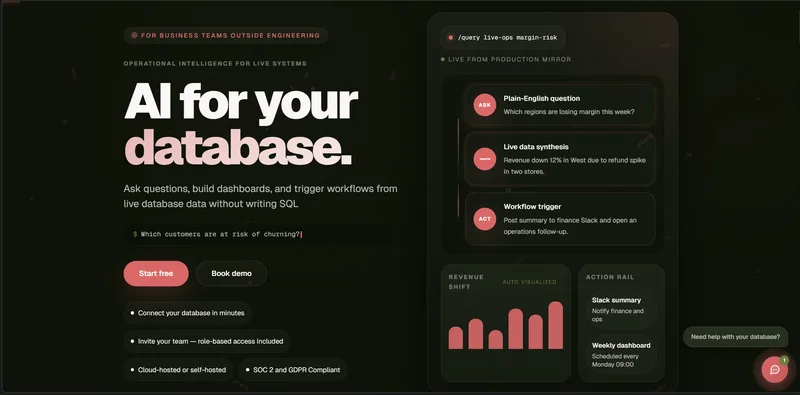
AI for Database lets sales, operations, and product teams query live databases and spreadsheets in plain English, then turn results into dashboards, reports, and data-triggered alerts without writing SQL.
Who it's for
- Sales managers who need to identify stalled deals and share reports or notify deal owners.
- Operations teams monitoring inventory across connected databases or spreadsheets and looking to trigger alerts when stock changes.
- Product managers who want to review usage trends and investigate which features drive retention.
How it fits your workflow
Connect a live database or spreadsheet, then ask a question in plain English. The product writes and runs SQL and returns an answer with its rows and the query used.
Review the results as a table, chart, or dashboard. Save queries, export to Sheets or CSV, or schedule a report.
For ongoing monitoring, configure a workflow with a data condition and an action such as an email, Slack alert, webhook, or CRM update. The page says workflows can be checked hourly and dry-run before actions fire.
Pricing
Free: A free plan is available. The page offers a free trial with sample data, says no credit card is required, and advertises free models; it does not specify a free-plan credit allowance.
Pro
$10 per user per month, billed monthly
- · $10 in credits per user per payment; credits do not expire
- · Ask databases questions in plain English and explore answers with charts and dashboards
- · Save queries and inspect SQL
- · Automate with scheduled workflows and trigger actions through webhooks
Team
$30 per user per month, billed monthly
- · $30 in credits per user per payment; credits do not expire
- · Includes everything in Pro
- · Three times the credit funding per user
- · Individual credits for each team member
Enterprise
Custom
- · Custom usage and seat requirements
- · Company SSO requirements review
- · Security and compliance discussions
- · Deployment planning, tailored support terms, and procurement and contract support
Prices checked on Oct 26, 2026 from the vendor's site. They can change; confirm before you buy.
Key features
- Natural-language database questions
- Ask questions about connected databases or spreadsheets in plain English. The product writes and runs SQL, returns results, and can show the query and rows behind an answer.
- Charts, dashboards, and reports
- Turn answers into charts and shareable dashboards, save queries, export results to Sheets or CSV, and schedule reports.
- Database-driven workflows and alerts
- Create workflows using plain-language conditions and actions. Workflows can check data on a schedule and send email or Slack alerts, call webhooks, or update CRMs.
- AI assistant connections
- Connect an AI for Database account to Claude, ChatGPT, Grok, or Muse to ask questions about data, run read-only SQL, and set up alerts from those assistants.
- Agent REST API
- A public REST API and OpenAPI 3.1 contract let agents inspect schemas, run read-only queries, draft paused workflows, preview recipients, test a delivery, and publish workflows.
- Self-hosted deployment
- The product offers a self-hosted deployment option that keeps the deployment in the customer's infrastructure.
Works with
- Databases and data sources
- AI assistants
- Alerts and actions
- Cloud and deployment environments
Limitations to know
- AI usage pauses when a user's credit balance runs out; additional credits can be purchased in $10, $25, $50, or $100 amounts.
- The page says self-hosting requires a one-time setup fee and an annual license but does not state their prices.
- Prices and credits are per user and exclude applicable taxes.
Alternatives to consider
-
AskYourDatabase
Choose it if you want a database chatbot that also offers a desktop app, embeddable chatbot, and on-premise deployment.
-
Quills.ai
Choose it if you want to query both connected databases and uploaded files, with direct SQL queries and chatbots for Slack or websites.
-
BlazeSQL
Choose it if you want an AI data analyst focused on learning database structure, generating insights, and helping create dashboards and reports.
Getting started
- Start a free trial with the included sample data; the page says no credit card is required.
- Connect a live database or spreadsheet.
- Ask a question in plain English and review the answer and supporting SQL.
- Pin the answer to a dashboard or set up a scheduled report or data-triggered workflow.
Frequently asked questions
Does my data leave my environment?
The page says customers choose the deployment model: self-hosted keeps everything in their infrastructure, while cloud-hosted encrypts data in transit and at rest.
What can the AI read versus write?
Permissions are configurable. Connections start read-only, and users can enable specific actions as needed.
What actions require approval?
Users set the rules, requiring approval for high-risk actions and allowing automatic execution for workflows they consider safe.
Can I self-host?
Yes. The page says full self-hosted deployment is available with a one-time setup fee and an annual license.
How are credentials stored?
The page says credentials are encrypted at rest with AES-256 and are never stored in plain text; keys can be rotated.
What logging or audit trails exist?
The page says every query, dashboard, and action is logged, and audit logs can be exported.