
AI Product Photo
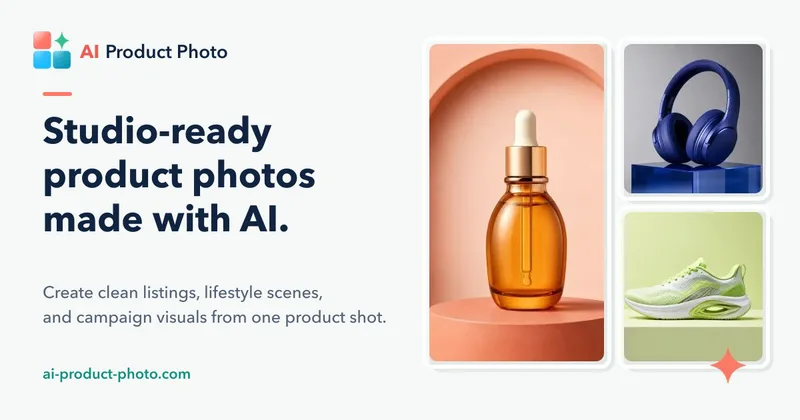
AI Product Photo turns existing product images into listing, storefront, and campaign visuals. Ecommerce teams can edit images individually or use batch and API workflows for repeatable product-photo production.
Who it's for
- Ecommerce catalog teams preparing white-background images for marketplace listings and product pages.
- Marketing teams creating product scenes and visual variations for promotions, social posts, and campaigns.
- Teams automating repeatable product-image processing through batch jobs or API workflows.
Not the right fit if…
- Teams that need guaranteed exact product imagery: the page says generated results are not guaranteed to be exact and recommends reviewing product details.
- People using free access or free credits for commercial output: the page states those outputs are licensed only for personal, non-commercial use.
How it fits your workflow
Upload a clear JPG, PNG, or WebP product image, then select a task such as background removal, a white backdrop, a new scene, a shadow, or lighting adjustments. Generate the image and download the result you choose.
For larger jobs, use the batch workspace to test several prompts against a reference image or apply a prompt across multiple images when the selected model supports image input. Choose supported aspect-ratio and resolution settings, then review product details before publishing.
The page also describes API processing for connecting product-image generation and batch jobs to internal systems.
Pricing
Free: Free access or credits may be available. Paid credits or a plan may be required for continued use and commercial output rights; specific prices are not stated.
The vendor doesn't publish prices. Check with AI Product Photo directly.
Prices checked on Nov 3, 2026 from the vendor's site. They can change; confirm before you buy.
Key features
- Product background removal
- Separate a product from its original background and export a transparent PNG. The page describes a standard model for everyday cutouts and a Pro option for difficult edges and fine details.
- White-background product images
- Place an uploaded product on a clean white backdrop for storefronts, catalogs, and marketplace product pages.
- Background and scene replacement
- Describe a new setting to generate a different background or visual style around the uploaded product.
- Lighting and shadow editing
- Adjust exposure, contrast, highlights, and material definition, or add a grounding or studio-style cast shadow.
- Batch workspace
- Run multiple generation tasks with a reference image, or apply one prompt across multiple uploaded images when the selected model supports image input. Batch settings include supported aspect ratios and resolutions.
- API-driven workflows
- Route product image generation through an API to automate repeatable workflows and connect them to internal systems.
Limitations to know
- Generated results are not guaranteed to be exact; product packaging, labels, shape, color, and small details should be reviewed before publication.
- Batch limits and available settings depend on the selected model.
- Outputs created with free access or free credits are licensed only for personal, non-commercial use according to the page.
- Commercial use requires attention to the stated output-rights terms, and users are responsible for avoiding infringement of third-party rights.
Alternatives to consider
-
AI Product Shot
Choose it if you want a web-based tool focused on generating photorealistic ecommerce product images and mockups without a physical studio.
-
E-Commerce AI
Choose it if you want product images and lifestyle renders for platforms such as Amazon and Shopify with pay-as-you-go credits and trial packages.
-
Fotographer AI
Choose it if you need an API-first production imaging platform with non-destructive inpainting and stated product-pixel, geometry, and brand-identity preservation.
Getting started
A clear product image in JPG, PNG, or WebP format; the complete product should be visible and reasonably well lit.
- Upload a product image.
- Choose the product-photo result or editing task you need.
- Generate the image, review it, and download the version you want to use.
- Use the batch workspace or API workflow for repeatable or larger-scale processing.
Frequently asked questions
What kind of product image should I upload?
Use a clear image where the complete product is visible and reasonably well lit. A sharp source image gives the model more product detail to work from, and strong separation between the product and background can help with cutouts.
Can I create a white-background product photo?
Yes. The Product White Background tool places an uploaded product on a clean white backdrop for storefronts, catalogs, and marketplace product pages.
Can I remove the background as a transparent PNG?
Yes. Background Remover supports transparent PNG output, with a standard model for everyday images and a Pro option for more difficult edges and fine details.
Can I generate a new background for my product?
Yes. Upload an image, describe the new setting, and use Background Replacer to generate a different scene, color, or visual style around the subject.
Can I improve product lighting or add a shadow?
Yes. Dedicated tools can adjust exposure, contrast, highlights, and material definition, and can add grounding or studio-style product shadows.
Can I create multiple product images at once?
The batch workspace supports multiple generation tasks. You can test several prompts with a reference image or apply one prompt across multiple images when the selected model supports image input. Batch limits and available settings depend on the selected model.
Do you support API processing for product photo workflows?
Yes. The page describes API-driven processing for connecting product image generation, batch jobs, and internal tools into repeatable workflows.
Do I need Photoshop or professional editing experience?
No. The tools use upload-first workflows with focused settings, and the page says users do not need to perform manual masking or traditional photo retouching.
Can I use generated product images commercially?
The page says output created with an active paid subscription benefit or paid credits is assigned to the user to the extent permitted by applicable law. Output created with free access or free credits is licensed only for personal, non-commercial use. Users are responsible for ensuring their inputs and use of outputs do not infringe third-party rights.
Are AI-generated results always accurate?
No. The page says results are not guaranteed to be exact and recommends checking packaging, labels, product shape, color, and small details before publishing.