Anifusion
Anifusion is an AI-powered manga and comic creation studio that turns text prompts into complete manga pages, webcomics, and anime-style artwork using built-in layouts, characters, a canvas editor, animation and publishing tools. It targets creators, hobbyists, and teams with free credits, subscription plans, and commercial usage rights.
Anifusion is generative art software teams evaluate for generative art. Use this page to review pricing, integration signals, and the best alternatives before you commit.
Profile facts come from the vendor source. AiMatch labels unknown pricing or API details instead of estimating them.
Review official source →Quick Overview
Best for: Generative Art
What it does
Generative Art software for decision-makers comparing workflow fit and alternatives.
Best fit
Generative Art
Pricing snapshot
Freemium from $0 /month
Next step
Compare Anifusion with similar tools before you shortlist it.
Compare this tool before you shortlist it
Review alternatives, pricing posture, and workflow fit side by side.
Anifusion is a web-based AI manga and comic studio that converts text prompts into illustrated comic pages and anime-style art. The platform provides built-in page layouts, panel presets, character sheets, speech bubbles, and an integrated canvas editor so users can generate, inpaint, and refine pages without external tools. It supports animation and video generation as well as tools for prompts, LoRA models, and model selection. Anifusion provides a free tier with 100 credits and subscription plans for higher monthly credit allowances, and states that all creators receive full commercial rights for works produced on the platform.
AI Manga Generator for creating comics and manga from text prompts.
Own this listing?
Claim this page for a one-time $29 to add pricing, features, screenshots, verified owner details, and a clearly labeled 30-day category position after the profile is live.
Claim this listing for $29Key Features
Text-to-Manga
Describe each panel in plain language after choosing a layout and the AI generates the artwork for each panel using combined LLM and image-model workflows.
Built-in Canvas Editor
Edit generated pages with inpainting, painting, face enhancement, pose control, text insertion, and final-polish tools on an infinite canvas.
Layout & Panel Presets
Choose from comic panel presets or build custom layouts and flexible grids to shape page flow, including vertical manga text support.
Animation & Video Generator
Tools for video generation and animation integrated into the same workspace so users can create motion content alongside static pages.
Character Sheets & Consistency Tools
AI character design generator and character sheets to maintain character consistency across pages and panels.
Model Selection & LoRA Support
Access to multiple AI models (AnimagineXL, Stable Diffusion variants, FLUX.1, NoobAI XL, etc.) and tools for LoRA captions and custom model training.
Prompt & Production Tools
Anime prompt builder, prompt wizard, negative prompts, SDXL resolution options, script-to-beats, manga lettering, and image-to-prompt utilities.
Community Gallery & Publishing
Publish creations to a community gallery, browse other creators' work, vote, and earn credits via weekly contests; publish requires an active subscription and public profile.
Credits System & Account Management
Generation actions consume credits; subscription plans provide monthly credits, unused credits never expire, and credit packs can be purchased separately.
Commercial Licensing
All AI models provided explicitly allow commercial use and the platform includes full commercial rights for works created on Anifusion.
Pricing
100 free credits on sign-up; no credit card required.
Free tier
$0 /month- 100 free credits
- One workspace
Creator
$9 /month- 2,000 credits per month
- Access to core AI models
- High resolution exports
- Full commercial usage rights
Pro
$24 /month- 10,000 credits per month
- Priority access to newest AI models
- Maximum resolution exports
- Full commercial usage rights
Custom / Enterprise
Contact sales- Tailored plans for studios, agencies, and teams
- Higher volume allowances and custom licensing
Use Cases
Self-published Manga & Webcomics
Authors and artists can turn written stories into finished manga pages or vertical webtoons using layouts, text-to-image generation, and the editor.
Rapid Prototyping for Studios and Agencies
Studios and agencies can generate concept pages, character designs, and animatics quickly, and contact Anifusion for custom enterprise plans.
Character Design & Consistency
Create and maintain consistent character art across panels and pages with character sheets and model presets.
Monetization & Community Publishing
Publish work to the community gallery, grow followers, and add support links (Ko-fi, PayPal, Patreon, etc.) to earn tips or direct readers to paid platforms.
Educational & Portfolio Creation
Use the platform to learn comic layout and storytelling or to assemble a professional portfolio of comic and manga pages without traditional drawing skills.
Integrations
Community & support links
Profile support links accept Ko-fi, PayPal, Patreon, Buy Me a Coffee, Stripe, Gumroad, and Fanbox for creator monetization.
Third‑party models and ecosystems
Platform lists and uses models from the Stable Diffusion ecosystem and other third-party anime model builds.
Community & social
Publish to the Anifusion community gallery, share links, and connect via Twitter/X and Discord.
Benefits
Limitations
Frequently Asked Questions
Can I create AI manga for free?
How does AI manga generation work?
How does the credit system work?
Is Anifusion allowed for commercial use?
Do you offer custom or enterprise pricing?
Do you offer a mobile version?
Do you allow NSFW content?
Getting Started
- 1 Step 1: Sign up for a free account to receive 100 starter credits (no credit card required).
- 2 Step 2: Open the Comics workspace, choose a page layout or panel preset.
- 3 Step 3: Describe each panel in plain language (text-to-manga) and generate art with the selected AI model.
- 4 Step 4: Refine output in the built-in canvas editor (inpaint, face enhance, pose control, lettering).
- 5 Step 5: Publish to the community gallery or download/export your pages. Subscribe if you need more monthly credits or higher resolution exports.
Support
Help center
Official help center articles and guides accessible from the site.
Email / Contact support
Contact support via the Contact support link on the site.
Social
Twitter/X: @anifusion_ai and Discord community for updates and assistance.
Documentation
In-app guides, tutorials, and editorial reviews linked from the Pricing and Resources sections.
API
Compare Anifusion with similar tools
See how it stacks up against alternatives
Related Tools
View all 49 →
AI studio with 500 models for headshots, video and images
MagicShot is an all-in-one AI creative studio for generating images, videos, photoshoots and audio using 500+ models, aimed at creators and businesses with one subscription and mobile apps.
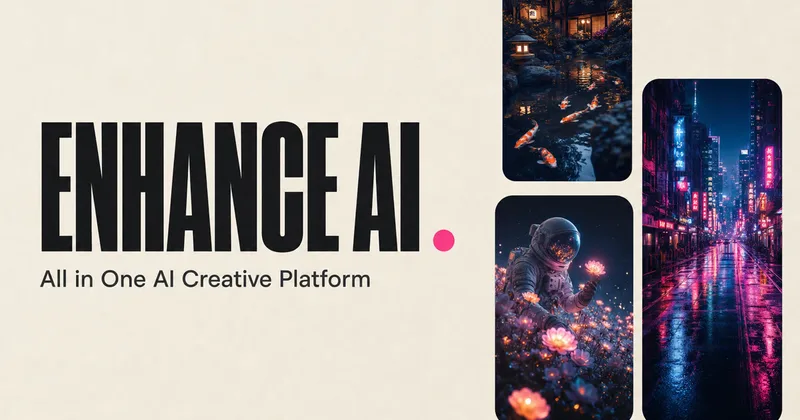
Enhance AI
Enhance AI is an all-in-one creative platform offering 250+ AI models across image, video, music, voice, and chat, bundled into focused studios to generate, edit, and export creative assets with one account and commercial usage rights.
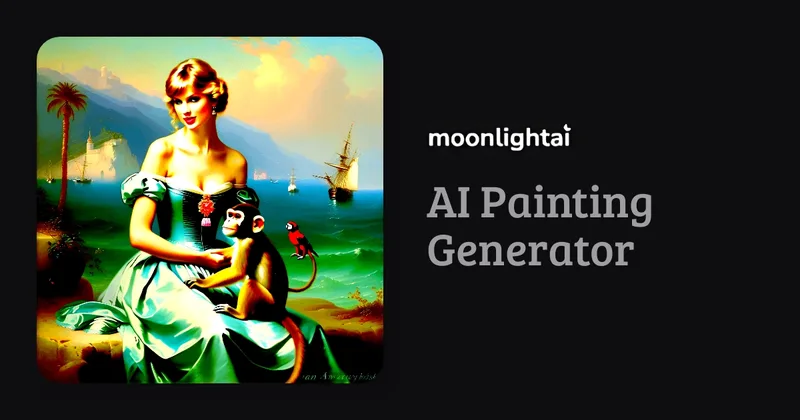
moonlightai
moonlightai is an AI painting generator that creates paintings in the styles of famous painters and art movements, letting users generate artwork for commercial and non-commercial use.

Aiscriptgenerator
AI Script Generator converts novels and long-form stories into multi-scene, professional comic and storyboard scripts and can produce storyboard images and video prompts using AI-powered analysis and layout tools.


AnimeGenius
AnimeGenius is a web-based AI anime art generator by Live3D that creates high-quality anime-style images and videos from text prompts, reference images, sketches, poses, and videos. It offers multiple specialized tools (text-to-image, image-to-image, pose-to-image, image-to-video, etc.), over 100 anime styles, tutorials, and a community gallery.
Premium Alternatives

promptbase
PromptBase is an online marketplace for buying, selling, and discovering high-quality AI prompts for models like Midjourney, ChatGPT, Claude, Gemini and more. It also offers a subscription (PromptBase Select), hiring of AI creators, and tools to build apps and small prompt stores.