
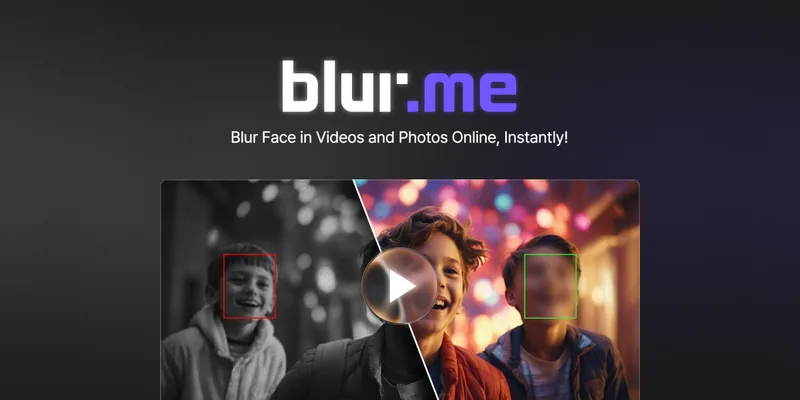
Blur
Blur is a browser-based service that automatically detects and blurs faces in photos and videos using AI, offering single-file and batch processing, selective unblur, manual blur zones, and an enterprise offering with on-premises deployment and API access.
Blur is ai detection software teams evaluate for ai detection. Use this page to review pricing, integration signals, and the best alternatives before you commit.
Profile facts come from the vendor source. AiMatch labels unknown pricing or API details instead of estimating them.
Review official source →Quick Overview
Best for: AI Detection
What it does
AI Detection software for decision-makers comparing workflow fit and alternatives.
Best fit
AI Detection
Pricing snapshot
Freemium from Not specified on page; mentions free trial and 'Try it free — no account required'.
Next step
Compare Blur with similar tools before you shortlist it.
Compare this tool before you shortlist it
Review alternatives, pricing posture, and workflow fit side by side.
Blur is a web-based tool that automatically detects and blurs faces in photos and videos using AI. Users upload files and the service finds faces in seconds, allowing them to blur, pixelate, or mask identities without installing software or having editing skills. The platform includes consumer-focused flows (free, no-account uploads) and an enterprise product with on-premises deployment, API access, and volume pricing for teams and security-conscious organizations.
Blur is a browser-based service that automatically detects and blurs faces in photos and videos using AI, offering single-file and batch processing, selective unblur, manual blur zones, and an enterprise offering with on-premises deployment and API access.
Own this listing?
Claim this page for a one-time $29 to add pricing, features, screenshots, verified owner details, and a clearly labeled 30-day category position after the profile is live.
Claim this listing for $29Key Features
AI face detection
Automatic AI detection that finds every face in photos and videos in seconds.
Video blurring (frame-by-frame)
Blur, pixelate, or mask faces in video files with frame-by-frame precision (BlurMe Video).
Image batch processing
Process hundreds of photos in one upload and apply custom blur zones (BlurMe Photo).
Selective unblur
Keep a chosen face clear while blurring all others by selecting which face to unblur.
Custom blur zones
Manual tools to apply blur or pixelation to any specific area chosen by the user.
Batch export / one-click processing
Blur multiple files at once and export without managing files individually.
Browser-based
100% browser-based workflows — no downloads or installs required; compatible with most devices.
Enterprise: on-premises & API
Enterprise offering includes on-premises deployment and API access for teams needing scale and security.
Pricing
Offers free use/trial with no account required for testing and personal use.
Free / Trial
Not specified on page; mentions free trial and 'Try it free — no account required'.- Upload and test without creating an account
Enterprise
Volume pricing (not specified)- On-premises deployment
- API access
- Volume pricing and security-focused features
Use Cases
Promotional content and creators
Creators and marketers can protect identities in photos and videos used for promotional material and social media.
Blogs and social media
Fast image blurring for blog posts and social channels to protect privacy without editing expertise.
CCTV and security footage
CCTV video blurring workflows tailored to redact identities in surveillance footage.
Enterprise compliance and scale
On-premises deployment and API access support enterprise workflows that require volume processing and security controls.
Integrations
API (Enterprise)
API access is offered as part of the Enterprise plan to integrate Blur functionality into workflows (page mentions 'API access').
Benefits
Limitations
No verified limitations are available.
Frequently Asked Questions
No verified FAQs are available.
Getting Started
- 1 Step 1: Upload a photo or video file to the Blur web app (Try it free — no account required).
- 2 Step 2: Allow the AI to detect faces automatically (face detection runs in seconds).
- 3 Step 3: Choose which faces to keep visible or apply blur/pixelation and adjust intensity, then export the processed files.
Support
docs
Help Center (link listed on site navigation as 'Help Center').
contact
Contact link available in the site navigation ('Contact').
API
Compare Blur with similar tools
See how it stacks up against alternatives
Related Tools
View all 32 →
DataVisor
DataVisor is an AI-native fraud and AML (anti-money-laundering) platform that provides real-time decisioning, cross-entity intelligence, and conversational AI agents to detect and prevent financial crime for banks, credit unions, fintechs, payments companies, insurers, and enterprises.
apyhub-ai-apis
ApyHub's Artificial Intelligence catalog of hosted model APIs — a collection of HTTP-accessible AI endpoints for tasks like classification, summarization, sentiment, moderation, extraction and more, offered as pay-per-call services and organized into categories.


Gowinston
Winston AI (Gowinston) is an AI content integrity platform that detects AI-generated text and images, checks plagiarism, and provides writing feedback, grammar correction, essay grading, and website certification. It targets educators, publishers, SEO professionals, and writers and offers an API and integrations for embedding detection into workflows.
Originality
Originality.ai is a commercial content-integrity platform providing an AI content detector and a suite of quality tools — including plagiarism checking, grammar, readability, fact checking, bulk/site scanning, and integrations (Chrome extension, Moodle plugin, API) — aimed at writers, publishers, educators, and enterprises.

contentmod
ContentMod provides a text and image moderation API and dashboard that detects inappropriate content, supports multi-lingual moderation, webhooks, review queues, and integrations to help platforms automate or manually review user-generated content.
Tweetdetective
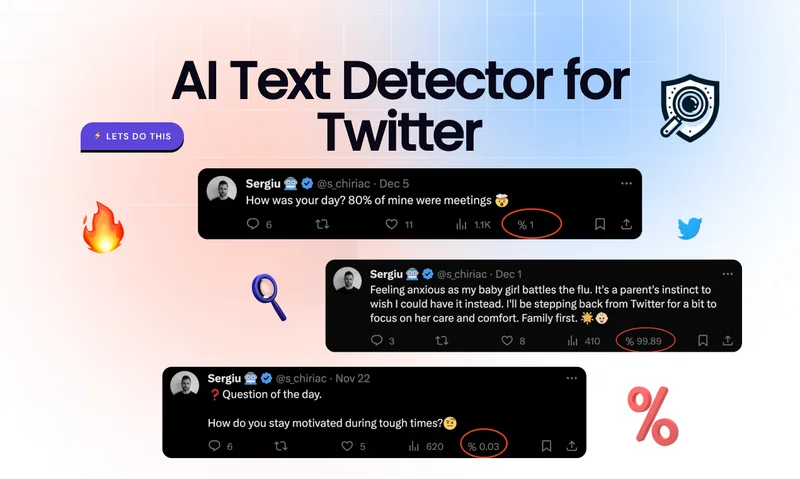
TweetDetective is a Chrome extension that analyzes tweets and displays a real-time probability that a tweet was AI-generated using advanced detection algorithms aimed at identifying content from popular models.
Premium Alternatives
apyhub-ai-apis
ApyHub's Artificial Intelligence catalog of hosted model APIs — a collection of HTTP-accessible AI endpoints for tasks like classification, summarization, sentiment, moderation, extraction and more, offered as pay-per-call services and organized into categories.
Tweetdetective
TweetDetective is a Chrome extension that analyzes tweets and displays a real-time probability that a tweet was AI-generated using advanced detection algorithms aimed at identifying content from popular models.