
ChatComparison
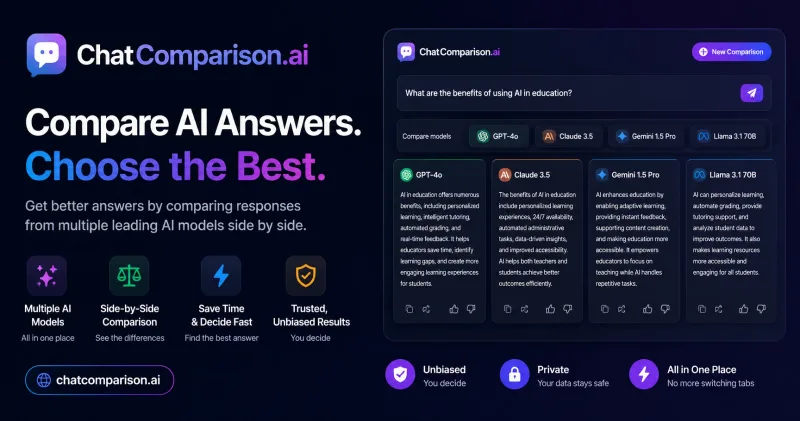
ChatComparison lets teams and AI users compare responses from 40+ models by quality, cost, and speed. They can use the results to select a model for a particular task.
Who it's for
- Content teams comparing model tone and quality before using AI-generated copy for client or campaign work.
- AI product and engineering teams evaluating response speed and cost for product workflows.
- Consultants and analysts testing which model best fits a specific client task or research prompt.
How it fits your workflow
Enter a prompt and compare the responses from multiple models side by side. The page shows comparisons across quality, cost, and speed, and may present a recommended model for the task.
On mobile, use the comparison experience for quick checks; the page says mobile comparisons support up to two models.
Pricing
Free: The page promotes free access and a free getting-started option, but does not specify the free offering's limits.
ChatComparison
$15/month
- · Access to ChatGPT, Claude, Gemini, and more in one place
- · Compare AI model responses
Prices checked on Oct 23, 2026 from the vendor's site. They can change; confirm before you buy.
Key features
- Side-by-side model comparison
- Run a prompt across multiple AI models and view their responses together. The page advertises comparisons across 40+ models.
- Response evaluation
- Review model answers across quality, cost, and speed to help identify which response best fits a task.
- Model recommendations
- The product presents recommendations for a use case, including a sample recommendation that identifies a model as the best match.
- Mobile comparisons
- The page describes adding ChatComparison to a phone for quick side-by-side checks. Mobile comparisons are limited to up to two models.
Limitations to know
- Mobile comparisons are limited to up to two models.
Alternatives to consider
-
ChatHub
Choose it if you also need image generation, file analysis, web search, or cross-platform access alongside side-by-side model comparisons.
-
Chat100.ai
Choose it if instant model switching and a stated free trial are priorities for accessing and comparing models in one browser-based account.
-
Chatbox AI
Choose it if you need web search, file-based local knowledge bases, or agentic Work Mode in addition to multi-model chat.
Getting started
- Open ChatComparison and select a get-started option.
- Enter the prompt you want to test across models.
- Review the side-by-side responses and compare quality, cost, and speed.