
chatwithcloud
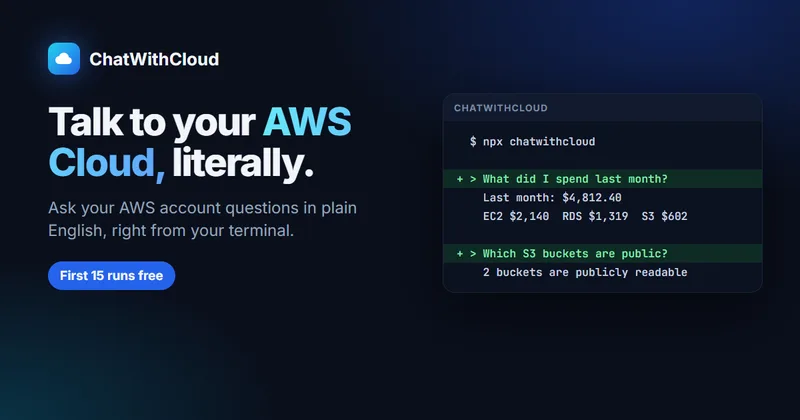
ChatWithCloud lets AWS administrators and cloud engineers query account resources in plain English from a terminal, with answers based on locally executed AWS SDK calls. It can also make AWS changes when the active IAM role permits them.
One of 148 tools in Automation
Who it's for
- AWS administrators who want to inspect resources, IAM access, or CloudWatch alarms from a terminal.
- FinOps teams investigating AWS spend by service or looking for idle EC2 instances and unattached EBS volumes.
- Cloud engineers troubleshooting AWS infrastructure or requesting resource changes through plain-English prompts.
Not the right fit if…
- Teams that require approval before every infrastructure change: generated code runs without a confirmation prompt.
- Teams whose policies prohibit sending questions and filtered AWS call results to an AI model: the page says this information is sent to the model.
How it fits your workflow
Run the CLI with the existing AWS profile from `~/.aws`, then ask a question about the account in plain English. The tool interprets the question and generates an AWS SDK script.
The script runs locally against the AWS account, and ChatWithCloud returns a contextual answer based on the results. Requests can also make changes when the role permits them; use a read-only role to prevent modifications.
Pricing
Free: The first 15 runs are free, with no card or OpenAI API key required.
Free trial
$0
- · First 15 runs free
- · No card required
- · No OpenAI API key needed
- · All use cases included
Monthly
$19/month
- · Unlimited usage
- · No OpenAI API key needed; model costs are included
- · Smarter model and better responses
- · Cancel anytime
Yearly
$190/year
- · Includes everything in Monthly
- · About $15.83 per month when billed yearly
- · Save $38 per year versus monthly billing
- · No OpenAI API key needed; model costs are included
Lifetime license
$399 one-time
- · No subscription or renewals
- · Bring your own OpenAI API key
- · Choose an OpenAI model
- · Model usage is billed by OpenAI
Prices checked on Oct 11, 2026 from the vendor's site. They can change; confirm before you buy.
Key features
- Plain-English AWS queries
- Ask questions about an AWS account in everyday language; ChatWithCloud generates the AWS SDK script needed to retrieve relevant information.
- Account-specific answers
- Runs AWS calls against the user's environment so answers reflect live account resources rather than general AWS information.
- Cost analysis
- Ask about AWS spending by service and identify idle EC2 instances or unattached EBS volumes.
- Security and IAM analysis
- Ask about publicly accessible S3 buckets, IAM users with admin access and no MFA, and other account security details.
- Troubleshooting
- Investigate infrastructure issues, such as Lambda errors or CloudWatch alarms, and receive contextual answers.
- Infrastructure changes
- Request changes such as adjusting a Lambda timeout or stopping tagged development instances. Generated code runs without a confirmation prompt, so permissions determine what it can change.
Works with
- AWS
- OpenAI
Limitations to know
- Generated code runs without a confirmation prompt, so a role with write permissions can allow changes to AWS resources.
- Questions and filtered results from AWS calls are sent to the selected AI model to produce answers.
- The lifetime license requires users to provide their own OpenAI API key, and model usage is billed by OpenAI.
Getting started
npx chatwithcloudAn existing AWS profile and credentials in `~/.aws`.
- Run `npx chatwithcloud` in a terminal.
- Ask a question about your AWS account in plain English.
- Use a read-only IAM role if you want to prevent the CLI from modifying resources.
Frequently asked questions
How does ChatWithCloud work?
It uses OpenAI to interpret a question, writes a script that calls relevant AWS services, runs it against the user's AWS environment, and returns a contextual answer.
Can I try it for free?
Yes. The first 15 runs are free, and no OpenAI key is needed.
How are AWS credentials handled?
The CLI reads credentials from `~/.aws` and makes AWS calls locally. The page says questions and filtered AWS call results are sent to the AI model, but AWS keys are not.
Can ChatWithCloud modify AWS resources?
Yes. It can create, update, and delete resources and perform actions such as starting or stopping instances. Generated code runs without a confirmation prompt; use a read-only IAM role to prevent modifications.
Do I need AWS knowledge to use it?
The page says users can ask questions in everyday language and ChatWithCloud handles scripting and API calls. Basic AWS knowledge can help users ask sharper questions.