
CleanWhiteBG
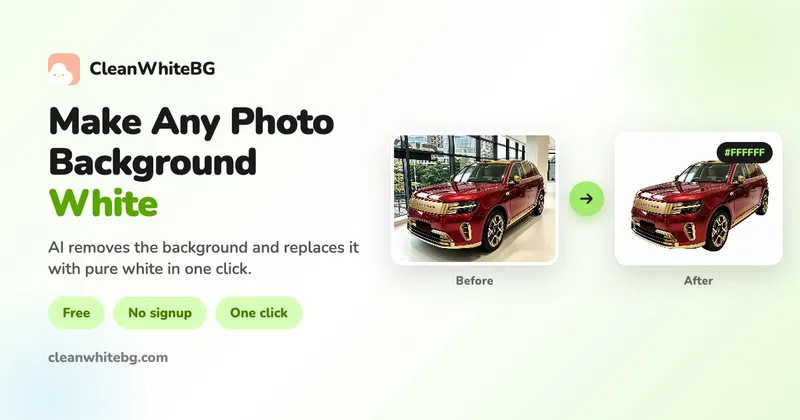
CleanWhiteBG removes photo backgrounds and replaces them with white or transparency, with Standard and generative Quality modes. E-commerce sellers, photographers, and designers can inspect results and download previews or full-resolution images.
Who it's for
- E-commerce sellers who need consistent white backgrounds for product listings or catalog photos.
- Photographers and designers who want to replace photo backgrounds with white or transparency.
- Social media creators who want a consistent background across images displayed together.
Not the right fit if…
- Sellers who need free batch processing: batch and ZIP uploads require sign-in and credits.
- Teams that need full-resolution output above 2048 pixels on the long side: the product caps full-resolution output at 2048 pixels.
How it fits your workflow
Upload a JPG, PNG, or WebP image, choose Standard or Quality, and select a white or transparent background. Single-image previews are available without signup; batches of up to 50 images or a ZIP require sign-in and credits.
Processing runs in the cloud. Compare the result with the original and check edges and product details before downloading a preview or unlocking the full-resolution result.
Pricing
Free: Free single-image previews are available without signup at up to 480 pixels on the long side. Signed-in users also receive three full-resolution Standard unlocks per UTC day, up to 2048 pixels on the long side. The free full-resolution allowance does not apply to batches.
Free preview
Free
- · No signup required for a single-image preview
- · Watermark-free downloads up to 480 pixels on the long side
Signed-in Standard allowance
Free
- · Three full-resolution Standard unlocks per UTC day
- · Up to 2048 pixels on the long side
- · Applies to single images, not batches
Starter Pack
$1.9 one-time
- · 6 credits that never expire
- · Up to 6 Standard full-resolution images or 2 Quality-mode images
Standard Pack
$9 one-time
- · 60 credits that never expire
- · Up to 60 Standard full-resolution images or 20 Quality-mode images
Bulk Pack
$49 one-time
- · 600 credits that never expire
- · Up to 600 Standard images or 200 Quality-mode images
Value Pack
$99 one-time
- · 1,500 credits that never expire
- · Up to 1,500 Standard images or 500 Quality-mode images
Basic
$9/month
- · 80 credits per month
- · Up to 80 Standard full-resolution images or 26 Quality-mode images
Plus
$29/month
- · 300 credits per month
- · Up to 300 Standard full-resolution images or 100 Quality-mode images
Pro
$49/month
- · 1,000 credits per month
- · Up to 1,000 Standard images or 333 Quality-mode images
Business
$99/month
- · 2,500 credits per month
- · Up to 2,500 Standard images or 833 Quality-mode images
Prices checked on Nov 24, 2026 from the vendor's site. They can change; confirm before you buy.
Key features
- White or transparent backgrounds
- Replace the original photo background with white or select a transparent output. White-background results download as JPG; transparent results download as PNG.
- Standard background removal
- Automatically removes the background in the cloud without generating new subject details. The page recommends starting with Standard for everyday product photos.
- Quality generative editing
- Uses generative AI to clean up overlaid text and enhance detail while replacing the background. The result may change labels, colors, textures, or shapes.
- Preview and comparison
- Compare the processed image with the original and inspect edges and details before downloading or publishing.
- Batch uploads
- Upload batches of up to 50 images or a ZIP. Batch and ZIP uploads require sign-in and credits.
- Free previews and daily Standard unlocks
- Download watermark-free previews up to 480 pixels on the long side without signing up. Signed-in users can unlock three full-resolution Standard results per UTC day, up to 2048 pixels on the long side.
Works with
- Cloudflare
- Alibaba Cloud DashScope
Limitations to know
- Uploads must be JPG, PNG, or WebP and no larger than 10 MB each.
- Full-resolution output is capped at 2048 pixels on the long side.
- Batch and ZIP uploads require sign-in and credits; the free daily Standard unlock allowance applies only to single images.
- Quality's generative editing may alter product labels, colors, textures, or shapes, so the page advises checking results against the original.
- Processing time varies with image complexity, mode, and service load; the page does not guarantee a fixed completion time.
- Closing the tab during upload can interrupt the job. Anonymous users are advised to keep the page open or save the result link.
Alternatives to consider
-
BatchRemover
Choose it if you need to replace backgrounds with a color or custom image and resize the canvas, with batch processing available on paid plans.
-
Erase.bg
Choose it if you need background removal or replacement that also supports short videos and an API.
-
remove.bg
Choose it if you need custom backdrop generation or developer integrations in addition to automatic background removal.
Getting started
JPG, PNG, or WebP image files up to 10 MB each.
- Upload an image or try a sample photo.
- Choose Standard or Quality and select the desired background output.
- Inspect the result against the original, then download a preview or unlock the full-resolution result.
Frequently asked questions
What image formats are supported?
The tool accepts JPG, PNG, and WebP images up to 10 MB.
Can I get a transparent background instead of white?
Yes. Select Transparent Background from the Output dropdown before processing. Transparent results download as PNG.
Do I need a monthly subscription?
No. You can use a free preview or buy a one-time credit pack. Monthly plans are optional.
What is the difference between Standard and Quality mode?
Standard removes the background without generating new subject details. Quality also performs generative cleanup and enhancement, which may change labels, colors, textures, or shapes.
How long are uploaded images and results kept?
Original uploads and working previews are scheduled for cleanup after two hours from task creation. Downloadable results are scheduled for cleanup after seven days, or earlier after a full-resolution download is reported. Cleanup is periodic, not instant.
Can I process a whole catalog in a batch?
Batch upload supports up to 50 images or a ZIP, but batch processing requires sign-in and credits.