

Clipwing
Clipwing is a SaaS tool for turning long talking videos into short, shareable clips by using AI-driven transcription and clip generation, plus subtitle, crop and customization tools for social formats. It targets creators, teams and businesses who want to produce and publish many short-form videos faster.
Clipwing is video software teams evaluate for video. Use this page to review pricing, integration signals, and the best alternatives before you commit.
Profile facts come from the vendor source. AiMatch labels unknown pricing or API details instead of estimating them.
Review official source →Used in These Packs
Quick Overview
Best for: Video
What it does
Video software for decision-makers comparing workflow fit and alternatives.
Best fit
Video
Pricing snapshot
Freemium from Free
Next step
Compare Clipwing with similar tools before you shortlist it.
Compare this tool before you shortlist it
Review alternatives, pricing posture, and workflow fit side by side.
Clipwing is a web-based SaaS for creators and teams that transforms long talking videos (podcasts, interviews, demos, lectures) into multiple short clips optimized for social platforms. The product uses AI transcription to surface interesting fragments, provides subtitle generation with a safe area, and includes tools to crop, resize and brand clips for different aspect ratios. It also offers a managed Studio service for full production work.
Clipwing is a SaaS tool for turning long talking videos into short, shareable clips by using AI-driven transcription and clip generation, plus subtitle, crop and customization tools for social formats. It targets creators, teams and businesses who want to produce and publish many short-form videos faster.
Own this listing?
Claim this page for a one-time $29 to add pricing, features, screenshots, verified owner details, and a clearly labeled 30-day category position after the profile is live.
Claim this listing for $29Key Features
AI transcription & clip discovery
Transcribes video using AI and helps find the most interesting parts to turn into clips.
Ask AI clip generation
Automated clip generation via 'Ask AI' when you don't want to create clips manually.
Highlight-to-clip
Make a clip by highlighting transcript text from the long video.
Subtitles with safe area
Automatic subtitle generation with a safe area to ensure visibility across platforms.
Magic Crop / Resize
Convert between landscape, square and portrait formats (e.g., TikTok/Reels/Shorts) using Magic Crop.
Generate docs
Create video summaries and transcripts for distribution and indexing in one click.
Customization & branding
Resize clips for social, add branded backgrounds and other visual customizations.
Team collaboration
Share scripts and collaborate with your team within the platform.
Studio production service
Full-production service where Clipwing handles editing from raw recordings (paid Studio offering).
Pricing
Free plan includes 60 minutes (1 hour) of video upload per month, up to 3 exports, 720p output, videos stored for 7 days and a ClipWing watermark.
Free
Free- Upload 1 hour (60 minutes) of videos per month
- Max 3 exports
- Export in 720p
- Written assets
Pro
$29.99/month- Upload 20 video hours/month
- Unlimited exports
- Export in 1080p
- Written assets
Studio
Starting at $2,999.99/month- Full production handled by Clipwing team
- Submit raw recordings and receive finished videos
Use Cases
Create short-form social content
Turn long videos into multiple short clips for TikTok, Reels, Shorts, Instagram and other platforms to increase reach.
Podcasts & interviews
Extract highlight moments from podcasts and interviews to promote episodes and increase engagement.
Product demos & educational videos
Create instructional or demo snippets from longer product walkthroughs or lectures for marketing and training.
Managed production
Send raw recordings to Clipwing's Studio team for end-to-end production and distribution support.
Integrations
No verified integration details are available.
Benefits
Limitations
Frequently Asked Questions
How does Clipwing work?
What types of videos does Clipwing work best with?
Why do I need short clips?
Can I convert landscape to vertical (and vice versa)?
Which languages are supported?
Can I try Clipwing for free?
Which browsers can I use Clipwing in?
How can I reach support?
Getting Started
- 1 Sign up for a free account (no credit card required).
- 2 Upload your long video (Free plan: 1 hour / 60 minutes per month).
- 3 Use AI transcription and highlight or 'Ask AI' to generate clips, add subtitles and customize.
- 4 Export clips in the selected resolution and publish to social platforms.
Support
Contact support at [email protected] (as listed on the site).
social
Contact via X (Twitter) account referenced on the site.
docs
Site pages include FAQs and product pages (browse site navigation: Pricing, Blog, Free tools).
API
Compare Clipwing with similar tools
See how it stacks up against alternatives
Related Tools
View all 103 →



Videoideas
VideoIdeas.ai is an AI-powered content platform for YouTube creators that generates video scripts, ideas, channel analysis, short-form scripts, ad scripts, and style cloning to speed up content production and grow channels.

NoViolation.ai
NoViolation.ai is a content-scanning tool for TikTok creators that analyzes video audio and visuals to detect potential policy violations, risky wording, and unclear messaging before posting, and provides an Appeal Assistant to help contest flagged content.

Premium Alternatives
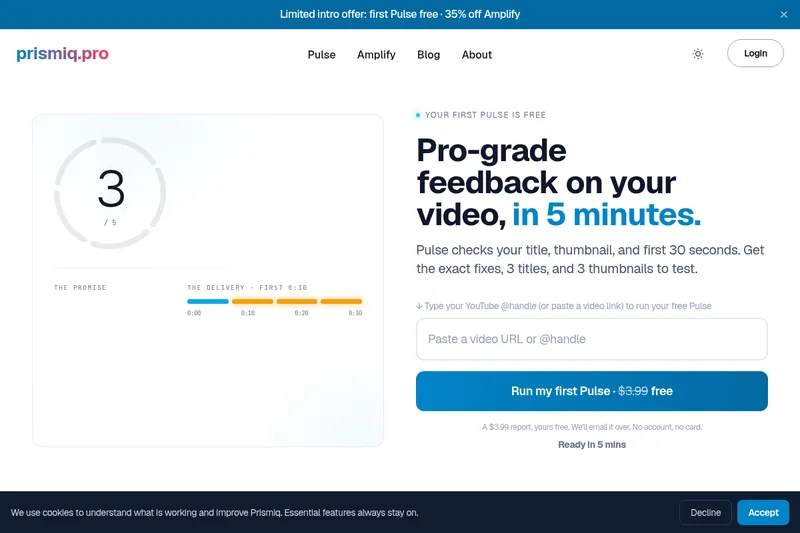
Prismiq
Prismiq Pulse is a post-publish video audit for YouTube that evaluates your title, thumbnail, and first 30 seconds, returns a Pulse score, timestamped friction points, and delivers 3 test-ready title variations plus 3 thumbnail concepts. Reports are ready in about five minutes and can be run by pasting any public YouTube URL.

Topaz Video
Topaz Video is Topaz Labs’ AI-powered desktop and cloud video enhancement application for filmmakers and videographers, offering model-based upscaling, denoising, stabilization, SDR→HDR conversion and other production-grade restoration and finishing tools.

Text Remover
Text Remover is an online AI video cleanup tool that detects and removes text, captions, subtitles, and other overlays, reconstructing the background while aiming to preserve video quality. It is designed for creators, editors, and teams preparing videos for reuse or localization.


reccloud-cn
录咖(reccloud)是一款面向创作者与企业的在线AI音视频处理平台,提供语音转文字、字幕生成、文字转语音、视频翻译、视频生成、去水印、人声分离、音视频总结等一键化AI工具与开发者API。

Sendpotion
Potion (Sendpotion) is an AI video personalization platform that generates hyper-realistic videos in your own face, voice, and gestures for sales, marketing, support, and education, enabling scalable personalized outreach and video content creation.
