
CreatVid
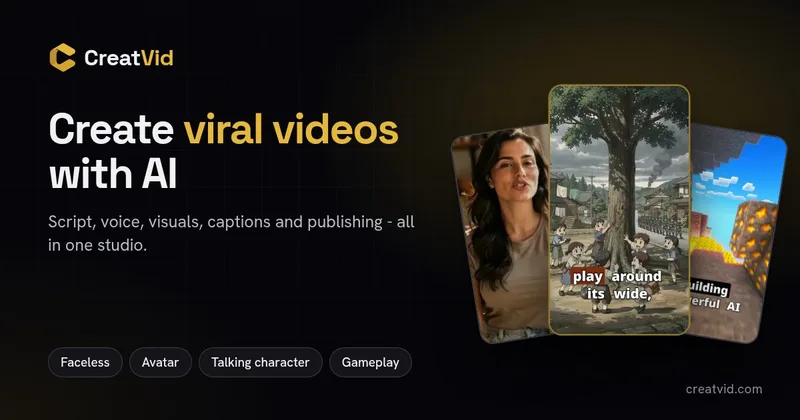
CreatVid is an AI video creation and publishing platform for short-form creators, brands, and agencies. It generates scripts, visuals, voiceovers, and captions, then lets users schedule or auto-publish videos to five social platforms.
CreatVid is ai software teams evaluate for ai workflows. Use this page to review pricing, integration signals, and the best alternatives before you commit.
Profile facts come from the vendor source. AiMatch labels unknown pricing or API details instead of estimating them.
Review official source →Used in These Packs
Quick Overview
Best for: AI workflows
What it does
AI software for decision-makers comparing workflow fit and alternatives.
Best fit
AI workflows
Pricing snapshot
Paid from $29/month, billed monthly; 2,900 credits per month
Next step
Compare CreatVid with similar tools before you shortlist it.
Compare this tool before you shortlist it
Review alternatives, pricing posture, and workflow fit side by side.
CreatVid is an AI-assisted short-form video creation platform. A user can enter a topic or paste a script, then choose a format such as faceless video, UGC, gameplay, stock footage, 3D character, AI Film, or AI Clip. Depending on the mode, CreatVid creates scripts, visuals, narration, captions, and music, with options for visual styles, caption styles, and more than 80 narration languages.
The platform also supports a publishing workflow: users can place finished videos on a calendar and schedule posts to YouTube, TikTok, Instagram, Facebook, and Threads. The page targets faceless creators, online stores, agencies, coaches, and experts who want to produce and publish video content.
CreatVid is an AI video creation platform that turns a brief into ready-to-post videos with script, lifelike voice, visuals, timed captions, music, and 1080p rendering. CreatVid is a AI Tool featured on Dang.ai. Learn more about CreatVid's AI tool.
Own this listing?
Claim this page for a one-time $29 to add pricing, features, screenshots, verified owner details, and a clearly labeled 30-day category position after the profile is live.
Claim this listing for $29Key Features
Multiple video creation modes
Create faceless videos, UGC ads and reviews, gameplay videos, stock-footage videos, 3D character explainers, AI Films, and AI Clips.
Topic-to-video generation
Enter a topic or paste a script; CreatVid can produce scenes, visuals, narration, and word-level captions without requiring the user to film or record.
AI Film and AI Clip
AI Film turns an idea into a multi-shot short film with characters speaking their lines and sound from the scene. AI Clip generates a single clip with sound from a prompt or the user's photo using a selected model.
Visual and caption styles
Choose a visual style for consistent scenes and select from caption styles such as karaoke highlighting, neon glow, minimal pills, and center-punch captions.
Multilingual narration and captions
Create scripts, voiceovers, and timed captions in more than 80 languages, including right-to-left scripts and CJK text. Users can preview voices before generating.
Scheduling and auto-posting
Place finished videos on a calendar, select posting times, and publish to YouTube, TikTok, Instagram, Facebook, and Threads.
Video exports and commercial use
Paid plans include 1080p video without a watermark and commercial-use rights. Videos can be exported in 9:16, 16:9, or 1:1 formats.
Shared credit balance
One credit balance covers the available video modes. The displayed generation cost depends on the selected mode and settings, and the exact cost is shown before generation.
Pricing
Starter
$29/month, billed monthly; 2,900 credits per month- Up to 29 faceless videos, according to the plan listing
- 80+ language voiceover
- Video modes including faceless, UGC, 3D character, gameplay, AI Film, AI Clip, stock footage, and animated AI scenes
- 1080p output without a watermark and commercial-use rights
Creator
$49/month, billed monthly; 4,900 credits per month- Up to 49 faceless videos, according to the plan listing
- 80+ language voiceover
- Video modes including faceless, UGC, 3D character, gameplay, AI Film, AI Clip, stock footage, and animated AI scenes
- 1080p output without a watermark and commercial-use rights
Pro
$89/month, billed monthly; 8,900 credits per month- Up to 89 faceless videos, according to the plan listing
- 80+ language voiceover
- Video modes including faceless, UGC, 3D character, gameplay, AI Film, AI Clip, stock footage, and animated AI scenes
- 1080p output without a watermark and commercial-use rights
Ultra Pro
$199/month, billed monthly; 19,900 credits per month- Up to 199 faceless videos, according to the plan listing
- 80+ language voiceover
- Video modes including faceless, UGC, 3D character, gameplay, AI Film, AI Clip, stock footage, and animated AI scenes
- 1080p output without a watermark and commercial-use rights
Ultra Meter
$299/month, billed monthly; 29,900 credits per month- Up to 299 faceless videos, according to the plan listing
- 80+ language voiceover
- Video modes including faceless, UGC, 3D character, gameplay, AI Film, AI Clip, stock footage, and animated AI scenes
- 1080p output without a watermark and commercial-use rights
Credit top-ups
$50 for 4,000 credits; top-ups of up to $500 at a time- Available to subscribers from the billing page
- Top-up credits do not expire and remain usable after canceling a subscription
- Top-ups are non-refundable
Use Cases
Faceless short-form channels
Create narrated and captioned shorts from topics or scripts, then schedule a batch of videos for a channel.
Product ads and UGC-style videos
Create product-focused ad or review videos for online stores and use the paid plan's commercial-use rights for ads.
Agency and multi-channel publishing
Produce videos for multiple channels or clients and organize posts across the supported social platforms using the calendar.
Multilingual content production
Generate scripts, narration, and captions in selected languages for channels serving different language audiences.
Short films and character-led explainers
Use AI Film for multi-shot shorts with dialogue and scene sound, or 3D Character mode for explainers and mascots.
Integrations
YouTube, TikTok, Instagram, Facebook, and Threads
Users can connect accounts and schedule or auto-publish videos to these platforms.
ElevenLabs
CreatVid says its narration uses ElevenLabs' natural voice models; users can browse and preview voices before generating.
Seedance, Kling, Wan, Grok Imagine, and P-Video
These are named as selectable models for AI Clip generation; the page lists Seedance, Kling, Wan, and Grok in its plan features and names P-Video in the FAQ.
Benefits
Limitations
Frequently Asked Questions
Do I need to film or record anything?
How do credits work?
How long does video generation take?
Can I make videos in other languages?
Which platforms can I post to?
Can I cancel my plan?
Can I buy extra credits?
Are refunds available?
Who owns the videos I make?
Getting Started
- 1 Choose a video mode, such as Faceless Videos, UGC, Gameplay, AI Film, or AI Clip.
- 2 Enter a topic or paste a script, then select the available visual, language, voice, and caption options.
- 3 Review the displayed credit cost and generate the video; the page says generation typically takes about 2–10 minutes depending on type, quality, and duration.
- 4 Download the finished video or connect social accounts, add it to the calendar, and choose a publishing time.
Support
Contact support at [email protected].
Priority support
Priority support is listed as a feature across the paid plans.
FAQ
The site FAQ covers credits, generation time, languages, publishing platforms, cancellation, top-ups, refunds, and video ownership.