
CVEmber
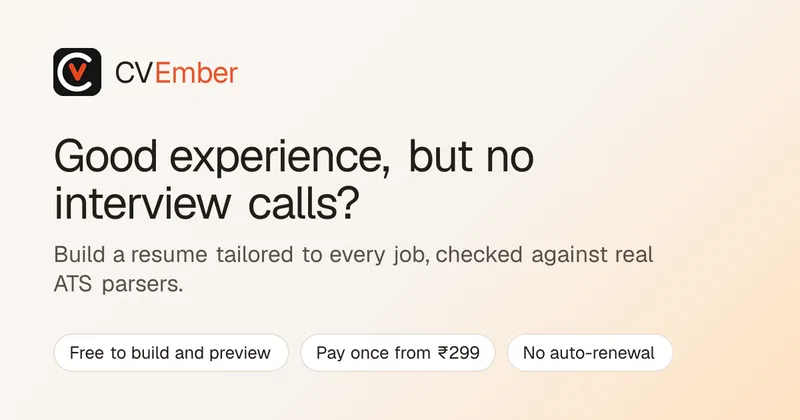
CVEmber helps job seekers build resumes, tailor them to specific job descriptions, and check ATS readability. It saves a separate version for each application; downloading requires a one-time paid plan.
Who it's for
- Job seekers tailoring an existing resume to individual job descriptions and wanting to review each suggested change.
- Applicants checking whether a resume PDF is readable by ATS software before submitting it.
- Candidates managing multiple applications who want separate resume versions searchable by company or job.
Not the right fit if…
- People who need to download a resume without paying: PDF and Word downloads require a paid plan.
How it fits your workflow
Build a resume in a template or upload an existing one, then paste the job description. CVEmber shows a fit assessment before any wording changes.
Review proposed rewrites based on the job's language and choose how bold they should be. Changes are applied only after approval, and the original resume remains separate.
Check the ATS score and save a version for that job. The page says the ATS checker shows what it read and what to fix; downloading a PDF or Word file requires a paid plan.
Pricing
Free: Building, editing, previewing, ATS checks, and resume tailoring are described as free, with no card needed. Fair-use limits apply to tailoring. Downloading requires a paid plan.
Just this resume
$1.99 one-time
- · The page lists this as a payment option for one resume.
Starter
$14.99 for 1 month; one-time payment with no renewal
- · 30+ premium templates
- · AI resume tailoring
- · AI interview practice
- · AI bullet writer
Pro
$29.99 for 3 months; one-time payment with no renewal
- · Everything in Starter
- · 90 days full access
- · 7-day full refund
Pro Annual
Price not stated on the page
- · Everything in Pro
- · 12 months full access
- · 7-day full refund
Prices checked on Nov 27, 2026 from the vendor's site. They can change; confirm before you buy.
Key features
- Job-specific resume tailoring
- Paste a job description to see a fit assessment and receive resume-line rewrites using the job's language. Users review and approve changes, and can choose Faithful, Confident, or Stretch wording.
- ATS resume checker
- Upload a resume PDF to receive an ATS score in about 30 seconds, along with what the checker read and what to fix. The page says the free checker works without an account.
- ATS-oriented templates
- Choose from templates described as ATS-tested and built to export real-text PDFs. The page offers one- and two-column formats and says templates are included without watermarks.
- Saved versions for each job
- Keep the original resume unchanged and save a separate tailored version for each job. Saved versions can be searched by company or job.
- Resume writing tools
- The page lists AI bullet writing, AI summary writing, and AI interview practice, alongside tools for building and editing resumes.
- PDF and Word downloads
- Resumes can be downloaded as real-text PDF files and editable Word files (.docx). Downloading requires a paid plan.
Works with
- ChatGPT
- Claude
- LinkedIn profile PDF
Limitations to know
- Downloading a resume as PDF or Word requires a paid plan; free access covers building, editing, previewing, ATS checks, and tailoring.
- Free tailoring is subject to fair-use limits.
- An uploaded PDF's reading is kept for up to 7 days before automatic deletion, according to the page.
- The page cautions that an ATS score cannot promise a job.
Alternatives to consider
-
ImprovedCV
Choose it if you want a job-application toolkit that also includes application tracking and interview preparation.
-
Enhancv
Choose it if you want application tracking and interview-preparation tools alongside resume and cover-letter building.
-
Resume.io
Choose it if you want an online resume and cover-letter builder with career resources in addition to job-tailoring tools.
Getting started
- Create a free account to use the builder, or open the free ATS checker without an account.
- Build a resume or upload an existing PDF; to start from LinkedIn, save the profile as a PDF first.
- Paste the job description and review the fit assessment before editing.
- Approve the suggested changes, check the ATS score, and save the job-specific version.
Frequently asked questions
Is CVEmber really free?
Building, editing, previewing, ATS checks, and tailoring are described as free, with no card needed. Downloading requires a one-time paid plan, starting from the prices listed on the page; payments do not renew.
Is tailoring free?
Yes. The page says tailoring is unlimited and free subject to fair-use limits, which it describes as far above normal use.
Can I get an ATS score?
Yes. The page says the free ATS checker gives a score in about 30 seconds and shows what it read and what to fix. It also says no score can promise a job.
Can I make a resume from my LinkedIn profile?
Yes. Save the LinkedIn profile as a PDF and upload it. CVEmber reads jobs, education, and skills into a template, and the user checks each line before it goes in.
Can I download my resume as a PDF or Word file?
Yes. Templates download as real-text PDFs and editable Word files (.docx). Downloading requires a one-time paid plan.
What happens to my data?
The page says an ATS-check score is not saved. If a PDF is uploaded, its reading is kept for up to 7 days so the user can continue into the builder, then deleted automatically. Resumes built in an account are stored there, and the page says they are not shared.