
CVFormatter
CVFormatter is an AI-powered CV formatting platform for staffing and recruitment agencies. It turns candidate resumes into branded, client-ready documents and supports anonymisation, proofreading, summarising, translation, and ATS/CRM workflows.
CVFormatter is ai software teams evaluate for ai workflows. Use this page to review pricing, integration signals, and the best alternatives before you commit.
Profile facts come from the vendor source. AiMatch labels unknown pricing or API details instead of estimating them.
Review official source →Used in These Packs
Quick Overview
Best for: AI workflows
What it does
AI software for decision-makers comparing workflow fit and alternatives.
Best fit
AI workflows
Pricing snapshot
Freemium from $0; 5 one-time resume credits
Next step
Compare CVFormatter with similar tools before you shortlist it.
Compare this tool before you shortlist it
Review alternatives, pricing posture, and workflow fit side by side.
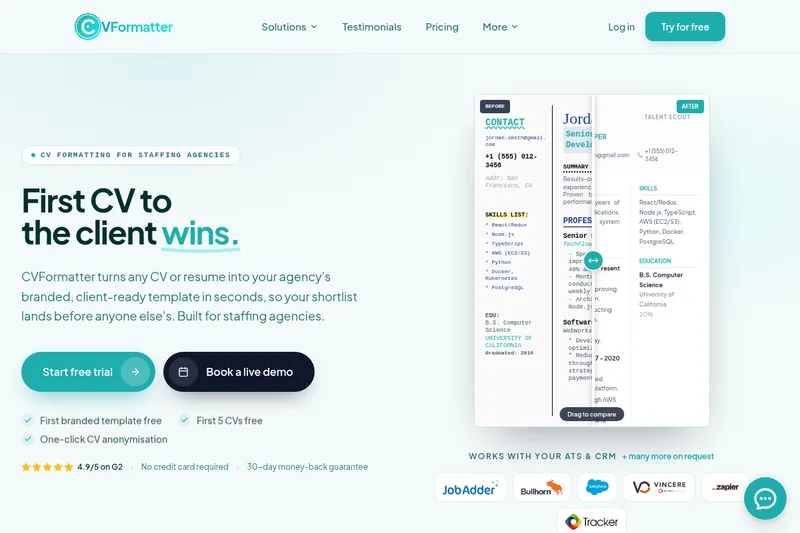
CVFormatter helps staffing and recruitment agencies turn candidate CVs and resumes into branded, client-ready documents. It can process two-column PDFs, scanned images, Word files, and LinkedIn profiles, then rebuild the content in an agency template. The page says formatting takes seconds and describes one-click anonymisation for blind submissions.
Agencies can create a template from a sample Word CV or start from one of CVFormatter’s templates. The platform also offers bulk uploads, AI summaries, proofreading, rewriting and translation, editable Word and PDF downloads, searchable storage, team usage reports, and ATS/CRM integrations.
Saves recruitment agencies 90% of time in formatting CVs with AI CVFormatter is a AI Resume Formatting Tool featured on Dang.ai. Learn more about CVFormatter's AI tool.
Own this listing?
Claim this page for a one-time $29 to add pricing, features, screenshots, verified owner details, and a clearly labeled 30-day category position after the profile is live.
Claim this listing for $29Key Features
AI CV formatting
Reads CVs and resumes in formats including two-column PDFs, scanned images, Word files, and LinkedIn profiles, then formats them into an agency-branded template.
Branded templates
Builds a custom template from a sample Word CV, including the agency’s logo, fonts, colours, tables, and one- or two-column layout. Users can also start from a supplied template.
Candidate anonymisation
Anonymises CVs for blind submissions; the page says organisations can be replaced with industries.
AI enhancement tools
Offers AI summarising, proofreading, rewriting, and translation into more than 30 languages. The page also describes switching between bullet points and paragraphs.
Bulk upload and file downloads
Allows teams to upload a shortlist in bulk and download formatted CVs as editable Word files or PDFs. CVs can be reformatted and downloaded again.
CV storage and usage analytics
Stores formatted CVs so teams can search for them, download them again, or delete them. Usage reports show formatting activity by recruiter or team.
ATS and CRM workflows
Supports one-click CV import from connected ATS or CRM systems and automatically sends formatted Word or PDF files back. Additional integrations can be requested or connected through the API.
Pricing
A $0 option includes 5 one-time resume credits and 10 Enhance credits. The page also advertises the first branded template and first 5 CVs free.
Free
$0; 5 one-time resume credits- 10 Enhance credits
- First branded template free
- Candidate anonymisation
- Multilingual formatting and AI summarising, proofreading, rewriting, and translation
Standard
$79/month; 100 resume credits per month and 25 Enhance credits- Everything in Free
- Same-day support
- Auto-Proofread available as an add-on for $24.99/month
Premium
$179/month; 250 resume credits per month and 60 Enhance credits- Everything in Standard
- 2.5 times the credits of Standard
- Lower cost per CV
- Auto-Proofread available as an add-on for $62.99/month
Enterprise
$299/month; 500 resume credits per month and 125 Enhance credits- Everything in Premium
- 5 times the credits of Standard
- Lower cost per CV
- Same-day priority support
Use Cases
Prepare branded candidate submissions
Recruiters can convert incoming candidate CVs into their agency’s client-ready template before sending a shortlist to a client.
Anonymise CVs for blind submissions
Agencies can create an anonymous version of a formatted CV for blind submissions.
Process high-volume shortlists
Teams can bulk upload multiple CVs and format them while continuing other recruiting work.
Enhance CV content for client delivery
Recruiters can use AI tools to summarise, proofread, rewrite, or translate CV content before downloading it.
Format CVs within recruiting systems
Teams can import CVs from supported ATS or CRM integrations and return formatted Word or PDF files to those systems.
Integrations
JobAdder
ATS CV formatting integration for importing and returning formatted CVs.
Bullhorn
ATS CV formatting integration for importing and returning formatted CVs.
Vincere
ATS CV formatting integration.
TrackerRMS
ATS CV formatting integration.
Salesforce
CRM CV formatting integration.
Zapier
Automation integration for CV formatting workflows.
CV formatting API
REST endpoints let developers send resumes from another platform, job board, or internal tool and receive branded, parsed CVs.
Custom ATS and CRM integrations
The page says integrations can be built on demand for systems not already listed.
Benefits
Limitations
Frequently Asked Questions
No verified FAQs are available.
Getting Started
- 1 Create an account using the free-trial option; the page says no credit card is required.
- 2 Provide a sample Word CV to have a branded template created, or start from one of CVFormatter’s templates.
- 3 Upload candidate CVs individually or in bulk, or use an available ATS/CRM integration.
- 4 Review and download the formatted CV as a Word document or PDF; use anonymisation or enhancement tools if needed.
Support
Live demo
The page offers the option to book a live demo.
Plan support
The Free plan lists two-day support; Standard and Premium list same-day support, and Enterprise lists same-day priority support.
API documentation
The page links to an API reference for developers.
API
The page describes documented REST endpoints and links to an API reference for sending resumes from other platforms, job boards, or internal tools and receiving branded, parsed CVs.