
Db Pilot
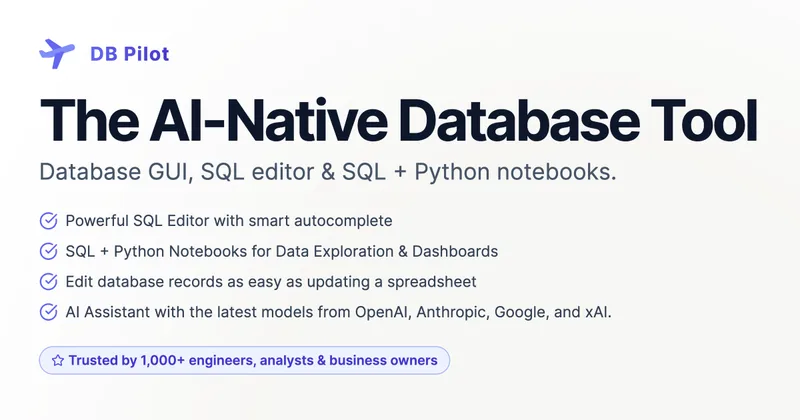
DB Pilot is a Mac database GUI for engineers, analysts, and business owners to query and edit databases, explore data with SQL and Python, and build dashboards. Its AI assistant helps with SQL and code tasks using provider API keys supplied by the user.
Who it's for
- Data analysts who want to combine SQL queries and Python in local notebooks for iterative exploration and dashboards.
- Database engineers who need a desktop SQL editor, table editor, and AI help with query writing or debugging.
- Business owners who need to browse and query supported databases and inspect results in tables or charts.
Not the right fit if…
- Teams that need a Windows or Linux desktop application today: the page says those platforms are coming soon, while Mac is currently supported.
- People who need AI features without supplying provider API keys: the page says AI use requires the user's own keys.
How it fits your workflow
Install the Mac application and connect to a supported database, or work with local data. Write SQL in the editor or use the table viewer to inspect and edit records.
For analysis, combine SQL, Python, text, and interactive tables or charts in local notebooks. Results and dataframes can be passed between blocks, and notebooks can use data from databases, files, and external APIs.
Use the AI assistant in the editor or notebook blocks to generate and refine queries, explain code, or suggest fixes. AI features require your own provider API keys.
Pricing
Free: The free plan costs $0 and includes local database browsing and querying, the SQL editor, and table explorer. AI features can be tried a limited number of times and require your own provider API key.
Free
$0 forever
- · Browse and query local databases
- · Use the SQL editor and table explorer
- · Try AI features a limited number of times
- · No credit card required
One-time Purchase
$79 paid once
- · Unlock all premium features
- · Unlock all AI features with your own API keys
- · Includes updates for one year
- · Priority support
Prices checked on Oct 24, 2026 from the vendor's site. They can change; confirm before you buy.
Key features
- AI SQL assistant
- Generate and refine SQL queries using natural-language instructions, get explanations of queries or database concepts, and receive AI suggestions for SQL and Python errors.
- SQL + Python notebooks
- Combine SQL, Python, text, inputs, interactive tables, and charts in block-based notebooks that run locally. Query results and Python dataframes can be used in subsequent blocks.
- Interactive dashboards
- Build dashboards with input fields, date filters, charts, and tables. Jinja templating can parameterize notebook blocks.
- Database table viewer and editor
- Browse database tables and insert, update, or delete records through a spreadsheet-like interface.
- SQL editor with smart autocomplete
- Get context-aware suggestions for tables, columns, keywords, and functions.
- AI context and custom rules
- Choose databases, tables, and notebooks for AI context, and set custom instructions to guide the assistant's behavior.
Works with
- OpenAI, Anthropic, Google AI, and xAI
- External APIs
Limitations to know
- The page lists Mac as supported; Linux and Windows support is described as coming soon.
- AI features require users to provide their own AI provider API keys.
- The free plan allows AI features only a limited number of times; the FAQ specifies a 20-message trial.
- The one-time purchase includes updates for one year, covering app versions released within that period.
Getting started
Mac is supported on Apple silicon and Intel. The Apple silicon download lists macOS 15 as the minimum.
- Download DB Pilot for Mac.
- Install and open the application, then browse or query a local database or connect to a supported database.
- Start with the SQL editor, table explorer, or SQL + Python notebooks.
- Add your own AI provider API key to try AI features.
Frequently asked questions
How does DB Pilot AI help?
It can write SQL from English instructions, explain queries, debug errors with “Fix with AI,” and convert between code and SQL. The page also mentions inline AI and @-mentions.
Can I try the AI assistant before I buy?
Yes. The page says you can try the AI assistant for 20 messages before buying, using your own API keys from providers such as OpenAI, Anthropic, or Google AI.
Which operating systems are supported?
The page says DB Pilot supports Mac on both Apple silicon and Intel. Linux and Windows support is described as coming soon.
Which databases are supported?
The page lists PostgreSQL, CockroachDB, MySQL, SQLite, chDB (local ClickHouse), and DuckDB.
How is my data used and stored?
The page says app data and connection credentials are stored locally, sensitive information is stored in the device keychain, and database connections run directly between the computer and database server. DB Pilot says it does not store users' database data on its servers.
Can the AI assistant read my data?
The page says the assistant can see which tables and columns exist but cannot access the actual data stored in the database.
What are notebooks and how do they help?
Notebooks combine SQL, Python, text, and interactive tables and charts for iterative data exploration, combining sources, and creating reproducible analyses.
What's the difference between free and one-time purchase?
The free plan provides a starting point and limited AI trials with the user's own API keys. The $79 one-time purchase unlocks premium features and includes access to app versions released within one year of purchase. AI use still requires the user's own provider API key.