Dpbolvw
VideoProc Converter AI is an all-in-one, GPU‑accelerated multimedia toolkit for Windows and macOS that uses AI models to enhance, convert, compress, edit, download, record, and digitize videos, images, audio and DVDs.
Dpbolvw is video software teams evaluate for video. Use this page to review pricing, integration signals, and the best alternatives before you commit.
Used in These Packs
Quick Overview
Best for: Video
What it does
Video software for decision-makers comparing workflow fit and alternatives.
Best fit
Video
Pricing snapshot
Freemium from $39.95 (starting price listed)
Next step
Compare Dpbolvw with similar tools before you shortlist it.
Compare this tool before you shortlist it
Review alternatives, pricing posture, and workflow fit side by side.
Dpbolvw
VideoProc Converter AI (by Digiarty) is an all-in-one multimedia application that combines AI-driven video/image/audio enhancement with robust conversion, compression, editing, downloading and recording tools. It targets everyone from movie lovers and photographers to content creators and educators who need fast, high-quality processing, format compatibility, and easy workflows. The software emphasizes local, GPU-accelerated processing (Level-3 Hardware Acceleration) for speed and privacy while offering features like super resolution upscaling, frame interpolation, stabilization, image restoration and audio denoise/vocal removal.
Designed for both beginners and professionals, VideoProc supports a very wide range of input/output formats, DVD digitization, batch operations, preset device targets and quick-edit toolsets, making it useful for archiving, preparing content for social platforms, restoring old media and making fast post‑production adjustments.
VideoProc Converter AI is an all-in-one, GPU‑accelerated multimedia toolkit for Windows and macOS that uses AI models to enhance, convert, compress, edit, download, record, and digitize videos, images, audio and DVDs.
Own this listing?
Claim this page to add pricing, features, screenshots, and verified owner details.
Claim this listingKey Features
AI Video Super Resolution
Upscale low‑resolution, noisy or compressed footage up to 400% (HD/4K) using Super Resolution AI models (V3) that claim 40–80% speed improvements over previous models.
AI Frame Interpolation
Generate new frames with AI motion estimation to convert low FPS footage to high FPS (480FPS or higher) for smoother playback or extreme slow motion sequences.
AI Video Stabilization
Reduce shakes, jitters and wobbles from GoPro, drone, camera or phone footage with customizable stabilization modes and cropping ratios (feature noted as available on Windows).
Image AI (Upscale, Restore, Colorize)
Denoise, deblur, restore faces, colorize black‑and‑white photos and upscale images to 4K/8K/10K for printing, archiving or sharing.
Audio AI (Noise Suppression & Vocal Remover)
Remove background noise and optionally remove or keep vocals/instrumentals in audio or video files, applicable to music, podcasts, interviews and vlogs.
Universal Converter & Transcoder
Support for 370+ input formats and 420+ output presets (video, audio, image, subtitles), including modern camera codecs, HDR and log formats for playback on devices and platforms.
DVD Backup & Digitization
Three DVD backup modes to convert DVDs to MP4, HEVC, multi‑track MKV or create ISO/folder backups; claims to back up a feature‑length DVD in around 5 minutes.
High‑Quality Batch Compressor
New compressor enables batch shrinking of large/4K files (over 90% reduction possible) with a compression‑ratio slider and seven compression methods for quality/size tradeoffs.
Quick Edit Toolbox
Basic editing features such as cut/trim/split/merge/crop/rotate/flip/effects/subtitles/de‑fisheye/watermark, plus color/audio adjustments and speed controls (0.10x–16x).
Downloader & Recorder
Download videos, playlists, streams, subtitles from 1,000+ regular and 2,000+ niche sites; record screen/webcam/audio in HD/4K with PiP and chroma‑key support and resume downloads.
Level‑3 Hardware Acceleration
GPU acceleration across Intel QSV, NVIDIA CUDA/NVENC, AMD GPUs and Apple M1/M2/M3/M4 to maximize processing efficiency (claimed up to 47x real‑time faster and low CPU usage).
Subtitle & Metadata Support
Enable/disable or extract subtitle tracks, add hard‑coded or soft‑coded external subtitle files (.srt/.ass/.ssa) and search subtitles online.
Pricing
Free trial available with limited features and functionality; full access requires purchasing a license.
1‑Year Subscription
$39.95 (starting price listed)- Full access for one year
- Free updates during subscription
- Priority support and 30‑day money‑back guarantee
Lifetime License
$65.95 (lifetime license for 3–5 PCs listed)- One‑time payment for indefinite use on specified number of PCs
- Free updates to support latest GPUs, AI models, codecs for included versions
- 30‑day money‑back guarantee
Free Trial
Free- Limited access to core features for evaluation
- Some feature limits (e.g., image AI and recording restrictions in trial)
Use Cases
Upscale and restore archived footage
Convert old DVDs, low‑res videos and compressed downloads into enhanced HD/4K versions using Super Resolution and image restoration tools.
Create smooth slow‑motion and high‑FPS clips
Use frame interpolation to increase frame rates dramatically and produce smooth slow‑motion sequences from low‑FPS source footage.
Compress videos for sharing and storage
Batch compress large 4K files to target sizes for cloud uploads, email or mobile storage while retaining maximum possible quality.
Prepare content for social platforms and devices
Transcode and preset videos for iPhone, Android, YouTube, Facebook, Instagram, game consoles and editing software using built‑in device profiles.
Podcasts, vlogs and interview cleanup
Remove background noise and isolate vocals/instrumentals to produce cleaner audio tracks for podcasts and video content.
Digitize and back up DVD collections
Rip DVDs to MP4/MKV/ISO for modern playback devices and archival with options for main‑title or full‑title copy and multi‑track output.
Integrations
GPU vendors (Intel / NVIDIA / AMD / Apple Silicon)
Full GPU acceleration support via Intel QSV, NVIDIA CUDA/NVENC, AMD GPUs and Apple M1–M4 families for faster AI and encoding workflows.
Devices & Platforms
Presets and output profiles for iPhone, iPad, Android devices, Apple TV, game consoles, TVs and major phone brands for direct compatibility.
Online platforms (YouTube, Facebook, TikTok, Instagram, SoundCloud)
Downloader supports saving videos, playlists and channels from 1,000+ mainstream and 2,000+ niche sites and exporting into common formats.
Editing & Post Production
Export presets and formats (MP4, MOV/ProRes, MKV, etc.) for subsequent editing in NLEs and compatibility with common editors and streaming workflows.
Benefits
Limitations
Frequently Asked Questions
What is VideoProc Converter AI?
Is VideoProc Converter AI free?
Is VideoProc Converter AI safe to use?
How do I enable hardware acceleration?
What formats does it support?
Getting Started
- 1 Step 1: Download the free trial for Windows or macOS from the VideoProc website and install the application.
- 2 Step 2: Launch VideoProc Converter AI, enable hardware acceleration (if desired) and update GPU drivers per the guide.
- 3 Step 3: Add media (drag & drop or browse), choose the appropriate tool or preset (Convert, Compress, Enhance, DVD, Download, Record), adjust settings and click RUN to process.
Support
Docs
User Guides, How‑tos and Video Tutorials available on the VideoProc website to cover conversion, AI enhancing, hardware acceleration and editing workflows.
Support Center
Access to online support, FAQs and troubleshooting via the website's Support Center and Contact page.
Community
Community resources, tutorials and articles for practical tips, plus blog and social channels for updates and offers.
Email / Contact
Contact page on the VideoProc site for direct inquiries and support requests (link provided in contact field).
API
Compare Dpbolvw with similar tools
See how it stacks up against alternatives
Related Tools
View all 88 →

anyclip-the-genius-platform
AnyClip is an AI-powered video intelligence platform that transforms traditional video content into intelligent, searchable, measurable, personalized, and interactive assets, enabling businesses to automate workflows, enhance engagement, and monetize video content effectively.


Shortscript
ShortScript is an AI-powered script generator focused on creating video scripts aimed at viral performance for platforms like TikTok, YouTube (including Shorts), and Instagram Reels.
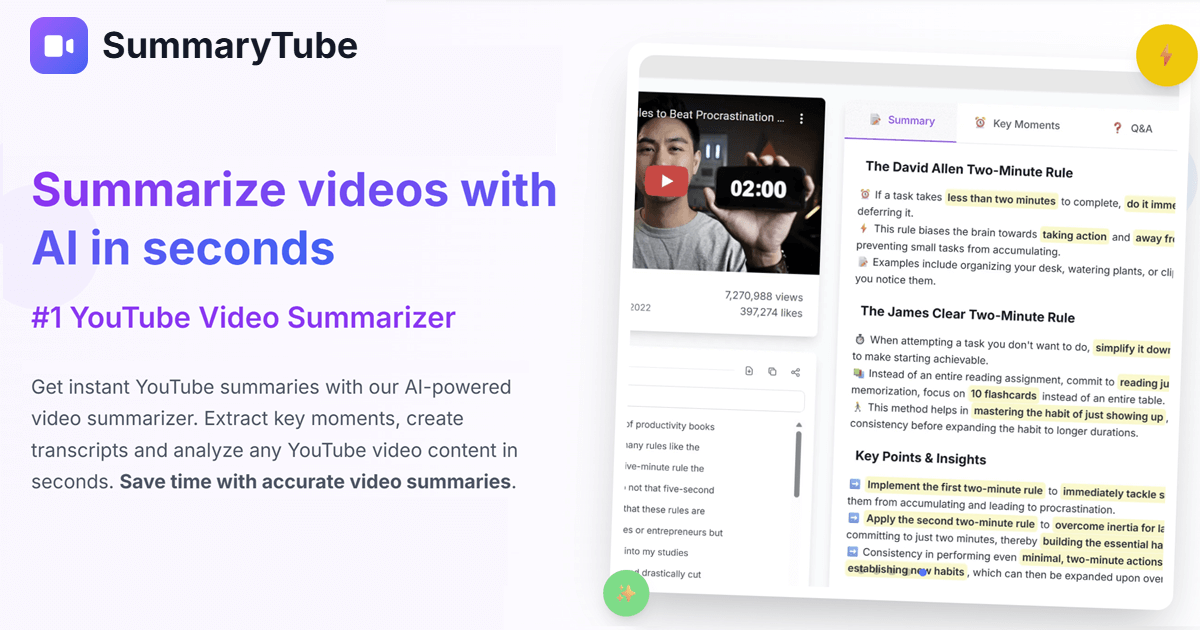
Summarytube
SummaryTube is a Chrome extension that converts YouTube videos into AI-generated summaries to extract key insights and save viewing time, offering both a free tier and an upgrade with additional AI power-ups.



Premium Alternatives


Documentpro
DocumentPro is an AI-powered document processing and workflow automation platform that extracts structured data from any document format and exports it to downstream systems, delivered via API or a web app for rapid embed and deployment.

Whatshouldido
What should I do? is an AI-driven service from GAJIX that helps users explore life and career directions through a short questionnaire and personalized suggestions for a one-time fee of $5.

actionize-ai
Actionize is a no-code platform that enables users to connect custom GPTs to thousands of apps via popular automation tools like Zapier and Make.com, simplifying the integration of external data and workflows into GPTs.

prefixbox-com
Prefixbox is an AI-powered product search and discovery solution designed for e-commerce retailers to increase conversion rates and online revenue through personalized search, AI agents, and product recommendations.
influensly
Influensly is a TikTok growth service that uses AI-powered organic targeting to help influencers and brands increase their followers, video views, and engagement safely and effectively without using bots or fake accounts.

analog-assistant
Analog AI offers self-learning, emotionally intelligent digital employees designed for virtual tours, short interviews, and customer service. These digital humans combine advanced emotional intelligence with common-sense reasoning to autonomously make decisions and escalate complex cases to human agents.