
FiloMail
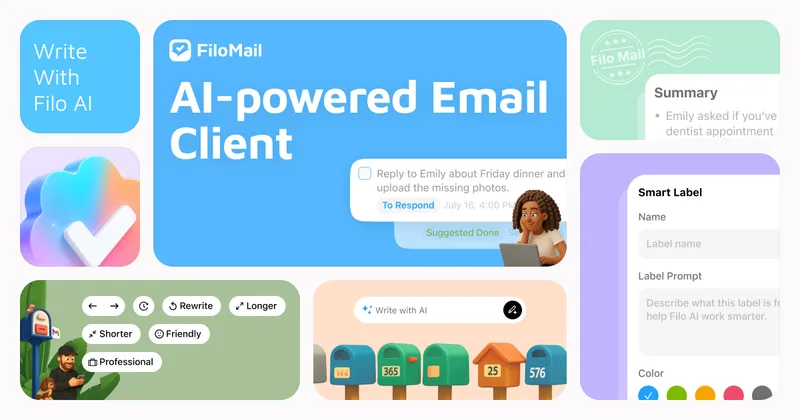
FiloMail combines Gmail, Outlook, and IMAP email in one client and uses AI to summarize messages, draft replies, and turn email into to-dos. It is for people who want email and follow-up work handled in one app.
Who it's for
- Professionals managing Gmail, Outlook, or IMAP accounts who want email summaries and tasks in the same client.
- People handling time-sensitive work by email who want reminders and a dedicated To-do view for follow-ups.
- Users who want help sorting or cleaning up inbox messages with natural-language AI instructions.
How it fits your workflow
Connect Gmail, Outlook, or IMAP accounts in FiloMail and review messages in the combined inbox. Use summaries to scan longer email and AI-assisted drafting when composing a reply.
When a message needs follow-up, use the To-do features and reminders to track the action. You can also ask Filo to sort the inbox, remove unwanted marketing messages, or schedule tasks.
Pricing
Free: The email client is free. The page says AI is available with Plus or pay-as-you-go credit.
Free
Free
- · Email client
Filo Plus
Price not stated
- · AI features
Pay-as-you-go credit
Price not stated
- · Access to AI features using credits
Prices checked on Oct 31, 2026 from the vendor's site. They can change; confirm before you buy.
Key features
- Multiple email accounts
- Use Gmail, Outlook, and IMAP accounts in one email app.
- AI email summaries
- Summarize longer messages so users can review key information and actions more quickly.
- Email-to-task conversion
- Turn actionable email into to-dos, with task reminders and a dedicated To-do view.
- AI-assisted email actions
- Give Filo natural-language instructions to clean up unwanted email, sort the inbox, or schedule tasks.
- AI reply drafting
- Draft replies with AI from the email composition view.
- Smart labels and filters
- Organize messages with smart labels and filters, including categories shown for items such as finance, travel, and updates.
Works with
- Gmail
- Outlook
- IMAP
Limitations to know
- AI features require Filo Plus or pay-as-you-go credit; the page does not state the prices for either option.
Alternatives to consider
-
Inbox Zero
Choose it if you want an AI email assistant that works alongside Gmail or Outlook rather than replacing your email client.
-
HigLabo Mail Agent
Choose it if you want email organization and automatic conversion of actionable email into tasks as part of an integrated workspace.
Getting started
- Download FiloMail for macOS or Windows, or select the iOS or Android version listed on the page.
- Connect a Gmail, Outlook, or IMAP account.
- Try an AI summary or use Filo to organize email and schedule a task.
Frequently asked questions
How does Filo work?
The FAQ says to tell Filo what you need, such as removing marketing emails or sorting an inbox, and it will take care of the requested task.
What kinds of tasks can I ask Filo to perform?
The page lists cleaning up unwanted emails, sorting the inbox, and scheduling tasks, and says more features are being added based on feedback.
Is my data secure with Filo?
The FAQ says Filo protects information as described in its Data Protection policy.
How can I share feedback?
The page says users can join the Filo Discord to share suggestions or report bugs, or post on the feedback board.