
Murf AI
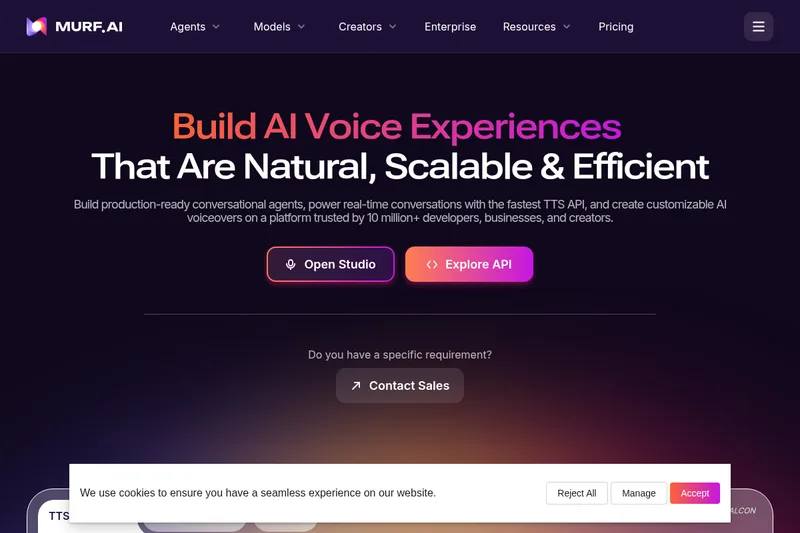
Murf AI lets developers build voice agents and lets creators and localization teams generate voiceovers or dub videos with AI speech. Its APIs, Studio, and Dubbing products support production and localization workflows across multiple languages.
One of 98 tools in Voice & Speech
Who it's for
- Developers building real-time voice agents who need a text-to-speech API such as Falcon 2.
- Content and learning teams producing voiceovers for training, advertising, presentations, or other media.
- Localization teams translating and dubbing videos into multiple languages.
Not the right fit if…
- People who need a commercial license on the free plan: the FAQ says the free plan does not include one.
- People who need to download Murf voices without a paid plan: the FAQ says voice downloads are available only with paid plans.
How it fits your workflow
Developers use Murf's voice APIs and speech models to generate speech for voice applications. The page identifies Falcon 2 for real-time conversations and provides an API-key entry point and API documentation resources.
Creators use Murf Studio to turn text into voiceovers, with controls for voice characteristics such as pitch, speed, and intonation. The page lists integrations including Canva, PowerPoint, and Adobe Captivate.
Localization teams use Murf Dubbing to translate and localize videos into other languages. The page describes editing features and expert linguistic review as part of that offering.
Pricing
Free: Free voice generation is limited and excludes downloads and commercial licensing.
Free plan
$0
- · Free voice generation is limited and excludes downloads and commercial licensing.
Paid plans
Price not published
- · See the provider pricing page for current rates, billing periods, and usage limits.
Prices checked on Sep 7, 2026 from the vendor's site. They can change; confirm before you buy.
Key features
- Murf Falcon (Low-latency TTS)
- A purpose-built TTS model for real-time conversations with verified time-to-first-audio of ~130 ms and low compute requirements for conversational agents.
- Gen2 (Customization-first speech model)
- A speech model focused on fine-grained control over tone, pacing, and emphasis designed for controllable, large-scale content generation with 99.38% pronunciation accuracy.
- Studio (Voiceover production)
- Studio enables rapid generation of expressive, lifelike voiceovers to accelerate production workflows—advertised as 10x faster voiceover creation.
- AI Dubbing & Translation
- Instant video dubbing and translation into 40+ languages with advanced editing and linguistic review to preserve meaning, tone, and original voice qualities.
- 200+ Voices and 35+ Languages
- A large catalog of expressive voices and industry-specific voices across 35+ languages with custom pronunciation controls.
- Voice Cloning & Voice Changer
- Tools to clone voices and convert recordings into studio-quality voiceovers; includes a 'Say It My Way' feature to capture a user's voice style.
Works with
- Canva
- Google Slides
- PowerPoint
- Adobe Captivate
- Murf TTS Reader & Voices for Windows
Limitations to know
- The free plan is limited to 10 minutes of voice generation time, according to the FAQ.
- The free plan does not include a commercial license.
- Voice downloads are available only with paid plans, according to the FAQ.
Alternatives to consider
-
Deepdub
Choose it if you need a platform specifically positioned for dubbing, localization, and real-time expressive voice agents across 100+ languages.
-
DupDub
Choose it if you want AI writing, avatars, and video editing bundled with text-to-speech and voice cloning for content production.
-
All Voice Lab
Choose it if you want an AI audio platform that combines text-to-speech, voice cloning, voice changing, video translation, and API options.
Getting started
- Choose Murf Studio, Dubbing, or the voice APIs based on the intended workflow.
- For API development, use the “Get API Key” option and consult the listed API guides and endpoints.
- For voiceover or dubbing work, open the relevant product and provide the text or video content for the workflow.
- Contact Sales or book a demo for tailored enterprise plans.
Frequently asked questions
What is an AI generated voice?
An AI voice is synthesized speech created by AI that mimics human patterns and is used for narration and automated customer service; Murf uses advanced text-to-speech technology to generate natural-sounding voices.
How does AI voice technology work?
Murf describes a pipeline of text analysis, phonetic synthesis, neural voice synthesis, and post-processing to create natural, expressive speech outputs.
Are AI voices safe and legally compliant?
Murf notes AI voices can be safe when provided by reputable services with secure data practices, but legality depends on consent, copyright, and use; Murf promotes its security and ethical AI practices.
Which languages and accents does Murf support?
Murf supports 35+ languages including English, Spanish, French, German, Italian, Portuguese, Arabic, Hindi, Chinese, Japanese, Korean, and others.
Can I use Murf voices for commercial use and YouTube videos?
Yes—Murf states it provides commercial rights for voiceovers, provided the input text is original and does not infringe third-party copyrights.
How do I reach Murf support?
You can use the chat button on the site or email [email protected]; there is also a Help Center and Security Center linked on the site.
Can I buy a plan for one month?
Yes—Murf offers monthly plans that auto-renew; you can cancel before the billing date to end the subscription.
Can I collaborate with my team on Murf?
Paid plans allow separate workspaces for team collaboration; details are available on the pricing page.
Can I record my own voice for Murf?
Yes—Murf Speech Gen 2 supports a 'Say It My Way' feature to record a rendition of your voice and direct the model to reflect your tone and style.