
pebblely
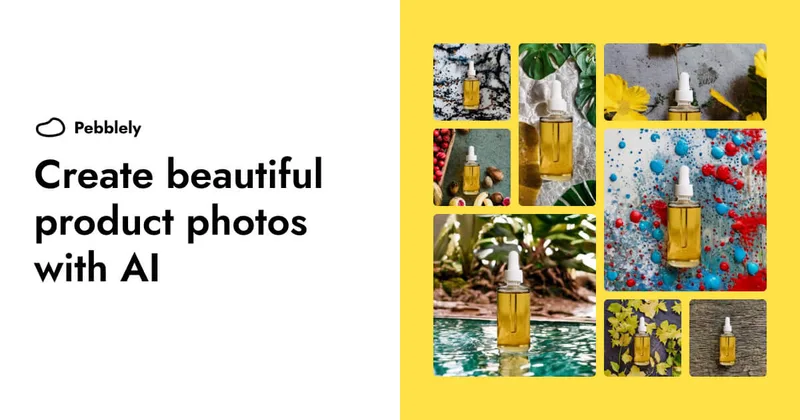
Pebblely turns product photos into AI-generated product and lifestyle imagery for e-commerce sellers and marketing teams. Users can create assets for listings, social media, websites, email banners, and ads without Photoshop skills.
Who it's for
- E-commerce sellers who need product imagery for marketplace listings and online stores.
- Small product brands that want lifestyle-style images without arranging frequent photo shoots.
- Marketing and creative teams producing product visuals for social media and ads.
How it fits your workflow
Start with a product photo, then use Pebblely to generate product imagery with backgrounds or scenes. The page describes creating multiple images from one image and offers more than 100 templates.
Use the Pebblely app for bulk generation with similar or varied backgrounds. The resulting images can be used for marketplace listings, social media, websites, email banners, and ads.
Pricing
The vendor doesn't publish prices. Check with pebblely directly.
Prices checked on Nov 28, 2026 from the vendor's site. They can change; confirm before you buy.
Key features
- AI-generated product photos
- Create product imagery with AI, including generated backgrounds and lifestyle-style scenes.
- Bulk generation
- Generate product photos at scale with the Pebblely app, using similar or varied backgrounds.
- Templates
- Choose from more than 100 templates to get started creating product images.
- Image adjustments
- A customer testimonial describes customizing the background, product rotation and size, and resizing the generated image.
- Marketing asset formats
- Create imagery for marketplace listings, social media, websites, email banners, and ad creatives.
Alternatives to consider
-
PixelPanda
Choose it if you also need AI-avatar video ads and static social ads, in addition to e-commerce product photos.
-
BlueVeta
Choose it if you want product photos packaged with video and platform-ready copy as marketing assets.
Getting started
- Select Get started on the Pebblely website.
- Provide a product photo as the basis for the generated imagery.
- Choose a template or scene and generate product photos; the page also describes bulk generation in the app.