Purecode AI
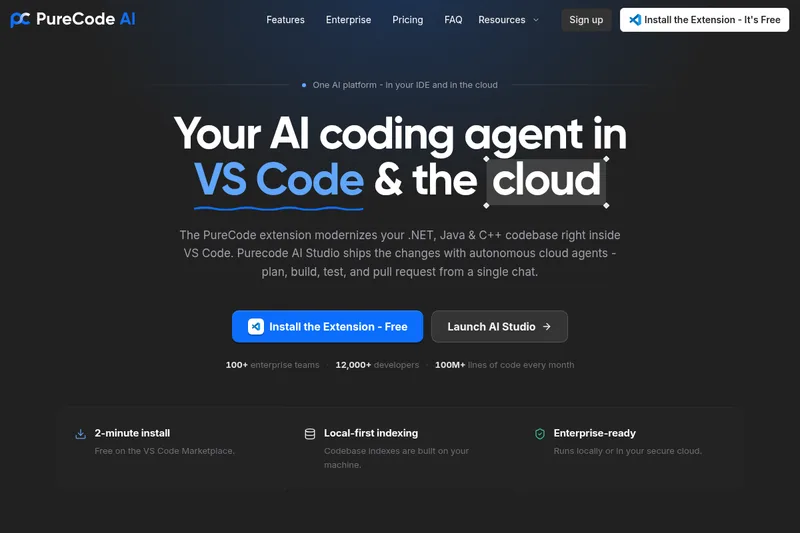
PureCode AI is a VS Code extension that accelerates software development by generating UI components, fixing bugs, integrating APIs, refactoring code, and more using AI trained on your codebase, while ensuring total privacy and enterprise-grade collaboration.
Purecode AI is ai code generator software teams evaluate for developer tools. Use this page to review pricing, integration signals, and the best alternatives before you commit.
Used in These Packs
Quick Overview
Best for: Developer Tools
What it does
AI Code Generator software for decision-makers comparing workflow fit and alternatives.
Best fit
Developer Tools
Pricing snapshot
Freemium from Free
Next step
Compare Purecode AI with similar tools before you shortlist it.
Compare this tool before you shortlist it
Review alternatives, pricing posture, and workflow fit side by side.
Purecode AI
PureCode AI is designed to help software engineering teams ship high-quality software faster by leveraging AI that understands your entire codebase. It supports all tech stacks and offers features such as UI component generation, bug fixing, API integrations, multi-repo code context, code documentation, new feature development, codebase search, and code refactoring. The tool is available as a VS Code extension and offers enterprise solutions that run locally or in secure clouds to ensure zero data retention and privacy. PureCode AI is suitable for developers ranging from junior to senior architects and aims to boost engineering velocity and consistency across teams.
AI coding agent for VS code that understands context across your entire project.
Own this listing?
Claim this page to add pricing, features, screenshots, and verified owner details.
Claim this listingKey Features
UI Component Generation
Automatically generate UI components tailored to your project requirements.
Fix Bugs
Identify and fix bugs in your codebase efficiently using AI assistance.
API Integrations
Seamlessly integrate APIs into your projects with AI-guided support.
Multi-Repo Code Context
Understand and work across multiple repositories with full code context.
Code Documentation
Generate and maintain up-to-date documentation for your codebase.
New Feature Development
Accelerate the development of new features with AI-powered coding.
Supports All Tech Stacks
Compatible with a wide range of frameworks and technologies.
Codebase Search
Search your entire codebase quickly and effectively.
Code Refactoring
Improve and restructure existing code automatically.
Agent Mode
Edit and modify complex code automatically using AI agent mode.
Chat Mode
Interact with your codebase by asking questions and searching via chat.
Rules for AI
Set company-wide or project-level coding rules to guide AI behavior.
Pricing
Yes, a free tier is available for individual developers via the VS Code extension.
Free Tier
Free- Basic access to PureCode AI features via VS Code extension
- Limited usage suitable for individual developers or small projects
Enterprise
Custom pricing- Runs locally or in secure cloud environments
- Zero data retention and no training on proprietary code
- Shared codebase intelligence and team collaboration features
- Customizable AI rules and advanced support
Use Cases
Code Refactoring
Automatically improve and restructure existing code to enhance quality and maintainability.
UI Generation
Generate user interface components quickly to speed up front-end development.
Fix Bugs
Detect and resolve bugs efficiently to maintain code stability.
API Integrations
Integrate third-party or internal APIs seamlessly into your projects.
Multi-Repo Code Context
Work with multiple repositories simultaneously with full context awareness.
Code Documentation
Create and update documentation to keep your codebase well-documented.
Customize Rules for AI
Enforce coding standards and guidelines across teams by customizing AI behavior.
Planning Your Code
Use AI to assist in planning and organizing code development workflows.
Codebase Search
Quickly find relevant code snippets or references within large codebases.
Integrations
VS Code
PureCode AI is available as an extension for Visual Studio Code, integrating seamlessly into the developer workflow.
Multiple Frameworks and Libraries
Supports integration with popular frameworks such as Tailwind CSS, Bootstrap, AngularJS, ReactJS, MUI, CSS, and HTML.
Benefits
Limitations
Frequently Asked Questions
How does the autocomplete feature work?
How does PureCode AI improve over time with my project?
How can I customize the behavior of PureCode AI?
What is the difference between Normal Mode and Agent Mode?
How does the Agent Mode work for larger workflows?
What is the Chat feature, and how can it help with debugging?
Does PureCode AI consider code style guides and conventions?
Can I add custom documentation to PureCode AI?
Getting Started
- 1 Step 1: Install the PureCode AI VS Code extension from the official website or marketplace.
- 2 Step 2: Connect PureCode AI to your codebase to allow it to learn your project context.
- 3 Step 3: Start using features like UI component generation, bug fixing, and code refactoring directly within VS Code.
Support
Documentation
Comprehensive documentation and FAQs are available on the PureCode AI website.
Community & Social Media
Support and updates via Facebook, Twitter, and LinkedIn channels.
Enterprise Support
Dedicated support available for enterprise customers.
API
No public API documentation available; integration is primarily via VS Code extension.
Not applicable or not available.
Compare Purecode AI with similar tools
See how it stacks up against alternatives
Related Tools
View all 127 →
AI Elements by Vercel
Vercel provides developer tools and cloud infrastructure to build, scale, and secure fast, personalized web experiences on the AI Cloud, enabling rapid deployment and optimized performance for AI-powered applications.
SMTP-Test.com
SMTP-Test.com is a free online SMTP tester that verifies SMTP connections, tests mail servers, and diagnoses email delivery issues for services like Gmail, Office 365, SendGrid, and custom SMTP servers.
Element to LLM
Element to LLM is a browser extension that captures any page element and generates a clean, contextual JSON snapshot of the DOM node, attributes, siblings, and hierarchy, ideal for LLM prompts, UX reviews, and debugging.
imandra-ai
Imandra AI offers CodeLogician™, an agentic governance platform that applies neurosymbolic AI to enhance AI coding assistants with rigorous logical reasoning, enabling trustworthy, verifiable software development beyond statistical methods.
product-fetcher
Product Fetcher is an AI-powered web scraping API that extracts detailed product data such as name, description, price, currency, rating, reviews, SKU, and images from any product page online with a single API call, enabling automated and accurate product data retrieval for e-commerce and related platforms.
Premium Alternatives
Hyperenhancer
HyperEnhancer is an AI-powered image enhancer that upscales and restores low-resolution photos into high-fidelity, detailed images using content-aware, region-based enhancement—ideal for photographers, eCommerce, archival restoration, and digital artists.
AI Pro Resume
AI Pro Resume (AI Resume Builder) is an online AI-powered resume and cover letter builder that helps job seekers create ATS-friendly resumes, generate cover letters and summaries, and check resumes against Applicant Tracking Systems quickly.
Myfuturechildren
My Future Children is a web app that generates an AI-predicted image of a child by combining two parent photos. Users upload two parent images, choose a gender, and receive a generated child image in about 30 seconds.
style-ai
Conversion (formerly StyleAI) is an enterprise AI marketing platform designed to automate and optimize SEO, Google Ads, and marketing automation workflows. It empowers businesses with AI-driven tools for backlink building, competitor analysis, review management, and listing management to accelerate organic traffic and improve marketing efficiency.
actionize-ai
Actionize is a no-code platform that enables users to connect custom GPTs to thousands of apps via popular automation tools like Zapier and Make.com, simplifying the integration of external data and workflows into GPTs.
Photostudio
Blockode AI Photo Studio generates custom AI photoshoots by training a studio-specific model from your uploaded selfies, letting you create consistent, high-resolution images via prompts and image-to-image generation.