
Questgen
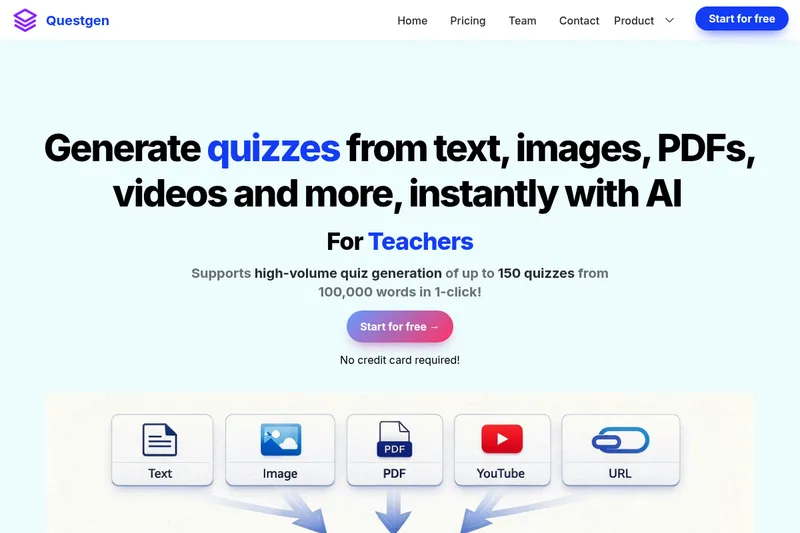
Questgen turns text and other listed content into editable quizzes and assessments, which educators, HR teams, and publishers can export in multiple formats or use for practice.
One of 124 tools in Education
Who it's for
- Teachers and school teams creating worksheets or practice quizzes from course materials.
- HR teams preparing employee assessments from compliance documents or updated policies.
- Publishers and edtech companies producing assessment content with an in-house team.
How it fits your workflow
Provide text, a website URL, or a supported file such as a PDF or DOCX; the page also describes image and audio or video inputs. Select a question type and submit the source material to generate a quiz.
Review and edit the generated questions, then export them in a listed format such as PDF, CSV, QTI, or Moodle XML. Students can also use study mode for practice, and quizzes can be shared publicly or embedded on a website.
Pricing
Free: Start for free — No credit card required.
Free
Start for free — No credit card required
- · Access to AI quiz generation features (site emphasizes "Start for free" and free trial calls-to-action).
Prices checked on Jul 15, 2026 from the vendor's site. They can change; confirm before you buy.
Key features
- Multiple question types
- Generates MCQs (single and multiple correct answers), True/False, Fill-in-the-blanks, Short Answers, Matching, Higher-Order Questions and Bloom's taxonomy quizzes in one click.
- Multi-format input
- Accepts plain text, website URLs, PDFs, DOCX files, images, audio and video as source input for quiz generation.
- Study mode for students
- Provides a Study (learn) mode where students can practice quizzes and receive an automated score for objective formats like MCQs and True/False.
- Edit and export
- Generated quizzes can be edited in-app and exported to numerous formats including JSON, QTI 2.1, PDF (various layouts), Moodle XML, GIFT, AIKEN, RESPONDUS, and multiple CSV flavours.
- Image, audio & video to quiz
- Can generate quizzes from uploaded images and from audio/video files (e.g., uploaded MP3s exported from YouTube) using AI-driven extraction.
- Bloom's Taxonomy support
- Can generate questions targeted to specific Bloom's taxonomy levels or across all six levels (Remember, Understand, Apply, Analyze, Evaluate, Create).
Works with
- Moodle
- QTI / LMS export
- CSV targets (D2L BrightSpace, GimKit, Quizziz, TriviaMaker, Google Sheets Form Builder)
- Iframe embed
Limitations to know
- The page states that text entered through its described text-input workflow can be up to 80,000 words.
- The page does not specify paid-plan pricing or detailed limits for the free offering.
Alternatives to consider
-
QuizRise
Choose it if you also need to generate flashcards, summaries, or printable tests from materials such as slide decks.
Getting started
- Start for free; the page says no credit card is required.
- Enter text or provide a URL, document, or another supported content input.
- Select a quiz question type and submit the content.
- Edit the generated quiz and export it in a supported format.