
QuotedPart
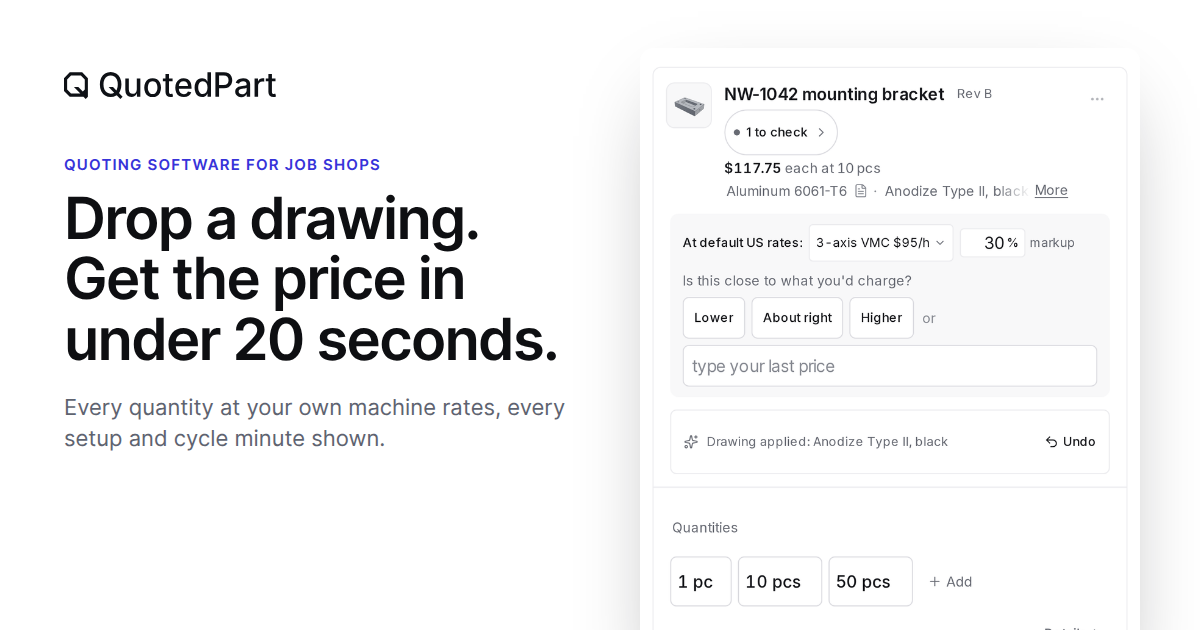
QuotedPart reads engineering drawings and measures part models to prepare job quotes using a shop’s own rates and formulas. CNC and sheet metal estimators can review the line items before sending a quote to a customer.
Who it's for
- CNC shop owners and estimators who want to price milling, turning, assemblies, or mold-component work using their own rates.
- Sheet metal shop estimators handling drawing-based RFQs and customer quotes.
- Job shop teams that want to move won quotes into one of the listed ERP or accounting systems, or export quote data.
Not the right fit if…
- Shops that need QuotedPart’s AI to read ITAR vault parts: the page says the AI never receives vault parts.
- Shops that require an unlisted ERP connection to push orders directly: the page says other systems use CSV or Excel export.
How it fits your workflow
Provide a STEP, IGES, or SolidWorks model, a PDF drawing, or both. AI reads drawing details while code measures the model; unclear drawing information can be flagged for customer follow-up.
Set the shop’s rates and markup, then review the calculated operations, times, costs, and quantity pricing. The page says every minute comes from a formula the shop can open and change.
Send the reviewed quote as a branded PDF, the shop’s Excel format, or a customer quote page. A won order can go to a listed ERP connection or be exported.
Pricing
Free: A 14-day free trial with no card required. Pricing parts is free; sending quotes to buyers is included during the trial and requires a subscription afterward. The page also says the first 20 shops receive the $199 monthly price.
QuotedPart monthly plan
$199 per month per shop for the first 20 shops; normally $399 per month. Prices exclude taxes.
- · Unlimited users, quotes, parts, and customers
- · STEP/IGES analysis, drawing reading, and drawing-only quotes
- · Shop rates, materials, finishes, and pricing formulas
- · RFQ page, RFQ email forwarding, and customer quote page with PO acceptance
Prices checked on Nov 11, 2026 from the vendor's site. They can change; confirm before you buy.
Key features
- Drawing reading
- AI reads material, tolerances, finish specifications, and notes from engineering drawings. Unclear details can be listed for the estimator to check with the customer.
- Model measurement
- Code measures models, including setups, holes, and pockets. The page says STEP and IGES models are measured in the browser.
- Shop-specific pricing
- The shop enters its rates and markup, and editable formulas calculate the price. The page shows line-item costs, operations, setup and run times, and quantity-based prices.
- Quote creation and delivery
- Quotes can be produced as a PDF with the shop’s logo, the shop’s own Excel quote format, or a customer-facing quote page. The buyer can accept a PO through the quote page.
- RFQ intake
- Users can connect a Gmail or Outlook inbox for RFQs or forward RFQs to a shop-specific address. The page says incoming RFQs can appear with customer, quantity, drawing, and model information already read.
- Order and data export
- The product supports orders, actual hours, CSV and Excel exports, and connections to listed ERP and accounting systems.
Works with
- Gmail
- Outlook
- QuickBooks Online
- JobBOSS²
- JobBOSS Classic
- ProShop
- Plex
- Fulcrum
- Epicor Kinetic
- Odoo
- MRPeasy
- CSV and Excel
Limitations to know
- Sending quotes to buyers requires a subscription after the 14-day trial; only pricing parts is described as free afterward.
- Some ERP connections are in beta, and the page says order push is enabled after the connection has been checked.
- The page says ITAR vault parts are not sent to QuotedPart’s AI; it describes using Claude in the shop’s own AWS GovCloud account instead.
- The page says scanned drawings without text cannot be checked for ITAR or EAR markings.
Getting started
Runs in a browser on Windows or Mac; no installation is required.
- Start the 14-day free trial; no card is required.
- Name the shop and enter its rate and markup.
- Drop in a part model, drawing, or both.
- Review the priced lines and send the quote when ready.
Frequently asked questions
Is AI setting my prices?
No. The page says AI reads the drawing, code measures the model, and the shop’s rates and formulas set the price. Nothing is sent to the customer until the shop sends it.
Does it work with my ERP?
The page lists QuickBooks Online, JobBOSS², JobBOSS Classic, ProShop, Plex, Fulcrum, Epicor Kinetic, Odoo, and MRPeasy. It says newer connections are in beta and order push is turned on after the connection has been checked. Other systems can use CSV or Excel export.
Where does my customer's drawing go?
The page says drawings are stored in the shop’s account on AWS in the US and are encrypted. It says customer files are not sold or used to train AI.
What happens when the trial ends?
The 14-day trial includes emailing quotes to buyers, RFQs from Gmail or Outlook, and team access. Pricing parts remains free, but sending quotes to buyers requires a subscription after the trial. The page says there is no contract and users can cancel in Billing.
What about ITAR parts?
The page says ITAR parts go in the included ITAR vault, where they are encrypted in the browser before upload with a key only the shop team holds. QuotedPart's AI does not receive vault parts.
How long does setup take?
The page says setup takes minutes: name the shop, enter its rate and markup, and drop in a part. It runs in a browser on Windows or Mac, with no installation or setup fee.
Can I talk to someone first?
Yes. The page offers a 15-minute founder meeting where a founder prices one of the shop’s parts, and it provides [email protected] for email contact.