
Rewrite
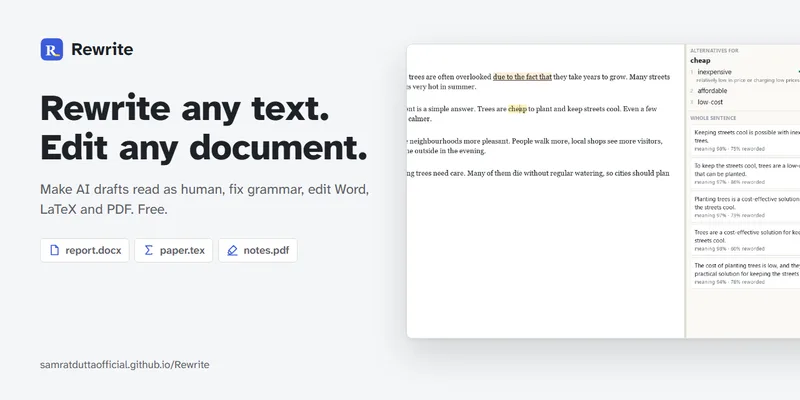
Rewrite is a free offline desktop editor that rewrites and edits Word, LaTeX, PDF, and Markdown documents. Writers and document editors can revise prose, correct grammar, and review changes on their computer.
Who it's for
- Writers editing drafts who want text rewriting, spelling, and grammar tools in a desktop app.
- LaTeX users who need to revise prose while leaving maths and commands untouched.
- Document editors working with Word or PDF files who want editing, page tools, and preview or conversion features.
Not the right fit if…
- People who need a ready-made installer for a system not listed on the page: the page says to build one from its row and send it in.
How it fits your workflow
Download the desktop application and open a document. The page lists Word, LaTeX, PDF, and Markdown support and says the app works offline.
Rewrite or edit text, choose light, medium, or strong rewriting, and use spelling and grammar tools. In LaTeX files, the page says maths and commands are left untouched.
Review each change and accept or reject it. Use the listed preview, page-editing, conversion, and save options as needed.
Pricing
Free: The application is free, with no trial, account, or word limit stated on the page.
Free
Free
- · No trial
- · No account required
- · No word limit
Prices checked on Oct 29, 2026 from the vendor's site. They can change; confirm before you buy.
Key features
- Text rewriting and AI-draft humanizing
- Rewrites text, including AI drafts, with selectable light, medium, or strong rewriting intensity. The page claims rewritten text passes AI detectors.
- Grammar and spelling
- Provides spelling and grammar correction for document text.
- Word, LaTeX, and PDF editing
- Supports editing Word, LaTeX, and PDF files. The page says LaTeX maths and commands are left untouched while prose is changed.
- Reviewable edits
- Lets users accept or reject each change, with editing in place and whole-document rewriting.
- Document formatting and content
- Lists support for themes, styles, lists, footnotes, tables, pictures, and charts.
- PDF and file conversion
- Includes a live PDF preview, the ability to save as PDF, HTML, or Markdown, and a feature to convert PDF to Word.
Limitations to know
- The listed Windows installer is not signed yet, so Windows may show an "Unknown publisher" warning.
- For a system that is not listed, the page directs users to build an installer from its row and send it in.
- The stated code licence permits reuse with credit but does not allow selling the code.
Alternatives to consider
-
AI Text Humanizer
Choose it if you want an online paraphrasing tool with a free no-signup trial and a PRO option with API access.
-
HumanizerAI
Choose it if you want a web-based humanizer with detection, re-humanization, and REST API or Agent Skills.
-
WordAi
Choose it if your focus is single-article or bulk rewriting for SEO and you want API or enterprise plans.
Getting started
- Download the version for your computer; the page lists a version 2.0.1 Windows installer.
- Open a supported document in Rewrite.
- Apply rewriting or editing tools, then review and accept or reject changes.
- If your system is not listed, open its row to build one and send it in.
Frequently asked questions
Is Rewrite free?
Yes. The page says there is no trial and no account is required.
Can I reuse the code?
Yes, with credit. Selling it is not allowed under the stated licence.
Is my text private?
The page says text stays on the user's computer.
What should I do if Windows shows an "Unknown publisher" warning?
The installer is not signed yet. The page says to choose More info, then Run anyway.
Will Rewrite break my LaTeX?
The page says only the prose changes; maths and commands are left untouched.
What if my system is not listed?
The page says to open its row to build one and send it in.