
sadik.ai
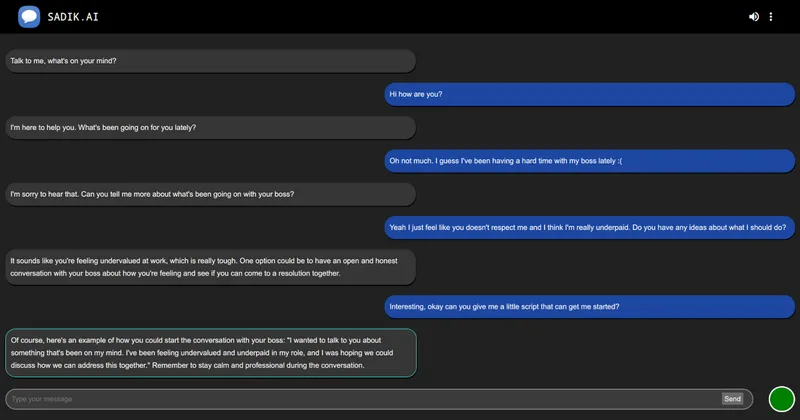
sadik.ai offers chat-based AI bots for tasks such as professional email rewriting, language practice, and interview preparation. Users can also create and customize conversational characters.
Who it's for
- People practicing a language who want a bot to reply in a chosen language or role-play a conversation.
- Job applicants who want to practice with a bot that starts by asking which position they are applying for.
- People writing professional messages who want a bot to revise their wording and tone.
How it fits your workflow
Choose a bot from the app and respond to its prompt or enter your own message. For example, Polish My Emails takes a message and returns a more professional revision, while Interview Practice begins by asking what position you are applying for.
For language practice, specify a language or a role for the bot to play. Some bots also accept photo or PDF uploads, as indicated on their listings.
Users can sign up to create and share a bot, with options to customize a character’s voice, tone, and conversation starters.
Pricing
Free: The page advertises “Talk for free,” but does not provide details about usage limits or paid plans.
The vendor doesn't publish prices. Check with sadik.ai directly.
Prices checked on Oct 26, 2026 from the vendor's site. They can change; confirm before you buy.
Key features
- Ready-made chat bots
- The page lists bots for general conversation and tasks such as email rewriting, language practice, interview preparation, spelling, book discussions, and household budgeting.
- Custom character creation
- Users can create a personal character and customize its voice, conversation starters, and tone.
- Language practice
- Language bots can repeat words, reply in a specified language, or play a requested role in a practice conversation and provide a translation.
- Writing and interview assistance
- Bots offer professional email rewriting, spelling correction, social media post generation, and interview practice.
- File and image input on selected bots
- The page indicates that some bots support photo or PDF uploads; support varies by bot.
- Image generation
- An Image Gen bot is listed as generating images from user requests.
Works with
- OpenAI
- Google Gemini
- Anthropic Claude
- DeepSeek and Grok
Alternatives to consider
-
Sensei AI
Choose it if you need real-time assistance during a live interview rather than a chat bot for interview practice.
Getting started
- Sign up or log in to the app.
- Select a bot and follow its opening prompt, or enter a message in the reply field.
- To create a custom bot, use the create-a-bot option and configure its character settings.