

spline
Spline is a web-based, collaborative design platform for creating production-ready interactive 2D and 3D experiences with real-time rendering, interactivity, and multi-platform export.
spline is design generators software teams evaluate for software & gaming. Use this page to review pricing, integration signals, and the best alternatives before you commit.
Profile facts come from the vendor source. AiMatch labels unknown pricing or API details instead of estimating them.
Review official source →Used in These Packs
Quick Overview
Best for: Software & Gaming
What it does
Design Generators software for decision-makers comparing workflow fit and alternatives.
Best fit
Software & Gaming
Pricing snapshot
Free
Next step
Compare spline with similar tools before you shortlist it.
Compare this tool before you shortlist it
Review alternatives, pricing posture, and workflow fit side by side.
Spline is a web-based, collaborative design and 3D platform for creating production-ready interactive real-time experiences for web and native apps. The product targets individuals and teams (including enterprise users) and emphasizes real-time collaboration, familiar design tools, and the ability to ship interactive 2D and 3D content to Web, iOS and Android. The site highlights community-driven remixing, learning resources (docs, academy, tutorials), and multi-platform export options.
Free 3D design tool for creating interactive web experiences with real-time collaboration.
Own this listing?
Claim this page for a one-time $29 to add pricing, features, screenshots, verified owner details, and a clearly labeled 30-day category position after the profile is live.
Claim this listing for $29Key Features
Collaborative 3D Design
A web-based, collaborative environment for creating production-ready interactive real-time 3D experiences.
Real-time Rendering
Instant visual feedback with real-time rendering for interactive scenes.
Primitives & 3D Modeling
Modeling tools and primitives to build 3D assets directly in the platform.
Layer-based Materials & Material Library
Create materials with multiple layers or use the ready-made material library.
Interactivity & Motion
Powerful event system including states & events, timeline animation, game controls, physics & particles to add interactivity and animation.
Variables, Webhooks & APIs
Bring real-time data into experiences using Variables, Webhooks, APIs and AI integrations.
Design Canvas & Vector Tools
Design-oriented features such as infinite canvas, frames & auto layout, color & strokes, snapping, and vector networks for custom shapes.
Multi-platform Export & Embedding
Ship interactive experiences to Web, iOS and Android and embed using the Spline Viewer (HTML/JS) and integrations (Webflow, Framer, Wix Studio).
Community & Remixing
Explore and remix designs from the Spline community and a library of shared files.
Pricing
Get started — it's free (free starter access available)
Use Cases
Interactive Websites
Create interactive 3D elements and scenes for websites and embed them via Spline Viewer or platform integrations like Webflow.
Product & Brand Design
Design interactive 3D mockups, logos, and brand experiences to make products feel tangible and vivid.
Gamified Experiences & Marketing
Build gamified or animated experiences for marketing and engagement using the event system and physics.
App Integration
Export and integrate real-time 3D content into native apps for iOS and Android.
Rapid Prototyping & Collaboration
Teams can brainstorm and iterate in real-time with comments, invitations, and shared links.
Integrations
Webflow
Embed Spline scenes into Webflow projects (examples and documentation referenced).
Framer
Integration examples for embedding Spline scenes in Framer projects are listed.
Wix Studio
Wix Studio integration examples referenced on the site.
HTML / JS (Spline Viewer)
Embed interactive 3D scenes using the spline-viewer web component (script snippet and example scene URL shown).
React / Next.js
Examples and guides for integrating Spline scenes into React and Next.js projects are listed.
Native (Swift / Kotlin)
References for shipping Spline experiences to iOS (Swift) and Android (Kotlin).
Benefits
Limitations
No verified limitations are available.
Frequently Asked Questions
No verified FAQs are available.
Getting Started
- 1 Step 1: Visit the site and click 'Get started — it's free' to create an account.
- 2 Step 2: Remix a design from the Community or Library to explore existing scenes.
- 3 Step 3: Learn with Docs and Academy video guides, then export or embed using Spline Viewer or platform integrations.
Support
docs
Written documentation available on the site (Docs link).
academy
Video guides and Academy learning resources listed under Resources.
community
Community platform to explore and remix designs; community library and examples.
Direct contact via [email protected] (listed in the footer).
API
Docs and examples referenced on the site (Spline API, Examples, and embedding instructions such as spline-viewer snippet).
Compare spline with similar tools
See how it stacks up against alternatives
Related Tools
View all 163 →
GeneratePPT
GeneratePPT is an AI-first presentation tool that converts topics, notes, URLs, PDFs, DOCX, and other inputs into clean, professional PowerPoint decks in under 60 seconds, with one-click styling, auto-sourced images, and an AI slide editor called AI Director.

Koboyo Icons
Koboyo Icons is a large library of 71,262 free hand-drawn SVG icons, organized into many thematic groups and categories and accessible via website browsing and an MCP/API integration for AI and editor workflows.




Stringartgenerator
String Art Generator is a web tool that transforms photos into printable string art patterns using an advanced algorithm, offering customizable complexity, high-resolution exports, and material calculations for hobbyists and professional artists.

Premium Alternatives

AI QR Codes
AI QR Codes is a web service that uses AI to generate artistic, brandable, and fully scannable QR codes for marketing, packaging, menus, business cards, events, education, and more.
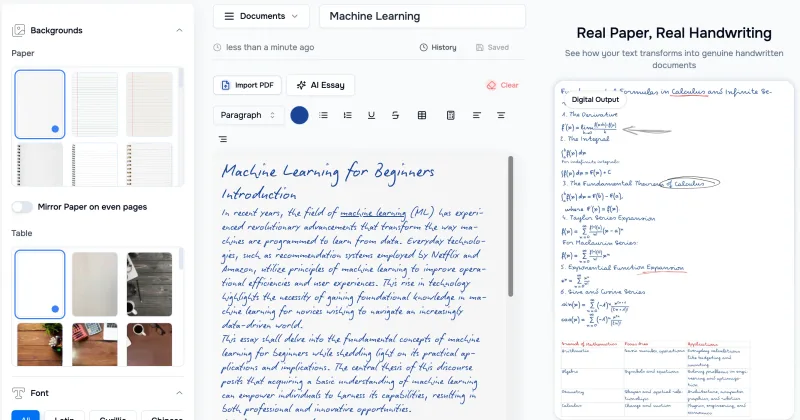
Handtextai
HandtextAI is a web-based handwriting generator that converts typed or imported text into realistic hand-written pages and photo-like notebook scenes, with a web editor and a separate API for print-oriented business workflows.

Ai-architectures
AI-Architectures is a web-based platform that converts sketches, photos, or text descriptions into photorealistic architectural renders, labeled floor plans, and staged listing photos in about 30–40 seconds, with exports suitable for professional CAD/BIM workflows.


Pineapple Builder
Pineapple Builder is an AI website builder for businesses that generates websites and helps owners update pages, create SEO content, and manage leads. The site says plans start at $16 per month and offers 100 free AI credits to try the product.
Stringartgenerator
String Art Generator is a web tool that transforms photos into printable string art patterns using an advanced algorithm, offering customizable complexity, high-resolution exports, and material calculations for hobbyists and professional artists.