
UpMeet
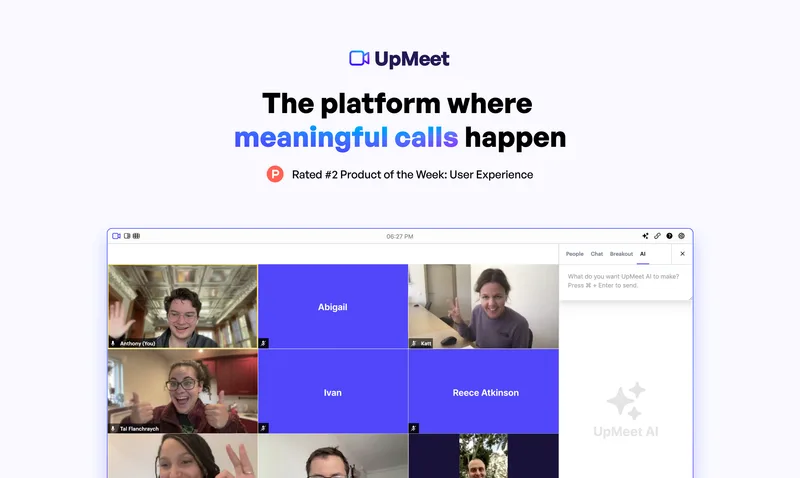
UpMeet gives teams a branded video-call space with shared browsing, meeting collaboration tools, and AI summaries and real-time answers. Teams can manage rooms and add calls to ClickUp.
Who it's for
- Remote and distributed teams that need calls with shared browsing, chat, reactions, or breakout rooms.
- Teams hosting client calls that want rooms branded with their logo, colour theme, and domain.
- ClickUp users who want to add calls to lists, dashboards, and whiteboards.
Not the right fit if…
- Teams that need more than 150 people in a single room: the stated maximum is 150, depending on the plan.
How it fits your workflow
Start a call in a customizable UpMeet space. Add your logo, colour theme, and domain, and use shared browsing, chat, reactions, or breakout rooms during the meeting.
Use UpMeet AI for summaries and real-time answers. Record calls locally or to the cloud and share a link; add calls to ClickUp lists, dashboards, and whiteboards when using the ClickUp integration.
Pricing
Free: The page offers a free start and describes a free trial that can be cancelled anytime; it does not state the trial duration or specific plan pricing.
The vendor doesn't publish prices. Check with UpMeet directly.
Prices checked on Oct 26, 2026 from the vendor's site. They can change; confirm before you buy.
Key features
- Meeting Intelligence
- UpMeet AI provides meeting summaries and instant answers in real time.
- Custom branding
- Add a logo, colour theme, and domain to customize how meeting calls appear.
- Shared browser
- Browse the web together in real-time sync, without relying on screen sharing.
- Call management and audit logs
- Manage meeting rooms from a dashboard and view logs showing who joined.
- ClickUp integration
- Add calls to ClickUp lists, dashboards, and whiteboards.
- Breakout rooms
- Split participants into automatic or hand-picked groups.
Works with
- ClickUp
Limitations to know
- The maximum room size is 150 people, depending on the plan.
- The page does not state plan prices or the duration of the free trial.
Getting started
- Select Get started free on the UpMeet page.
- Set up a custom-branded collaborative space; the page says setup takes under two minutes.
- Connect calls to ClickUp if you want them added to lists, dashboards, or whiteboards.