

Writeseed
Writeseed is an all-in-one AI-powered content platform that helps professionals write, design, and schedule posts and articles in their own brand voice for LinkedIn, WordPress and other channels.
Writeseed is copywriting software teams evaluate for content & marketing. Use this page to review pricing, integration signals, and the best alternatives before you commit.
Profile facts come from the vendor source. AiMatch labels unknown pricing or API details instead of estimating them.
Review official source →Used in These Packs
Quick Overview
Best for: Content & Marketing
What it does
Copywriting software for decision-makers comparing workflow fit and alternatives.
Best fit
Content & Marketing
Pricing snapshot
Freemium from $20 / monthly
Next step
Compare Writeseed with similar tools before you shortlist it.
Compare this tool before you shortlist it
Review alternatives, pricing posture, and workflow fit side by side.
Writeseed is an AI-driven content platform designed to help entrepreneurs and professionals create authentic, brand-aligned content and automate content marketing. The product advertises capabilities to identify and save a specific brand voice (via website or uploaded files), generate posts and articles (including images and YouTube videos), and schedule content across channels such as LinkedIn and WordPress.
The platform highlights productivity features (100+ productivity tools), a Chrome extension for writing on-page, and automation to schedule months of content in advance. Writeseed positions itself for users aiming to increase organic traffic, AI visibility, and consistency in publishing.
Writeseed is an all-in-one AI-powered content platform that helps professionals write, design, and schedule posts and articles in their own brand voice for LinkedIn, WordPress and other channels.
Own this listing?
Claim this page for a one-time $29 to add pricing, features, screenshots, verified owner details, and a clearly labeled 30-day category position after the profile is live.
Claim this listing for $29Key Features
AI Brand Intelligence
Identify and save your specific brand voice based on your website or by uploading files with your content.
AI Post Writer
Generate posts for social media and platforms with AI-powered writing tailored to your brand voice.
LinkedIn Post Creator & Scheduler
Create and schedule posts with a smart LinkedIn calendar to plan and publish content in advance.
WordPress Article Writer
Generate articles including images and relevant YouTube videos to post on your blog.
Chrome Extension
Write answers and comments without leaving the page using a Chrome extension (noted specifically for LinkedIn).
100+ Productivity Tools
Includes features such as PowerPoint presentations, paraphrasing, summaries and additional productivity templates.
AI Image Generator
Generate images as part of content creation (listed among included features).
Scheduling & Automation
Automate content marketing by scheduling months' worth of content with a few clicks.
Pricing
Free trial available (Get Started for Free).
$20 / monthly
$20 / monthly- AI Post Writer
- LinkedIn & WordPress Integrations
- Chrome extension for LinkedIn
- Custom Brand Voices
$99 / monthly
$99 / monthly- AI Post Writer
- LinkedIn & WordPress Integrations
- Chrome extension for LinkedIn
- Custom Brand Voices
Use Cases
Social media content and scheduling
Create, schedule and publish LinkedIn posts using the LinkedIn calendar and Chrome extension to stay consistent and save time.
Blog and SEO article generation
Generate WordPress articles (including images and embedded YouTube videos) and outlines centered on keywords to speed up blog production and SEO work.
Brand voice and content consistency
Identify and apply a saved brand voice across posts by analyzing a website or uploaded content files for consistent messaging.
Marketing automation for entrepreneurs
Automate content marketing workflows to free up hours and schedule months of content in advance.
Content repurposing and productivity
Use the 100+ productivity tools for paraphrasing, summaries, presentations, and other content tasks.
Integrations
Create and schedule LinkedIn posts using the platform's smart LinkedIn calendar and Chrome extension.
WordPress
Generate and publish articles directly to WordPress, including images and relevant YouTube videos.
Chrome (extension)
Write answers and comments on pages without leaving the site using a Chrome extension.
YouTube (content embedding)
Articles can include relevant YouTube videos as part of generated WordPress posts.
Benefits
Limitations
Frequently Asked Questions
No verified FAQs are available.
Getting Started
- 1 Step 1: Start a free trial from the Writeseed homepage.
- 2 Step 2: Set up your brand voice by pointing Writeseed at your website or uploading content files.
- 3 Step 3: Use the LinkedIn calendar or WordPress integration to create and schedule posts and articles; optionally install the Chrome extension to write in-place.
Support
Website / Contact page
Contact link listed in the site footer (https://writeseed.com).
Legal & policy pages
Terms & Conditions and Privacy Policy are listed in the site footer.
API
Compare Writeseed with similar tools
See how it stacks up against alternatives
Related Tools
View all 102 →
Quickcreator
QuickCreator is an AI-driven content platform that acts like a six-person content team for solo founders, consultants, and one-person marketers — generating brand-aligned SEO articles, optimizing them for E-E-A-T, and publishing to your site.

FreelanceMail
FreelanceMail is an AI cold email writer for freelancers and solo service providers. It researches a prospect’s website and generates a personalized three-email sequence with follow-ups to copy and send.

Rankwizardai
RankWizard is an AI-powered writing platform that creates SEO-optimized articles, blog posts, and newsletters at scale using real-time SERP analysis and GPT-4, targeting bloggers, agencies, and businesses.

Descriptionwise
Descriptionwise is an AI-powered content generation platform for eCommerce teams that automates and scales product description creation by analyzing product data and images, enabling bulk generation, localisation, and brand-aligned tone of voice.


Copymatic
Copymatic is an AI-powered writing platform that generates unique, SEO-optimized copy and long-form content (blog posts, landing pages, ads, product descriptions) using GPT-3 and a suite of 50+ AI writing tools aimed at marketers, agencies, e-commerce stores and content teams.

Rightblogger
RightBlogger is a SaaS platform that automates SEO-focused blog content creation, publishing, and maintenance using AI-powered tools and workflow automation for business owners, creators, agencies, and SaaS teams.

Blogbooster
Blogbooster is a service that uses OpenAI (DaVinci/ChatGPT) to automatically generate and publish blog posts to WordPress sites on a recurring schedule to boost SEO and traffic.
Premium Alternatives

Producks.ai
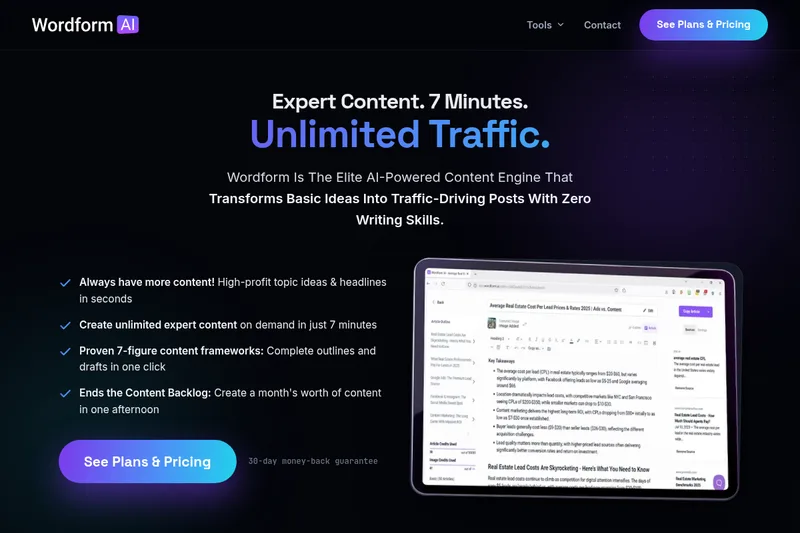
Producks.ai is an AI-powered service that converts product photos into SEO-optimized product descriptions and titles, with integrations for e-commerce platforms and per-product pricing.

Contentbot
ContentBot.ai Paraphrasing Tool is an AI-powered rewriter that rewrites and paraphrases content (up to 2,000 words at a time), provides variability scoring using Levenshtein distance, and includes a built-in plagiarism checker and short-form rewriter supporting 110+ languages and multiple styles.

HyperWrite
HyperWrite is an AI writing assistant and Chrome extension that provides autocomplete, generative writing (AutoWrite), chat, real-time research with citations, and a suite of specialized writing tools to help users write emails, documents, speeches, and research-backed content.

Closerscopy
ClosersCopy is an AI-powered copywriting platform that provides templates, a long-form editor and customizable AI frameworks (including proprietary AI and GPT-3 models) to generate sales copy, blog posts, emails, landing pages and other marketing content for individuals and teams.
