
BrandWiz
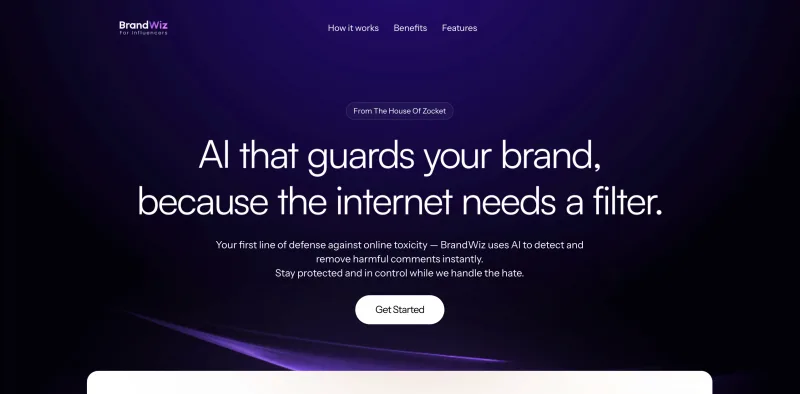
BrandWiz scans Facebook and Instagram comments and automatically removes harmful, offensive, or spam content. It is for creators and social media teams that want to apply custom moderation rules without manually reviewing every comment.
One of 77 tools in Social Media
Who it's for
- Influencers managing Facebook and Instagram pages who want harmful or spam comments removed automatically.
- Social media teams responsible for protecting a brand's comment sections with custom keyword and phrase filters.
Not the right fit if…
- Teams moderating platforms other than Facebook and Instagram: the page only describes connecting those platforms.
How it fits your workflow
Create an account and connect Facebook and Instagram pages.
Configure keywords, phrases, emojis, approval preferences, and the desired moderation strictness.
Enable AI auto-protection; BrandWiz scans comments and removes content it identifies as harmful, offensive, or spam.
Pricing
40,000 comments
$999; billing period not stated
- · Moderate 40,000 comments
Prices checked on Oct 18, 2026 from the vendor's site. They can change; confirm before you buy.
Key features
- AI comment moderation
- Scans comments for harmful, offensive, or spam content and removes detected comments automatically in real time.
- Custom moderation filters
- Lets users specify keywords, phrases, emojis, and misspellings to guide what the tool blocks.
- Moderation preferences
- Users can set approval preferences and choose how strict or lenient their moderation should be.
- Always-on protection
- The page describes automated moderation as running 24/7 after activation.
Works with
Alternatives to consider
-
CommentGuard
Choose it if you want Facebook and Instagram moderation that also provides a unified inbox for posts and ads and AI-drafted replies.
-
elv.ai
Choose it if you want AI moderation combined with human review for uncertain cases and comment or audience analysis.
Getting started
- Create a BrandWiz account.
- Connect your Facebook and Instagram pages.
- Customize moderation filters and preferences.
- Enable AI auto-protection.