
craftman
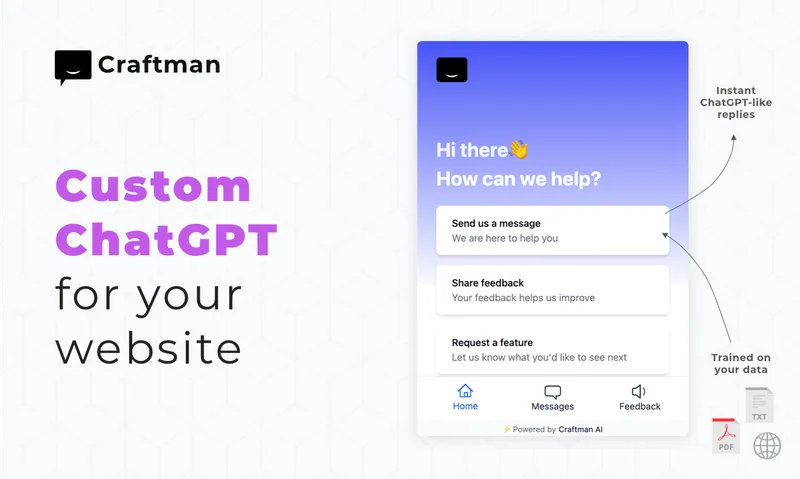
Craftman combines customer chat and email in one support inbox and drafts replies from a team's knowledge base. Startup founders and support teams can review and send those drafts, or configure a chatbot to answer common questions automatically.
Who it's for
- Startup founders handling customer support across email and website chat who want one shared inbox.
- Small support teams that want AI to draft replies from their docs, FAQs, or previous conversations for human review.
- Startups that want a knowledge-base chatbot to answer common customer questions automatically.
Not the right fit if…
- Teams that need product tours, series, or enterprise reporting: Craftman says it focuses on the inbox and AI drafts rather than those features.
How it fits your workflow
Add Craftman's chat widget to your website and forward your support email to the inbox. Customer chat and email conversations then appear in one feed.
Provide knowledge sources such as docs, FAQs, previous conversations, PDFs, website URLs, or pasted text. When a customer messages, Craftman drafts a response from that material.
Review and edit the draft before sending it. Alternatively, configure the AI chatbot to automatically respond to common questions using the knowledge base.
Pricing
Free: Free plan at $0 forever with 1 chat widget, a unified email and chat inbox, and 20 AI replies per month. The page also offers a 7-day free trial on any plan without a credit card.
Free
$0 forever
- · 1 chat widget
- · Email and chat unified
- · 20 AI replies per month
Pioneer
$29/month
- · 1 chat widget
- · Email and chat unified
- · 1,000 AI replies per month
- · AI draft suggestions
Builder
$49/month
- · Includes Pioneer features
- · Feedback boards
Pro
$79/month
- · 10 widgets
- · 10,000 AI replies per month
- · Advanced AI drafts
- · Feedback boards
Legend
$149/month
- · Unlimited widgets
- · 20,000 AI replies per month
- · Custom AI training
- · Feedback boards
Prices checked on Nov 16, 2026 from the vendor's site. They can change; confirm before you buy.
Key features
- Unified chat and email inbox
- Manage chat and email conversations in one feed. Add a chat widget to a website and forward support email to the Craftman inbox.
- AI-drafted replies
- The AI uses materials such as docs, FAQs, and previous conversations to draft responses. Review, edit, and send each draft from the inbox.
- Knowledge-base inputs
- Upload PDFs, add website URLs, or paste text for the AI to use when drafting replies.
- AI chatbot
- Configure a chatbot to automatically respond to common questions using the knowledge base.
- Real-time analytics
- View response times, satisfaction rates, and team performance.
- Feedback boards
- Feedback boards are included in the Builder, Pro, and Legend plans.
Limitations to know
- The Free plan includes 20 AI replies per month and one chat widget.
- The Pioneer and Builder plans include one widget and 1,000 AI replies per month; Pro includes 10 widgets and 10,000 replies per month; Legend includes unlimited widgets and 20,000 replies per month.
- The page says Craftman focuses on inbox and AI drafts rather than product tours, series, or enterprise reporting.
Alternatives to consider
-
GPTHelp
Choose it if you want an embeddable website chatbot with conversation monitoring and human handoff options rather than Craftman's unified email-and-chat inbox with AI-drafted replies.
Getting started
- Start with the free plan or begin a 7-day trial; the page says no credit card is required for the trial.
- Add the chat widget to your website.
- Forward your support email to the Craftman inbox.
- Add knowledge sources and review, edit, and send the resulting AI drafts.
Frequently asked questions
How do AI Drafts work?
When a customer sends a message, the AI reads the knowledge base, including docs, FAQs, and previous conversations, and drafts a response. You can edit the draft and click Send. The page says the AI learns from your edits over time.
Can I use my own domain for email?
Yes. Forward your support address to the Craftman inbox. Replies are sent from your domain, according to the page.
Can I try Craftman before buying?
Yes. The page says there is a 7-day free trial on any plan, with no credit card required, and that you can cancel anytime.
What happens if the AI gets a response wrong?
AI responses are drafts rather than automatic replies by default, so you review and can edit them before sending. The page says the AI learns from your corrections.
Can I set up an AI chatbot to handle questions automatically?
Yes. The page says you can configure an AI chatbot to automatically answer common questions using your knowledge base.
Can I train the AI on my website or a PDF?
Yes. The page says you can upload PDFs, add website URLs, or paste text for the AI to use.
How does Craftman compare to Intercom?
The page positions Intercom for enterprises with complex needs and Craftman for founders seeking an inbox and AI drafts. It says Craftman does not focus on product tours, series, or enterprise reporting.
Is customer data used to train the AI?
The page says Craftman does not train its AI on customer data without explicit consent.