

Getcapte
Capte is a French AI-powered content creation tool that automates transcription, subtitling, translation and video clipping to help creators, agencies and media teams produce and repurpose short-form videos quickly.
Getcapte is video software teams evaluate for video. Use this page to review pricing, integration signals, and the best alternatives before you commit.
Profile facts come from the vendor source. AiMatch labels unknown pricing or API details instead of estimating them.
Review official source →Used in These Packs
Quick Overview
Best for: Video
What it does
Video software for decision-makers comparing workflow fit and alternatives.
Best fit
Video
Pricing snapshot
Free
Next step
Compare Getcapte with similar tools before you shortlist it.
Compare this tool before you shortlist it
Review alternatives, pricing posture, and workflow fit side by side.
Capte is an AI-powered French software product designed to simplify short-form video content creation and repurposing. It automates transcription and subtitling, offers translation into multiple languages, and helps users generate styled subtitles, clips and social posts from a single source video. The product is positioned for creators, agencies, SMBs, freelancers, online media and training organizations looking to produce more content faster.
The site emphasizes speed and scale (automatic subtitles generated in under a minute, automatic clip extraction, Full HD/4K export) and highlights features to customize appearance (themes, safezones, magic emojis) and distribution (post suggestions, various export/import formats).
Capte is a French AI-powered content creation tool that automates transcription, subtitling, translation and video clipping to help creators, agencies and media teams produce and repurpose short-form videos quickly.
Own this listing?
Claim this page for a one-time $29 to add pricing, features, screenshots, verified owner details, and a clearly labeled 30-day category position after the profile is live.
Claim this listing for $29Key Features
Automatic transcription
AI-driven transcription of uploaded videos in a few seconds.
Automatic subtitles
Subtitles generated in one minute or less using the platform's AI.
Translation
Translation into dozens of languages with a simple workflow.
Subtitle styling
Customize subtitles with styles, effects, emojis and themes.
Video clip extraction
Automatically generate multiple clips from a single original video for social sharing.
High-quality export
Export in Full HD and 4K without quality loss; supports HDR, MP4 and MOV imports.
Safezones per network
Predefined safezones to correctly place visual elements for each social network.
Themes and templates
Collection of themes to quickly style videos and subtitles.
Magic Emojis
Automatic insertion of emojis into subtitles to add visual style.
Magic posts
Assists with generating a suggested social post for each video.
Format tools
Tools to generate thumbnails, convert and translate SRT files, and cut videos.
Download helpers
Utilities to download videos from Instagram, YouTube, LinkedIn and Spotify.
Pricing
Free trial available (mentions: "Commencer un essai gratuit", "Essayer gratuitement")
Use Cases
Creators
Individual creators use Capte to transcribe, subtitle, style and extract clips to increase reach and produce short-form social content quickly.
Agencies
Agencies can repurpose client videos into multiple social assets with consistent styling and language support.
SMBs & Freelancers
Small businesses and freelancers use the tool to produce professional-looking subtitled videos and translations without a production team.
Online media & Training
Media outlets and training organizations generate subtitles, translated versions and clips for distribution and accessibility.
Integrations
Tools to download/import Instagram videos for processing.
YouTube
Tools to download/import YouTube videos for processing.
Tools to download/import LinkedIn videos for processing.
Spotify
Tools to download/import Spotify content for transcription or subtitling.
SRT files
Import, convert and translate SRT subtitle files.
Benefits
Limitations
No verified limitations are available.
Frequently Asked Questions
No verified FAQs are available.
Getting Started
- 1 Step 1: Add a video to the Capte platform.
- 2 Step 2: Let the AI transcribe the video (transcription produced in seconds).
- 3 Step 3: Edit and style subtitles with the editor (themes, effects, emojis).
- 4 Step 4: Generate automatic clips and export finished files in required formats.
Support
Docs
Centre d'aide (Help center) and blog referenced on the site for guidance.
Contact
Links on the site: "Nous contacter" and "changer avec l'quipe" to reach the team.
FAQ
FAQ / Foire aux questions page available from the site navigation.
API
Compare Getcapte with similar tools
See how it stacks up against alternatives
Related Tools
View all 103 →



Aiconverthub
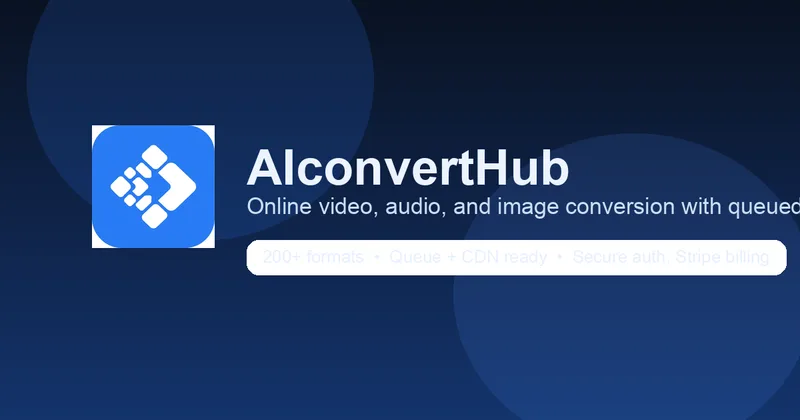
AI Convert Hub is a browser-based file conversion service for video, audio, and images that offers batch uploads, codec-aware controls, FFmpeg-based encoding with AI-optimized compression, and support for 200+ formats.

Premium Alternatives



Sendpotion
Potion (Sendpotion) is an AI video personalization platform that generates hyper-realistic videos in your own face, voice, and gestures for sales, marketing, support, and education, enabling scalable personalized outreach and video content creation.

Topaz Video
Topaz Video is Topaz Labs’ AI-powered desktop and cloud video enhancement application for filmmakers and videographers, offering model-based upscaling, denoising, stabilization, SDR→HDR conversion and other production-grade restoration and finishing tools.

Text Remover
Text Remover is an online AI video cleanup tool that detects and removes text, captions, subtitles, and other overlays, reconstructing the background while aiming to preserve video quality. It is designed for creators, editors, and teams preparing videos for reuse or localization.

Prismiq
Prismiq Pulse is a post-publish video audit for YouTube that evaluates your title, thumbnail, and first 30 seconds, returns a Pulse score, timestamped friction points, and delivers 3 test-ready title variations plus 3 thumbnail concepts. Reports are ready in about five minutes and can be run by pasting any public YouTube URL.

reccloud-cn
录咖(reccloud)是一款面向创作者与企业的在线AI音视频处理平台,提供语音转文字、字幕生成、文字转语音、视频翻译、视频生成、去水印、人声分离、音视频总结等一键化AI工具与开发者API。
