Language Model Builder
Language Model Builder is a free macOS app and interactive textbook that teaches how language models are built and lets you train small GPT-style models locally on Apple Silicon Macs.
Language Model Builder is education software teams evaluate for education & research. Use this page to review pricing, integration signals, and the best alternatives before you commit.
Profile facts come from the vendor source. AiMatch labels unknown pricing or API details instead of estimating them.
Review official source →Used in These Packs
Quick Overview
Best for: Education & Research
What it does
Education software for decision-makers comparing workflow fit and alternatives.
Best fit
Education & Research
Pricing snapshot
Free from Free
Next step
Compare Language Model Builder with similar tools before you shortlist it.
Compare this tool before you shortlist it
Review alternatives, pricing posture, and workflow fit side by side.
Language Model Builder combines a short interactive textbook with a native macOS training workbench that lets users build and train small language models locally. It is aimed at learners, curious non-programmers, and developers who want to understand model internals by running experiments (tokenizers, embeddings, attention, pre-training, fine-tuning) and watching training metrics in real time. The app runs entirely on Apple Silicon Macs using Apple’s MLX framework, requires macOS 15 or later, and emphasizes a fully local experience with no accounts or cloud services.
Language Model Builder is a free Mac app that walks you through building a small language model from scratch: train a tokenizer, pick your data, pre-train, fine-tune, and chat with a model that you made.
Own this listing?
Claim this page for a one-time $29 to add pricing, features, screenshots, verified owner details, and a clearly labeled 30-day category position after the profile is live.
Claim this listing for $29Key Features
Interactive textbook
A concise, friendly introduction covering tokenization, embeddings, attention, the transformer, training data, loss & gradient descent, and fine-tuning with interactive playgrounds and experiments.
Native training workbench (MLX)
Hardware-accelerated, in-process training on Apple Silicon using MLX, letting you run the full pipeline (pre-training, SFT, DPO, sampling) without installing additional tools.
Full training pipeline
Tools for dataset selection, pre-training, supervised fine-tuning, direct preference optimization, sampling, checkpointing, and monitoring loss/throughput/validation in real time.
Local-first and privacy-focused
Models, datasets, and training history remain on the user’s Mac — no cloud component, no account required.
Dataset catalog and custom data
Curated datasets for pre-training and fine-tuning are provided with explanations, plus support for using your own datasets.
Chat and inspection tools
A chat UI with deep inspection features such as token probabilities and tokens not chosen, plus a conversation 'X-ray' to analyze model outputs.
Pricing
The app is fully free to download and use on Apple Silicon Macs; there is no account or subscription required.
Free
Free- Full app download with interactive textbook and training tools
- No account, no subscription, local-only usage
Use Cases
Learning how language models work
Use the interactive textbook and playgrounds to understand tokenization, attention, embeddings, transformers, and training dynamics without prior ML or math experience.
Experimenting and prototyping models locally
Build, pre-train, fine-tune, and sample small GPT-style models entirely on an Apple Silicon Mac to explore architecture and dataset effects.
Teaching and demos
Classroom or workshop demonstrations that let students run experiments, watch loss curves, and interact with models they trained themselves.
Creating shareable model artifacts
Export models in the standardized 'safetensors' format to share with others or open in compatible tools.
Integrations
Apple MLX
Uses Apple’s MLX framework for hardware-accelerated training on Apple Silicon Macs.
safetensors
Exports trained models in the standardized 'safetensors' format for compatibility with other tools.
Benefits
Limitations
Frequently Asked Questions
What kind of model can I actually build with this?
Can I stop training and come back later?
Does anything leave my Mac?
Can I share the models I made?
Why is this app free?
When will you release a version for Windows, Linux, or Intel Macs?
Getting Started
- 1 Step 1: Download the macOS app (Free download; requires Apple Silicon, macOS 15 or later).
- 2 Step 2: Open the app and work through the interactive textbook and playgrounds to learn fundamentals.
- 3 Step 3: Choose a tokenizer and datasets, start a pre-training run, then perform supervised fine-tuning or DPO and chat with your model.
Support
Docs/manual
Interactive textbook and manual content are included in the app for learning and troubleshooting.
Project page
The website (languagemodelbuilder.com) contains download links, FAQs, and project information.
API
Compare Language Model Builder with similar tools
See how it stacks up against alternatives
Related Tools
View all 124 →
Academa Studio
Academa Studio is an AI-native web editor for authoring Manim (mathematical animation) content, providing an integrated Python runtime, renderer preview, and AI-assisted chat prompts to generate and refine animations.

Teacher Planner
Teacher Planner is an online planning tool for teachers to organize lessons by day, week, month, unit, or outline, import a timetable from a photo or PDF, and prepare classroom materials with AI tools. It includes free and paid plans with different planbook and printing features.
LongTerMemory
LongTerMemory is an AI study web application that turns learners’ documents, images, and web pages into quizzes, a personalized study plan, and spaced-repetition reviews. It also lets users chat with their imported study materials.

Dream Interpretation AI
Dream Interpretation AI is a free, AI-powered dream decoder that provides instant symbolic, psychological, and spiritual analysis of dreams to help users understand their subconscious; available 24/7 for individuals, students, and dream journaling enthusiasts.

LingQ
LingQ is an immersive language-learning platform that helps learners acquire vocabulary and comprehension by reading, listening to, and importing real-world content (books, podcasts, videos, articles) across 50+ languages, with AI tools, browser importers, mobile apps and a community of learners.

Audoir
Audoir is a small company producing AI-powered web and mobile applications and hands-on technical tutorials focused on AI agents, web development, DevOps, and system design. Their apps include Reflexion (AI journaling), Resunet (AI resume and cover letter generator), Youhan (personalized Chinese learning), and Vocali (AI conversation practice).


Premium Alternatives
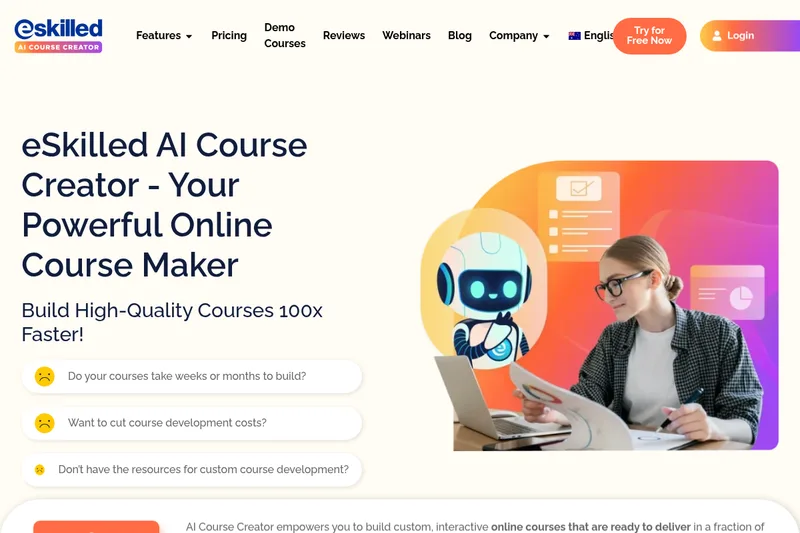
eSkilled AI Course Creator
eSkilled AI Course Creator is a cloud-based course authoring platform that uses AI to turn ideas and existing training materials into editable online courses with lessons, quizzes, imagery, and interactive activities. Courses can be shared by URL, embedded, connected through LTI, or exported as SCORM.