
monai
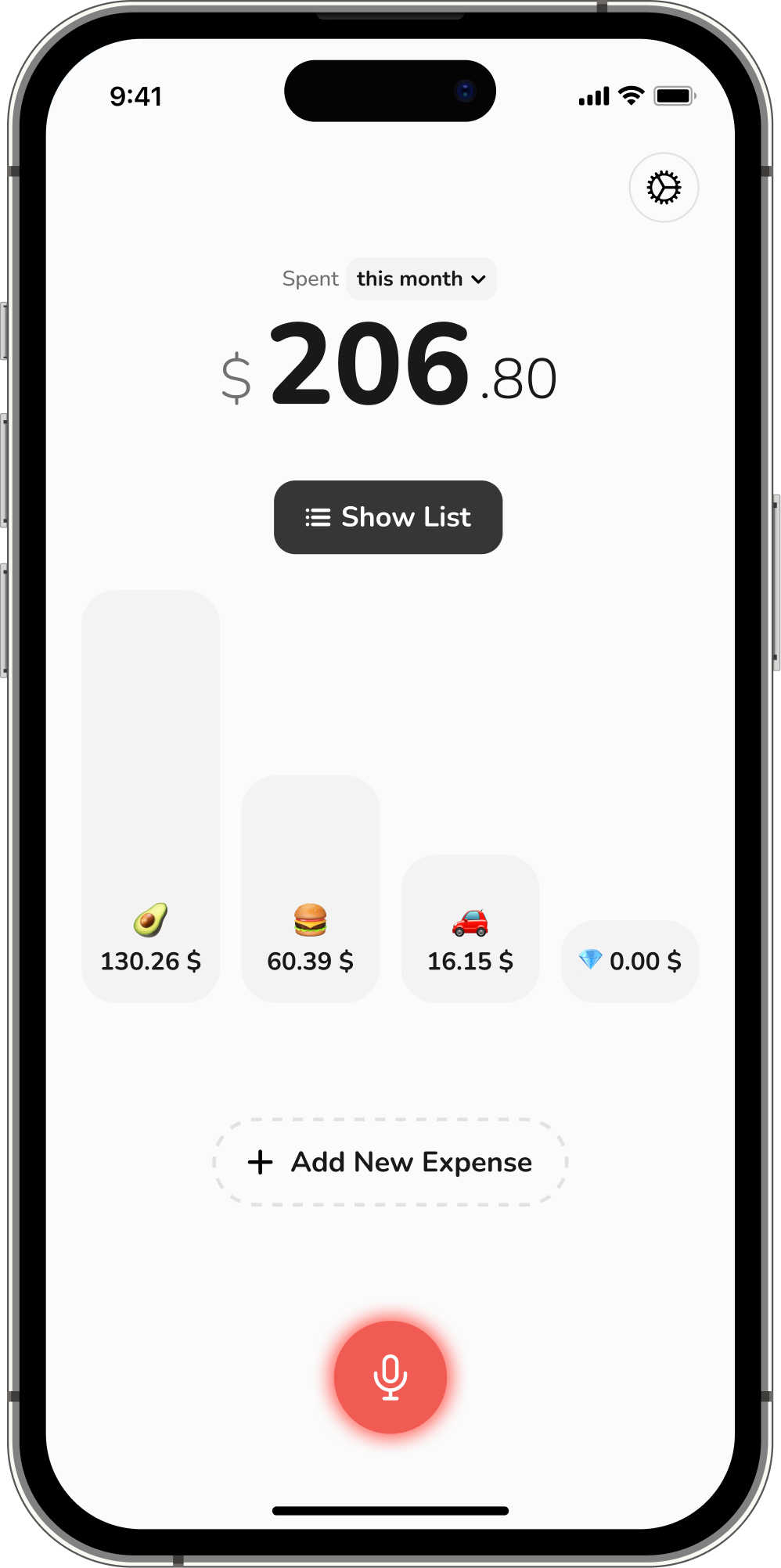
MonAi is an AI-powered expense tracker app for iOS and Android that lets you log expenses by speaking naturally, typing plain-language entries, or automating entries via Apple Pay and Apple Shortcuts. It focuses on simple, frictionless tracking, shared lists, budgets, and AI-driven insights.
monai is finance software teams evaluate for personal & entertainment. Use this page to review pricing, integration signals, and the best alternatives before you commit.
Profile facts come from the vendor source. AiMatch labels unknown pricing or API details instead of estimating them.
Review official source →Quick Overview
Best for: Personal & Entertainment
What it does
Finance software for decision-makers comparing workflow fit and alternatives.
Best fit
Personal & Entertainment
Pricing snapshot
Freemium from Subscription-based; page does not list specific pricing
Next step
Compare monai with similar tools before you shortlist it.
Compare this tool before you shortlist it
Review alternatives, pricing posture, and workflow fit side by side.
MonAi is an AI-powered personal and small-business expense tracker for iOS and Android that emphasizes fast, low-friction entry and automatic logging. Users can add expenses by speaking naturally, typing plain-language notes, or using automations (Apple Pay, Apple Shortcuts, email, messages, etc.). The product includes AI chat for questions and insights about spending patterns, budget tracking with visual progress, shared expense lists for couples/groups, recurring transactions, and multi-currency support. MonAi is positioned for people who want simple, everyday expense tracking without complex dashboards; the site notes it is free to download with an optional premium subscription and a 7-day trial.
AI-powered expense tracker with voice input and iCloud storage.
Own this listing?
Claim this page for a one-time $29 to add pricing, features, screenshots, verified owner details, and a clearly labeled 30-day category position after the profile is live.
Claim this listing for $29Key Features
Voice input with natural language processing
Speak naturally (e.g., "Coffee this morning was $4, then I spent $40 on groceries") and MonAi converts speech into structured expense entries with amounts, dates, and categories.
Plain-language typing entry
Type natural phrases like "lunch $12" or "groceries 45.50 yesterday" and MonAi auto-detects amount, date, and category.
Apple Pay automatic logging & post-payment prompts
When you use Apple Pay, MonAi prompts you to log the expense immediately and can log tap-to-pay transactions automatically.
Automations (Apple Shortcuts, Email, Messages)
Integrations and triggers include Apple Shortcuts, forwarding receipts by email, texting yourself an expense, and other automations to capture transactions automatically.
AI chat and insights
Ask questions like "How much did I spend on food this month?" to get instant answers, pattern insights, and trend analysis powered by AI.
Shared expense lists & real-time sync
Shared lists enable couples and groups to track and split expenses with real-time synchronization and shared insights.
Budgeting & visual progress
Set spending limits per category and view visual progress bars and home-screen widgets to see remaining budget in real time.
Receipt OCR and screenshot capture
Snap a receipt for OCR extraction or screenshot a purchase confirmation to convert it into an entry.
Recurring transactions and multi-currency support
Support for recurring transactions and tracking across multiple currencies (stated feature).
Minimalist design and focused UX
App emphasizes a clean, uncluttered interface with no overwhelming dashboards, built for daily use.
Pricing
Free to download; offers a 7-day trial that enables trying premium features. Specific subscription pricing not listed on page.
Premium (optional)
Subscription-based; page does not list specific pricing- Optional premium subscription
- 7-day trial for full features
Use Cases
Everyday personal expense tracking
Quickly record daily purchases by voice or text to build a consistent habit and capture small transactions users commonly forget.
Couples or group expense sharing
Use shared lists and splitting features to keep partners or groups in sync about shared spending.
Automated capture of tap-to-pay and receipt-based transactions
Automatically log Apple Pay transactions, forward receipt emails, or use Shortcuts to capture spending without manual entry.
Budget monitoring and trend analysis
Set category limits, monitor progress via visual bars and widgets, and ask the AI for trends and spending insights.
Small business or freelance expense and revenue tracking
Site states ability to "track expenses, revenue, and performance in real time," supporting small-business or sole-proprietor use cases without spreadsheets.
Integrations
Apple Pay
MonAi prompts or automatically logs transactions when you pay with Apple Pay (instant post-payment prompts).
Apple Shortcuts
MonAi on iOS connects to Apple Shortcuts to turn triggers into automatic expense entries.
Email automation
Forward receipts to have transactions logged automatically.
Message trigger / SMS
Text yourself an expense and MonAi can capture it as an entry.
Benefits
Limitations
Frequently Asked Questions
No verified FAQs are available.
Getting Started
- 1 Download the MonAi app from the App Store or Google Play (site indicates iOS and Android support).
- 2 Create an account and try premium features with the 7-day trial (site: "Try everything for 7 days").
- 3 Enable automations you want: set up Apple Pay prompts, configure Apple Shortcuts, or forward receipts/emails/messages so entries are captured automatically.
- 4 Add expenses by speaking, typing natural-language entries, snapping receipts, or using the configured automations.
Support
Contact via email at [email protected] (listed on site).
docs/faq
Site includes a FAQ and blog link for help and tutorials (Download, FAQ, Blog links present).
social
Social presence listed (Twitter/X and Instagram links on the site).
API
Compare monai with similar tools
See how it stacks up against alternatives
Related Tools
View all 86 →
QuantSignals FST
QuantSignals FST is a supervised AI trading agent that turns QS Research signals into account-aware, risk-governed brokerage execution with order preview, approval, monitored execution, and a reviewable session record.


White Swan
White Swan is a B2B, white‑label, no‑code life insurance distribution platform that enables agencies, brokerages, carriers, and financial firms to digitize end‑to‑end life and long‑term care insurance sales with AI‑enabled tools, multi‑carrier forms, instant quotes, and integrations.


Alphawisewin
AlphaWiseWin is a web platform that uses large language models to generate one-click AI stock analysis reports by synthesizing market data, fundamentals, and news into technical, fundamental, sentiment, and risk assessments for investors and traders. It currently supports US stocks and provides daily post-close updates and an AI-rated market heatmap.


Premium Alternatives

Coindecision
Coin Decision is a Chan Theory (Chanlun 缠论)–focused crypto trading workspace that automates Chan structure detection, ranks signals across major crypto pairs, and provides one‑click AI briefs, charts, and webhook/API outputs for traders and desks.

Themis For Crypto
Themis For Crypto is an AI-assisted trading platform for researching crypto, stocks, and forex, backtesting strategies, and creating automated trading bots. It offers a WhatsApp AI assistant, with paid plans adding trading bots and other capabilities.

VoiceLark
VoiceLark is an AI-powered cryptocurrency news aggregator that collects 1,100–1,400 articles daily from over 110 sources, analyzes sentiment in real time (scale -1 to 1), generates concise summaries and explanations, and provides sentiment-based rankings and dashboards for traders and investors.



financeops
FinanceOps is an AI-first A/R automation platform that uses always-on, empathetic AI agents to automate collections, optimize outreach timing and channels, reconcile payments, and improve recovery rates for finance teams without increasing headcount.

invoice-box-发票盒子
发票盒子是一款面向个人与企业的智能发票管理与报销助手,支持一键收集电子发票、AI 自动分类与查重、拍照 OCR、生成报销单与导出对账 Excel,提供 iOS/Android/网页版与云端同步备份。