
MusicGenerator.so
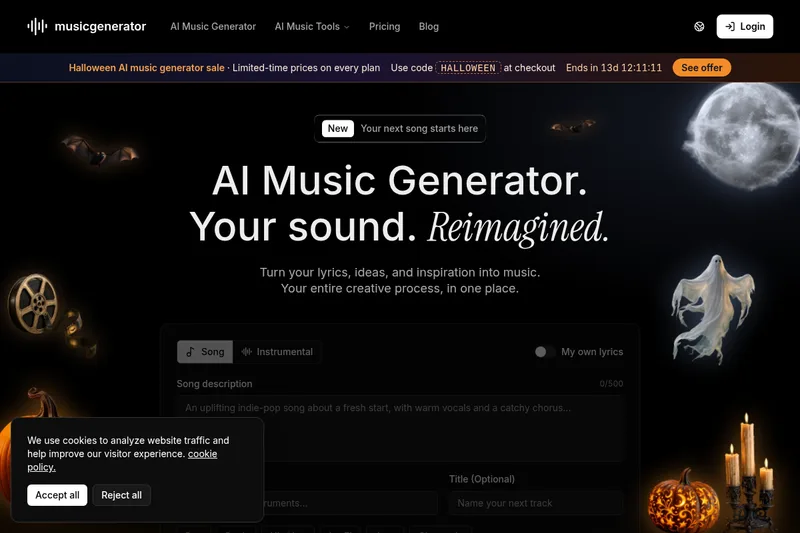
MusicGenerator.so turns prompts or original lyrics into vocal songs and instrumentals that users can preview and download. It is aimed at creators, musicians, filmmakers, educators, and marketers developing music for projects.
One of 53 tools in Music
Who it's for
- Content creators who need songs or background music for videos, podcasts, livestreams, or short-form content.
- Musicians and producers who want to test lyrics, genres, or arrangements before studio work.
- Filmmakers, game developers, and marketers sketching music ideas for scenes, interactive experiences, presentations, or campaigns.
How it fits your workflow
Choose song or instrumental mode, then enter a prompt or your own lyrics. Describe the desired genre, mood, instruments, or song structure to guide the result.
Generate the track, preview it, and use the download options available for your account. The page says creations are saved in a library and also lists lyrics, voice-cover, and stem-separation tools.
Pricing
Free: The page offers a 'Get Started for Free' option but does not specify the free plan's limits or included features. It also advertises a limited-time sale with code HALLOWEEN, without listing prices or plan details.
The vendor doesn't publish prices. Check with MusicGenerator.so directly.
Prices checked on Oct 19, 2026 from the vendor's site. They can change; confirm before you buy.
Key features
- Song generation from text or lyrics
- Create a vocal song from a creative description or lyrics supplied by the user, with options to describe musical style and direction.
- Instrumental generation
- Choose Text to Instrumental to generate a track without vocals from a prompt and musical direction.
- Style selection
- Describe or select a genre, mood, instruments, and song structure to guide the generated track. The page lists styles including pop, rock, hip hop, lo-fi, jazz, and cinematic.
- Preview and download
- Listen to generated results and use the download options available for the user's account.
- Lyrics and audio tools
- The platform lists a lyrics generator, voice covers, and stem separation alongside its song and instrumental creation tools.
- Creation library
- The page says creations are saved in a library, where users can return to their music workflow.
Limitations to know
- Generation time may vary depending on the request and current service conditions.
- The page advises users to review applicable licensing terms before publishing or using a track commercially, but does not provide those terms in the supplied content.
Alternatives to consider
-
AI Musician
Choose it if you want a broader set of described music tools, including generation from text or images, audio conversion, stem isolation, lyrics, sound effects, and album artwork.
-
Musiclly
Choose it if multi-model lyric writing, track extension, vocal removal, and stated commercial licensing are important to your workflow.
-
GenMusic
Choose it if you want a tool described specifically for original music drafts, vocal demos, instrumental tracks, and background scores.
Getting started
- Select Song or Instrumental mode.
- Enter lyrics or a creative prompt and describe the musical direction.
- Generate and preview the track, then download it using the options available for your account.