
NoClick
NoClick is a no-code platform for building workflows and deploying AI agents that connects to 150+ integrations, providing templates and agent builders to automate tasks and reports without writing code.
NoClick is nocode / lowcode software teams evaluate for nocode / lowcode. Use this page to review pricing, integration signals, and the best alternatives before you commit.
Profile facts come from the vendor source. AiMatch labels unknown pricing or API details instead of estimating them.
Review official source →Used in These Packs
Quick Overview
Best for: NoCode / LowCode
What it does
NoCode / LowCode software for decision-makers comparing workflow fit and alternatives.
Best fit
NoCode / LowCode
Pricing snapshot
Free
Next step
Compare NoClick with similar tools before you shortlist it.
Compare this tool before you shortlist it
Review alternatives, pricing posture, and workflow fit side by side.
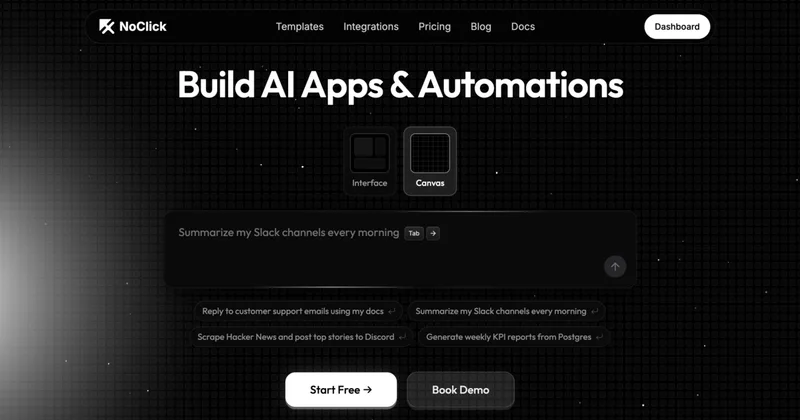
NoClick is a no-code platform for building workflows and AI agents aimed at automating tasks and integrating data across tools. The product emphasizes connecting to many third-party systems ('connect 150+ integrations'), using templates (for example: scraping Hacker News to Discord, replying to support emails using docs, summarizing Slack channels, and generating KPI reports from Postgres), and deploying AI agents without writing code. The site provides calls to action to 'Start Free' or 'Book Demo' and includes product areas such as Templates, Integrations, Agents, Docs, and Pricing.
Build the agentic layer for your business. Scalable AI agents and automations that grow with your organization.
Own this listing?
Claim this page for a one-time $29 to add pricing, features, screenshots, verified owner details, and a clearly labeled 30-day category position after the profile is live.
Claim this listing for $29Key Features
No-code workflow builder
Build workflows and deploy AI agents without writing code, as stated on the home page.
150+ integrations
The product advertises the ability to connect to 150+ integrations to pull data and trigger actions across services.
Pre-built templates
Provides templates for common automations such as scraping Hacker News to post to Discord, replying to support emails using docs, summarizing Slack channels, and generating KPI reports from Postgres.
Agent builders / AI backends
Mentions multiple agent builders and AI backends (examples listed include Claude, Code, Codex, OpenCode, OpenClaw, Hermes).
Deployment & demos
Options to 'Start Free' or 'Book Demo' are highlighted for trying and deploying workflows and agents.
Pricing
Start Free: the site promotes a free start with 'No credit card required'.
Use Cases
Content scraping and distribution
Scrape Hacker News and post top stories to Discord (explicit template example).
Customer support automation
Reply to customer support emails using company documentation (explicit template example).
Internal communications summarization
Summarize Slack channels every morning to keep teams informed (explicit template example).
Reporting & analytics
Generate weekly KPI reports from Postgres to automate business reporting (explicit template example).
Integrations
150+ integrations
The product advertises connectivity to over 150 integrations.
Postgres
Explicitly referenced in the example 'Generate weekly KPI reports from Postgres'.
Slack
Referenced in the example 'Summarize my Slack channels every morning'.
Discord
Referenced in the example 'Scrape Hacker News and post top stories to Discord'.
Hacker News (as a source)
Used in a template example for scraping top stories to Discord.
Agent / AI backends
Mentions agent builders/backends such as Claude, Code, Codex, OpenCode, OpenClaw, Hermes.
Benefits
Limitations
No verified limitations are available.
Frequently Asked Questions
No verified FAQs are available.
Getting Started
- 1 Step 1: Visit the site and click 'Start Free' or 'Sign Up'.
- 2 Step 2: Choose a template (examples shown on the homepage) or create a workflow.
- 3 Step 3: Connect required integrations (the site advertises 150+ integrations) and deploy your AI agent or workflow.
Support
Docs
The site includes a 'Docs' section in the navigation for product documentation.
Book Demo
Option to 'Book Demo' is available on the site for sales or onboarding assistance.
Blog
A 'Blog' section is available in the site navigation for updates and articles.
Socials
Social channels listed in the footer include Discord, YouTube, and LinkedIn.
API
Compare NoClick with similar tools
See how it stacks up against alternatives
Related Tools
View all 78 →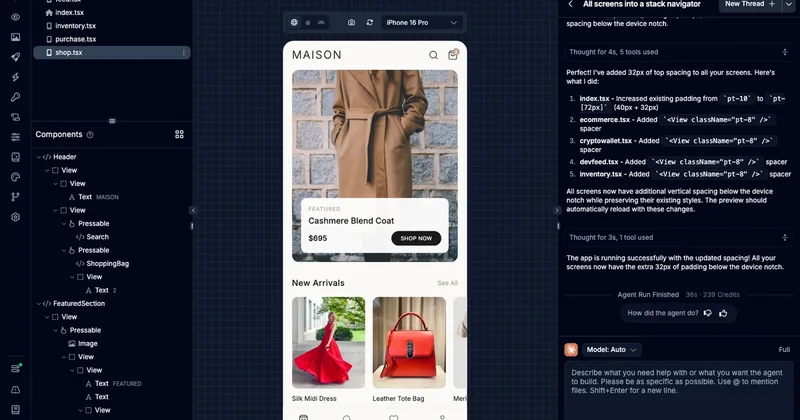

toolmark.ai
toolmark.ai is a no-code AI tool builder that lets individuals and companies create, embed, and monetize AI-powered tools (text, image, and voice) using a drag-and-drop editor and multiple advanced AI models.

promptologer
Promptologer is a no-code platform that helps prompt engineers, entrepreneurs, and businesses publish and monetise prompts and GPT-based web apps, with features for showcasing GPTs, blogs integration, and team deployment of AI web apps.




Drafter
Drafter AI is a no-code platform for building AI-powered apps, automations and workflows that integrates internal documents and public data sources, offers reusable prompt templates, and provides an API to add NLP and text-analysis features to products without coding.
Premium Alternatives

softgen
Softgen is an AI-powered web app builder that turns plain-English app descriptions into deployed, production-ready Next.js apps with managed Supabase, GitHub export, one-click Vercel deploy, and selectable AI models—designed for founders, makers, and teams to build MVPs and SaaS fast.
Appy Pie
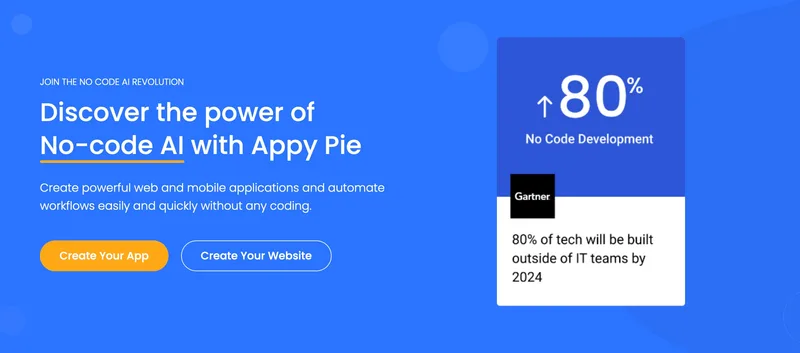
Appy Pie is an AI-powered no-code app builder that converts plain-English prompts into working native Android and iOS apps with backend, hosting, and store-publishing support. It targets founders and businesses who want to ship production mobile apps quickly without writing code.

SunSed
SunSed is an AI app builder for creating and running business applications from descriptions, using tested building blocks and a built-in programming language. Hosting, databases, logins, email, file storage, payments, and other app services are included in its paid plans.

Kivicube
Kivicube is a web-based, no-code AR creation and publishing platform that lets individuals and enterprises build, preview and publish interactive AR experiences (WebAR, WeChat Mini Program, Vision Pro, etc.) using visual editing and AI-powered tools such as 3D model and video generation.

-Bh91Hz9I.png)
