
perfect-memory-ai
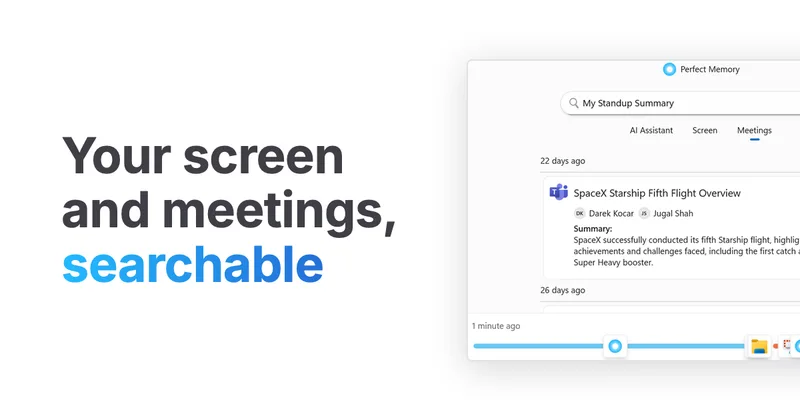
Perfect Memory captures screen text and meeting transcripts on Mac and PC, then makes them searchable and available to an AI Assistant. Knowledge workers can use it to recover information they saw or heard and prepare summaries and work updates.
Who it's for
- People who regularly switch between desktop applications and need to find text or pages they previously viewed.
- Meeting-heavy teams that want searchable transcripts and summaries of conversations.
- Claude, ChatGPT, or other MCP client users who want those clients to search their screen and meeting history.
How it fits your workflow
Install the app on a Mac or PC and let it run in the background. It uses OCR to capture screen text and automatically detects and transcribes meetings.
Search screen text, names, or meeting transcripts to return to relevant content. The AI Assistant can use those records to answer questions, summarize activity, and draft material.
For connected assistant workflows, connect Claude, ChatGPT, or another MCP client. The page says MCP searches run locally and the cloud only relays.
Pricing
Free: Free plan at $0 per month; no credit card or account is required. It includes unlimited search, recordings, meeting transcripts, and MCP calls, with 10 AI assists and 30 AI meetings per month.
Free
$0 per month
- · No credit card or account required
- · Unlimited search, recordings, meeting transcripts, and MCP calls
- · 10 AI assists per month
- · 30 AI meetings per month
Pro
$15 per month, billed yearly
- · Unlimited search, recordings, meeting transcripts, AI meetings, and AI Assistant
- · Standup updates
- · One-on-one meeting agenda suggestions
- · Daily Brief
Offline version
$79
Prices checked on Oct 25, 2026 from the vendor's site. They can change; confirm before you buy.
Key features
- Screen text capture and search
- Runs in the background, uses OCR to read screen content, and lets users search text across applications to find pages, presentations, and other content they previously viewed.
- Automatic meeting transcription
- Detects meetings across major meeting platforms and locally transcribes what the user says and hears, without meeting bots or permission configuration.
- AI Assistant
- Uses screen history and meeting transcripts to answer questions, summarize a day, draft emails, and help prepare for meetings.
- MCP client connection
- Connects memories to Claude, ChatGPT, or another MCP client so the client can search screen history and meetings.
- Local storage and privacy controls
- Stores activity on the user's Mac or PC, encrypts screenshots with AES-256, and pauses recording in private and incognito browser windows.
- Choice of AI provider
- Offers a choice of providers including ChatGPT, LM Studio, Ollama, and Jan, and allows users to provide their own API token.
Works with
- Claude
- ChatGPT
- MCP clients
- LM Studio, Ollama, and Jan
Limitations to know
- The free plan limits AI Assistant usage to 10 AI assists per month and AI meetings to 30 per month.
Alternatives to consider
-
Remind AI (reMind)
Choose it if you want an open-source, customizable personal memory app and prefer setup with Ollama or an LLM of your choice.
-
TwinMind
Choose it if your main need is capturing and summarizing meetings, lectures, voice notes, and conversations rather than searching desktop screen history.
Getting started
A Mac or PC.
- Download the app and install it on a Mac or PC using the installation guide.
- Go about your day while the app runs in the background and captures screen activity and meetings.
- Search screen text or meeting history, or ask for summaries of your activity.
Frequently asked questions
Do I need an account or credit card to use the free plan?
No. The page says the free offering requires no credit card or account.
Which computers does Perfect Memory support?
The page describes the app as available for Mac and PC, including Windows.
Where is captured activity stored?
The page says activity is stored on the user's own Mac or PC.