
Sidekeys
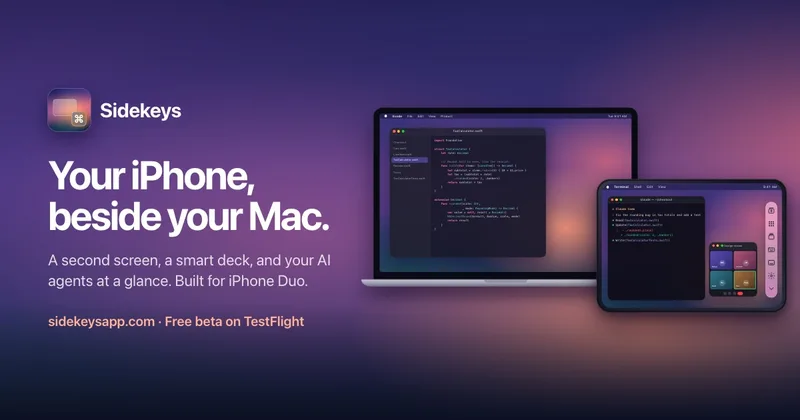
Sidekeys turns an iPhone or iPad into a Mac display and app-aware control deck, with a phone dashboard for coding-agent activity. Mac developers and creative professionals can keep windows, shortcuts, meeting controls, and agent requests at hand.
Who it's for
- Mac developers using Xcode or VS Code who want app shortcuts and coding-agent status on a connected iPhone or iPad.
- Mac users who need an extra display but want to use an iPhone or iPad rather than relying on iPad-only Sidecar.
- Creative professionals using Final Cut Pro or Figma who want frequently used app shortcuts on a phone-side control deck.
Not the right fit if…
- Teams using Intel Macs or macOS versions earlier than 27: the stated Mac requirements are Apple silicon and macOS 27 or later.
How it fits your workflow
Install the Mac app and the iPhone app, then connect the devices with a USB-C data cable. The iPhone or iPad becomes an extra Mac display where users can move windows, touch, scroll, and type.
Sidekeys shows controls for the foreground Mac app and switches to meeting controls during supported calls. Users running Claude Code can connect it from the Mac app’s Agents menu and monitor sessions or respond to permission requests from the phone.
After pairing, users can connect over Wi-Fi when the iPhone is nearby and Sidekeys is open. The page says USB-C provides the lowest delay.
Pricing
Free: The Mac app is free to download, and all features are available free for 7 days before a one-time $9.99 unlock is required.
Free trial
Free for 7 days
- · Try every feature during the trial
Lifetime unlock
$9.99 one-time
- · Unlock Sidekeys after the trial
- · No subscription
- · No account required
- · Family Sharing included
Prices checked on Oct 30, 2026 from the vendor's site. They can change; confirm before you buy.
Key features
- iPhone or iPad as a Mac display
- Connect an iPhone or iPad to use it as an additional Mac display. Windows can be dragged onto it, and the screen supports touch interaction, two-finger scrolling, and typing with an on-screen keyboard.
- App-aware shortcut deck
- Sidekeys displays shortcuts for the app in front on the Mac, with examples including Xcode, Final Cut Pro, Figma, and VS Code. Tapping a key runs the corresponding shortcut.
- Meeting controls
- During a call in Zoom, Google Meet, Microsoft Teams, or Slack, the deck can show large mute, camera, and leave controls that work while the meeting window is behind other work.
- Coding-agent dashboard
- Coding-agent sessions appear as cards showing activity, completed work, or requests for attention. Users can approve a request or jump to its window with a tap.
- Claude Code permission controls
- After connecting Claude Code from the Mac app’s Agents menu, users can see sessions and approve or deny permission requests from the phone, with the command shown.
- USB-C and Wi-Fi connections
- A USB-C connection provides the lowest delay. Wi-Fi pairing can be completed by connecting once with a cable or entering the code shown on the iPhone; subsequent connections happen automatically when the phone is nearby and Sidekeys is open.
Works with
- Claude Code
- Xcode, Final Cut Pro, Figma, and VS Code
- Zoom, Google Meet, Microsoft Teams, and Slack
Limitations to know
- The Mac must use Apple silicon and run macOS 27 or later.
- The iPhone app is distributed through TestFlight during the beta.
- For wired connections, the USB-C cable must carry data; a charge-only cable is not sufficient.
Alternatives to consider
-
CTRL Micro
Choose it if you want a haptic control deck for monitoring and controlling AI agents and your Mac, rather than Sidekeys’ extra Mac display and app-specific shortcut deck.
-
port22
Choose it if your main need is streaming coding-agent transcripts and approvals to an iPhone, rather than adding a second display and general app controls.
Getting started
A Mac with Apple silicon running macOS 27 or later; the free Sidekeys Mac app; and an iPhone or iPad with Sidekeys installed through TestFlight during the beta.
- Download the free Mac app from the Sidekeys website.
- Get Sidekeys for iPhone through TestFlight during the beta.
- Connect the iPhone to the Mac with a USB-C data cable and open Sidekeys.
- Optionally pair Wi-Fi by connecting once with a cable or entering the code shown on the iPhone.
Frequently asked questions
Which iPhones does Sidekeys work with?
It is built for iPhone Duo’s large inner screen and works with any iPhone or iPad. On iPhone Duo, it also works on the outer screen.
Can I use my iPhone as a second monitor for my Mac?
Yes. Install the free Mac app and connect the iPhone or iPad; you can drag Mac windows onto it and use touch, scrolling, and typing.
Does Sidekeys work with Claude Code?
Yes. In the Mac app’s menu, choose Agents and then Connect Claude Code. Sessions appear as cards on the phone, where you can approve or deny permission requests and see the command. If the phone is disconnected, approvals fall back to the normal terminal prompt.
Can I connect by cable or Wi-Fi?
Either. USB-C gives the lowest delay, and the cable must carry data rather than only charge. For Wi-Fi, pair once by connecting a cable or entering the code shown on the iPhone. After that, the iPhone connects automatically when it is nearby and Sidekeys is open.
Which Macs are supported?
A Mac with Apple silicon running macOS 27 or later, with the free Sidekeys Mac app installed.
Is Sidekeys a subscription?
No. Every feature is free for 7 days, followed by a one-time $9.99 unlock. No subscription or account is required.
Can my family use it?
Yes. The unlock works with Family Sharing, so members of the same Apple Family Sharing group can use it.
What happens to my data?
The page says screen content, touches, and typing go directly between the iPhone and Mac and do not leave those devices. It also says the apps have no analytics, ads, tracking, or accounts. For web beta signups or purchases, Sidekeys keeps the email and purchase information.
Why is the Mac app not on the Mac App Store?
The page says the app creates a virtual display, which the Mac App Store does not allow. It is notarized by Apple and downloads directly from the Sidekeys site.