
Spokenly
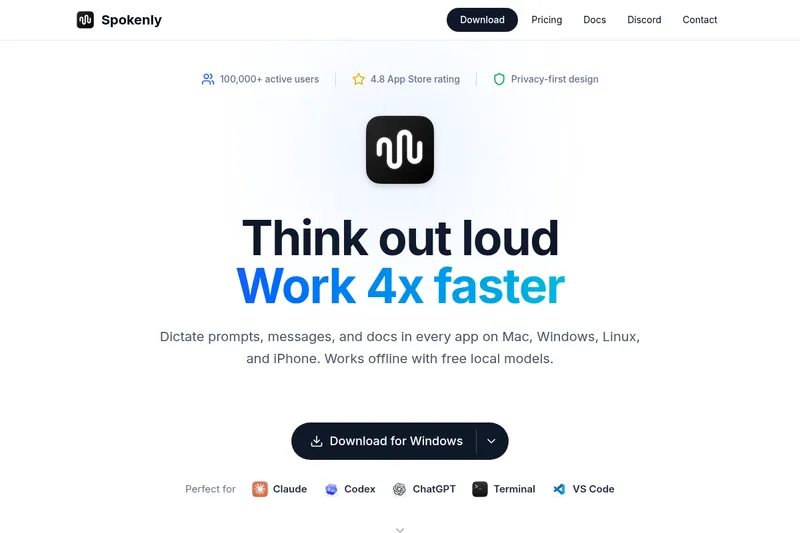
Spokenly turns speech into text at the cursor across desktop and iPhone apps, with offline local transcription and optional cloud models. It is for people who dictate work, including developers using coding agents.
One of 98 tools in Voice & Speech
Who it's for
- Developers who want to dictate prompts into coding agents such as Claude, Codex, or Cursor.
- Writers and knowledge workers who want to dictate messages and documents in apps that accept text input.
- Mac users who need to record microphone and system audio and transcribe the saved recording.
Not the right fit if…
- People who want cloud transcription without a Spokenly subscription or their own provider API keys: the page says cloud models without personal keys require Pro.
How it fits your workflow
Download Spokenly for a supported platform, then choose local Whisper or Parakeet models for offline transcription, or add your own API keys for cloud engines.
Place the cursor in a text field, start dictation with a shortcut, and speak. Spokenly types the transcription into the active app and can apply AI cleanup instructions.
On Mac, record microphone and system audio and save it in History for later transcription. Search past dictations, replay audio, and export entries.
Pricing
Free: Local on-device models (Whisper & Parakeet) are free forever with no limits; no account required.
Local Models
$0 forever
- · Whisper & Parakeet models
- · Works completely offline
- · No usage limits
- · No account needed
Your API Keys
$0 forever (Spokenly charges nothing)
- · Use your OpenAI, Deepgram, Groq, etc. keys
- · Real-time transcription via provider APIs
- · No subscription required
Pro (Recommended)
$8.33 / month (billed $99.99 per year)
- · High-accuracy cloud models
- · macOS, iOS, Windows & Linux included
- · AI text processing out of the box
- · Priority support
Prices checked on Jul 15, 2026 from the vendor's site. They can change; confirm before you buy.
Key features
- System-wide dictation
- Types spoken words at the text cursor in any application that accepts text input (browsers, email, IDEs, chat apps, word processors).
- Local offline models
- Runs Whisper and Parakeet models locally with a Local Models plan that is 'completely offline' and '0 network requests in local-only mode', ensuring audio never leaves the device.
- Cloud model support via user API keys
- Supports cloud engines like OpenAI, Deepgram, Groq by letting users download and add their own API keys for real-time transcription and higher accuracy.
- 100+ languages and automatic detection
- Dictate in over 100 languages and mix languages mid-sentence; Spokenly detects the language and keeps up.
- AI text processing and cleanup
- 'AI Instructions' fix grammar, strip filler words, and format dictated text to match the target application.
- Streaming engines & live transcription
- Streaming engines tuned for speed or accuracy with text appearing as you speak and landing when you stop; 'Livewords appear as you speak.'
Works with
- OpenAI, Deepgram, Groq (user-provided API keys)
- Claude, ChatGPT, Codex, Cursor (agent/tool readiness)
Limitations to know
- Transcription quality varies by model and language.
- Using cloud engines without supplying your own API keys requires Spokenly Pro.
Alternatives to consider
-
Superwhisper
Choose it if you also need Android support, which its description lists alongside macOS, Windows, and iOS.
-
Whispering
Choose it if you want an open-source transcription app focused on transparency, control, and direct provider billing.
-
SpeechPulse
Choose it if you need features such as audio-file transcription, speaker diarization, or subtitle generation in addition to desktop dictation.
Getting started
- Download Spokenly for your platform.
- Select local Whisper or Parakeet models for offline transcription, or add API keys for cloud engines.
- Open an app that accepts text input, position the cursor, and dictate using Spokenly's shortcut.
Frequently asked questions
What is Spokenly?
Spokenly is an AI-powered dictation app for Mac, Windows, Linux, and iPhone. Press a shortcut, speak, and your words appear at the cursor in any application. It runs local Whisper and Parakeet models for free offline transcription, supports cloud engines via your own API keys, and works in 100+ languages.
What languages are supported?
Over 100 languages are supported including English, Spanish, French, German, Chinese, Japanese, Russian, and many more. Quality varies by model and language.
Is my voice data private and secure?
With local models, your voice never leaves your Mac. For cloud models, audio is processed and immediately deleted, never stored. Enable local-only mode to block all network requests.
Which apps does Spokenly work with?
Spokenly works with any Mac app that accepts text input: browsers, email clients, IDEs, chat apps, word processors, and more. It types wherever your cursor is positioned.
How is Spokenly different from native Mac dictation?
Spokenly uses Whisper and Parakeet models that handle technical terms, accents, and non-English languages better than Apple's built-in dictation. It also adds real-time transcription and AI text cleanup that macOS dictation does not have.
Do I need to pay for basic features?
No. Local Whisper and Parakeet models (and any future on-device engines) are completely free with no limits. You only pay if you want to use cloud models without providing your own API keys.