
Join the Mic Captions beta
Mic Captions (beta) is a TestFlight beta app that turns spoken audio into real-time, easy-to-read captions on iPhone and iPad, with translation, session saving, transcript replay, and navigation by Topics and Words.
Join the Mic Captions beta is voice & speech software teams evaluate for voice & speech. Use this page to review pricing, integration signals, and the best alternatives before you commit.
Profile facts come from the vendor source. AiMatch labels unknown pricing or API details instead of estimating them.
Review official source →Used in These Packs
Quick Overview
Best for: Voice & Speech
What it does
Voice & Speech software for decision-makers comparing workflow fit and alternatives.
Best fit
Voice & Speech
Pricing snapshot
Free
Next step
Compare Join the Mic Captions beta with similar tools before you shortlist it.
Compare this tool before you shortlist it
Review alternatives, pricing posture, and workflow fit side by side.
Mic Captions is a TestFlight beta app that converts spoken audio into easy-to-read captions in real time. The app uses the microphone on your iPhone or iPad to provide captions you can follow during conversations, lectures, meetings, TV shows, and other spoken content. Mic Captions can also translate captions, save sessions for later review, replay recorded audio alongside the transcript, and help navigate saved content using Topics and Words. The beta is distributed via TestFlight and requires installing TestFlight and accepting the developer invitation or public link to install the Mic Captions beta build.
Using TestFlight is a great way to help developers test beta versions of their apps.
Own this listing?
Claim this page for a one-time $29 to add pricing, features, screenshots, verified owner details, and a clearly labeled 30-day category position after the profile is live.
Claim this listing for $29Key Features
Real-time captions
Turns spoken audio into easy-to-read captions in real time using your device microphone.
Caption translation
Can translate captions (the page explicitly states that Mic Captions can translate captions).
Save sessions
Save sessions for later review so you can revisit previously captioned audio.
Replay audio with transcript
Replay recorded audio alongside the transcript to review what was said.
Navigation with Topics and Words
Helps you navigate saved content using Topics and Words.
TestFlight distribution
Distributed as a TestFlight beta build with installation and testing managed through the TestFlight app.
Pricing
In-app purchases are free only during beta testing; any in-app purchases made during testing will not carry over to App Store versions.
Use Cases
Follow conversations
Use the device microphone to caption and follow live conversations.
Attend lectures and meetings
Caption lectures and meetings in real time to aid comprehension and note-taking.
Watch TV or other spoken content
Use Mic Captions to caption TV shows and other spoken audio when watching content.
Review recorded sessions
Save sessions, replay audio with the transcript, and navigate content using Topics and Words for later review.
Integrations
TestFlight
Mic Captions beta is distributed and installed via TestFlight; the page provides detailed TestFlight installation and testing instructions.
Apple devices
Uses the iPhone or iPad microphone; TestFlight supports installing on iPhone, iPad, Mac, Apple TV, Apple Vision Pro, and Apple Watch depending on the app build.
Benefits
Limitations
Frequently Asked Questions
No verified FAQs are available.
Getting Started
- 1 Step 1: Install TestFlight from the App Store on the device you’ll use for testing (iPhone, iPad, or Mac as applicable).
- 2 Step 2: Open the public link or email invitation for the Mic Captions beta on your device (tap or click “View in TestFlight”), then Accept the invitation.
- 3 Step 3: Tap or click Install in TestFlight to download the Mic Captions beta build; ensure your device meets any required OS and device criteria the developer specifies.
Support
docs
TestFlight help and documentation referenced throughout the page for installing and testing beta apps.
in-app reporting
Use Report a Problem in the TestFlight app or in the email invitation to report scams, fraud, or abusive content.
developer email
You can view the developer's email address on the app’s page in TestFlight under App Details to contact the developer while testing.
API
Compare Join the Mic Captions beta with similar tools
See how it stacks up against alternatives
Related Tools
View all 98 →

Allvoicelab
All Voice Lab is an AI audio platform offering high-fidelity text-to-speech, voice cloning, voice changing, and video translation tools, plus an API and enterprise (MCP) options to integrate lifelike, emotionally expressive voices into creative and professional workflows.
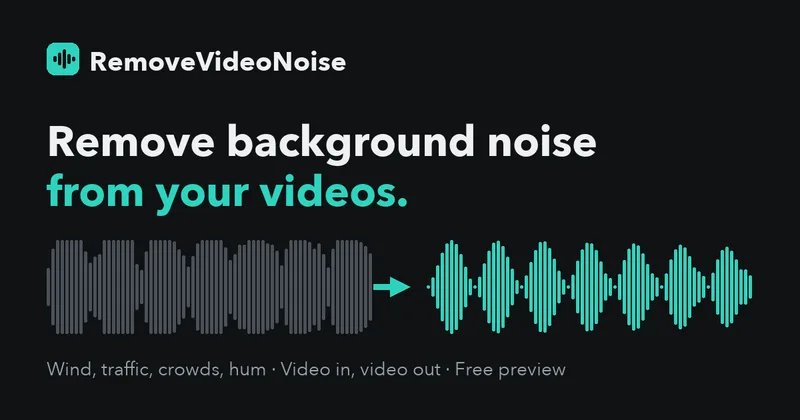
RemoveVideoNoise
RemoveVideoNoise uses AI speech-enhancement models to reduce background noise in video and audio files while preserving the original video picture. Users can preview the cleaned result, adjust processing strength, and download a free 30-second clip or pay once for the full file.

Wispr Flow
Wispr Flow is an AI voice-to-text app that turns speech into polished writing across apps on Mac, Windows, iPhone, and Android. Its subscription also includes an AI meeting notetaker for recording meetings and producing transcripts, summaries, and next steps.

SmallTalk2Me
SmallTalk2Me is a web-based AI English speaking practice platform offering free CEFR-aligned spoken-level tests, AI-driven IELTS speaking and writing simulators, mock job interview practice, vocabulary boosters and tailored speaking courses for learners and professionals.


Nicevoice
NiceVoice is a free web-based AI voice cloning tool that creates high-quality synthetic voices from 5–30 seconds of audio using neural networks. It offers a three-step workflow (upload sample, AI clone, generate & download), supports English and Chinese, and emphasizes speed, accuracy, and data encryption.
steosvoice
SteosVoice (formerly CyberVoice) provides high-quality neural voice AI and speech synthesis for creators and businesses, enabling dubbing, voiceovers, audiobooks, game/mod voices, Telegram bot text-to-speech, and voice licensing to monetize voice assets.
Premium Alternatives

Bswan
Bswan is a managed conversion infrastructure platform that uses AI voice and messaging funnels to activate new users, recover early churn, and increase lifetime value by running telephony, messaging, routing, tracking and continuous optimization for campaigns at scale.




TalkForce AI
TalkForce AI provides AI-powered voice/call agents that automate customer service conversations—handling routine inquiries, bookings, cancellations, and outbound calls—while integrating with existing systems and handing off to humans when needed.