
Steerapp
Steer is a native writing assistant for macOS and Windows that instantly rewrites and improves emails and messages in-place, optimizing tone, concision, and professionalism using GPT-4.
Steerapp is writing & text software teams evaluate for content & marketing. Use this page to review pricing, integration signals, and the best alternatives before you commit.
Profile facts come from the vendor source. AiMatch labels unknown pricing or API details instead of estimating them.
Review official source →Used in These Packs
Quick Overview
Best for: Content & Marketing
What it does
Writing & Text software for decision-makers comparing workflow fit and alternatives.
Best fit
Content & Marketing
Pricing snapshot
Contact for pricing
Next step
Compare Steerapp with similar tools before you shortlist it.
Compare this tool before you shortlist it
Review alternatives, pricing posture, and workflow fit side by side.
Steer is a lightweight native writing assistant designed to fix and improve your writing in any application on macOS and Windows. It focuses on professional communication—making messages concise, coherent, and appropriately toned—so users (including non-native speakers) can quickly rewrite emails and messages without leaving their current app. The product processes only the text you explicitly allow and uses the OpenAI API (GPT-4) via an open-source backend.
Steer is a native writing assistant for macOS and Windows that instantly rewrites and improves emails and messages in-place, optimizing tone, concision, and professionalism using GPT-4.
Own this listing?
Claim this page for a one-time $29 to add pricing, features, screenshots, verified owner details, and a clearly labeled 30-day category position after the profile is live.
Claim this listing for $29Key Features
In-place assistant
Works in any app so you can improve text without switching applications or interrupting your workflow.
Fast rewriting
Fixes spelling and iterates wording in about 2 seconds using quick, in-place shortcuts.
Tone matching
Automatically tailors tone based on the app you're in to make messages sound professional and context-appropriate.
Multi-language support (via GPT-4)
Uses GPT-4 to support multiple languages, though the page notes it works best in English and quality may vary.
Native integration
Integrated natively with macOS and Windows (macOS 12 and above supported).
Privacy-first backend
Developer states Steer doesn't collect or store user text; selected text is processed through the OpenAI API via an open-source backend.
Pricing
Current pricing details are not available from the vendor source.
Use Cases
Email and message rewriting
Rapidly iterate and rewrite emails and messages to sound professional and concise, saving time otherwise spent rewriting.
Professional communication for non-native speakers
Helps users who struggle to 'speak business' by making sentences coherent and business-appropriate.
On-the-fly corrections in any application
Improve wording and spelling directly where you type—no need to copy text into another app or website.
Integrations
OpenAI (GPT-4)
Steer processes selected text through the OpenAI API and uses GPT-4 for rewriting and language support.
GitHub (open-source backend)
The backend is open sourced on GitHub as noted on the site.
Benefits
Limitations
Frequently Asked Questions
Is my data private?
Do you support languages other than English?
Do you support affiliates?
What versions of macOS do you support?
I need help with the accessibility permission
Getting Started
- 1 Buy or download Steer from the product site.
- 2 Install the native app/assistant on macOS (macOS 12+) or Windows.
- 3 Grant required accessibility permissions (follow the detailed help guide).
- 4 Select text in any app and use Steer's in-place shortcut to rewrite or refine text.
Support
Docs/help guide
The site links to a detailed help guide for permissions and troubleshooting.
Feedback
Feedback & contact options are listed on the site.
Community (Twitter/Discord)
The product links to Twitter and Discord for updates and discussion.
Open-source repo
Backend code is available on GitHub for inspection and contributions.
API
Compare Steerapp with similar tools
See how it stacks up against alternatives
Related Tools
View all 41 →


Gomoonbeam
Moonbeam (gomoonbeam.com) is a web-based AI writing assistant focused on long-form content creation — essays, articles, blogs, guides and templates — powered by an AI called Luna and integrated GPT-4 features to help users draft, edit, and organize content faster.

Humanizeaiwork
HumanizeAI is a web-based AI text humanizer that transforms AI-generated content into more natural, human-sounding writing using multiple styles, local in-browser processing, and fast results for writers, marketers, students, and professionals.

Paragraphai
ParagraphAI is a GPT-powered AI writing assistant app, web extension and keyboard that helps users draft, edit, translate and summarize text across devices with one-tap grammar correction, reply drafting, templates and real-time editing filters.
Yourstruly
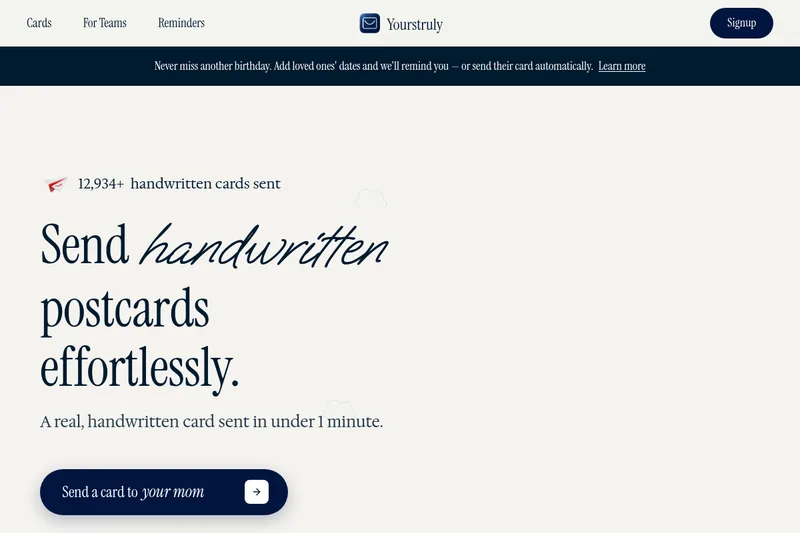
YoursTruly is a service that prints and mails real handwritten postcards and cards in the U.S., offering design templates, photo uploads, scheduling/reminders, and an AI assistant to help write personal notes.

Humanizeai
Humanize AI is a web-based text humanizer that transforms AI-generated content into natural, human-voiced writing while offering related tools like plagiarism checking, AI detection, grammar correction, paraphrasing, and SEO-optimized article assistance.

Premium Alternatives


Webnovelai
WebNovel AI is a web-novel planning and drafting tool that guides authors through an 8-step workflow to turn a hook into a chapter-by-chapter outline and first-draft chapters, with features for worldbuilding, character sheets, pacing, and export to TXT/Markdown.