TypeSeer
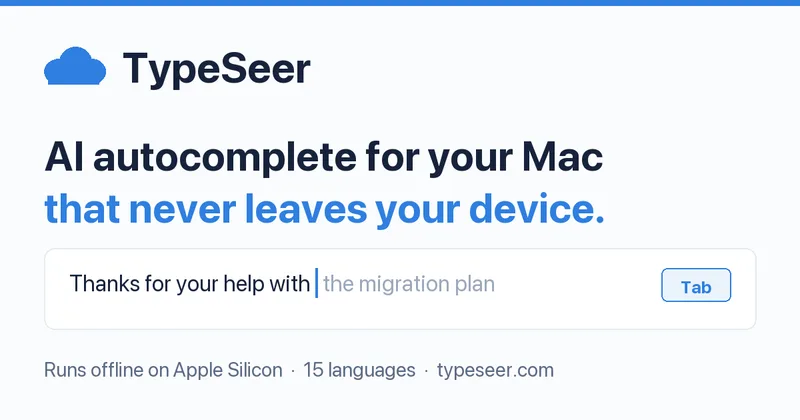
TypeSeer is a system-wide AI autocomplete for macOS that runs an on-device language model to suggest sentence continuations in nearly any app, prioritizing privacy by keeping all text and suggestions on the user's Mac.
TypeSeer is writing & text software teams evaluate for writing & text. Use this page to review pricing, integration signals, and the best alternatives before you commit.
Profile facts come from the vendor source. AiMatch labels unknown pricing or API details instead of estimating them.
Review official source →Used in These Packs
Quick Overview
Best for: Writing & Text
What it does
Writing & Text software for decision-makers comparing workflow fit and alternatives.
Best fit
Writing & Text
Pricing snapshot
Free Trial from Not listed on the page
Next step
Compare TypeSeer with similar tools before you shortlist it.
Compare this tool before you shortlist it
Review alternatives, pricing posture, and workflow fit side by side.
TypeSeer is an on-device AI autocomplete for macOS that suggests the continuation of what you are typing as grey inline text across almost any app. It installs as a menu-bar application (no Dock icon) and provides Tab-to-accept suggestions. The product is designed for privacy: the language model runs locally on Apple Silicon Macs so suggestions and user text do not leave the device. TypeSeer supports a built-in model (approximately 3.5 GB) and can optionally accept compatible models from third parties (MLX models from Hugging Face).
TypeSeer is a system-wide AI autocomplete for macOS. It finishes your sentences as grey text in any app, learns how you write, and keeps up in 15 languages. The AI runs on your Mac, so nothing you type leaves your device.
Own this listing?
Claim this page for a one-time $29 to add pricing, features, screenshots, verified owner details, and a clearly labeled 30-day category position after the profile is live.
Claim this listing for $29Key Features
System-wide inline autocomplete
Suggests sentence continuations as grey text right after the cursor in almost any macOS app that uses a standard text field; press Tab to accept.
On-device AI for privacy
Runs a language model locally on Apple Silicon so nothing you type is sent off-device; only model download, daily update check, and license check use the internet.
Works offline after model download
Once the model has downloaded, suggestions keep working with the internet off.
Learns your writing
Optional learning mode that remembers finished sentences and commonly used names/phrasing, with a review UI to export or delete learned sentences; learns only from finished sentences and not from the one you're still typing or suggestions you ignored.
Multilingual support
Detects sentence language and continues in that language; includes dedicated dictionaries and word tables for 15 languages and can suggest adding languages you use.
Snippets and placeholders
Supports text snippets (e.g., ;addr) with placeholders like date, time, and clipboard for quick insertion.
Spelling and optional grammar checks
Offers spelling fixes (one Tab to accept) and optional grammar checking via add-on models marked -it, -instruct or -chat; with built-in model off, grammar fixes are shown before applying.
Quiet and unobtrusive UI
Menu-bar app with no Dock icon and no window; stays silent in secure/password fields and steps back when not needed.
App compatibility
Works in a wide range of apps (Mail, Notes, Slack, Safari/Chrome, Messages, Word, Pages, TextEdit) so long as the app uses a standard macOS text field.
Pricing
14-day free trial with no account or card required; download and try all features for 14 days.
Paid license
Not listed on the page- Runs the on-device model and includes license checks/activation (details not provided on page)
Use Cases
Email drafting and replies
Reads the message being replied to (with permission) and suggests continuations that fit the thread, speeding up reply composition.
Instant replies in chat and messaging apps
Provides inline suggestions while composing messages in Slack, Messages, and other chat apps to reduce typing time.
Writing documents and notes
Helps complete sentences and finish words in editors like Pages, Word, Notes, and TextEdit for faster drafting.
Reusable snippets and address insertion
Insert saved text snippets and placeholders (date, time, clipboard) across apps to automate repetitive typing.
Multilingual writing
Automatically continues in the detected language when composing bilingual or multilingual content without requiring manual toggles.
Integrations
Hugging Face (MLX models)
Advanced users can add another compatible MLX model from Hugging Face.
macOS apps (system-level)
Integrates at the system level with apps that use standard macOS text fields (Mail, Notes, Slack, Safari/Chrome, Messages, Word, Pages, TextEdit).
Benefits
Limitations
Frequently Asked Questions
No verified FAQs are available.
Getting Started
- 1 Download the DMG from typeseer.com and drag TypeSeer into your Applications folder.
- 2 Launch TypeSeer; follow the quick setup which downloads the model after you confirm and walks you through granting Accessibility permissions (the only permission requested).
- 3 Start typing in any supported app; grey inline suggestions will appear and pressing Tab accepts the next word or suggestion.
Support
Docs
Help and documentation accessible via the website's 'Help' section and linked pages (site navigation includes Help, Changelog, How it works, App compatibility).
Contact
Contact link available in the site navigation to report issues or provide feedback.
API
Compare TypeSeer with similar tools
See how it stacks up against alternatives
Related Tools
View all 41 →
Yourstruly
YoursTruly is a service that prints and mails real handwritten postcards and cards in the U.S., offering design templates, photo uploads, scheduling/reminders, and an AI assistant to help write personal notes.

aistorybuilders
AI Story Builders is a writing application that helps authors write novels faster by using advanced AI models and a proprietary Story Database to keep generated content aligned with characters, locations, and timelines.
Promptmatic
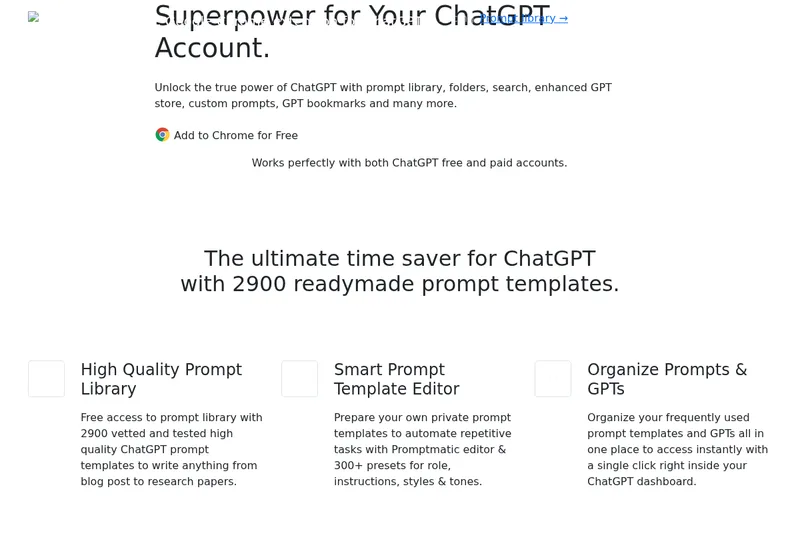
Promptmatic is a Chrome extension for ChatGPT that provides a library of 2,900 ready-made prompts, tools for creating reusable prompt templates, and bookmarks and folders for organizing prompts and GPTs. It works with ChatGPT Free, Plus, and Team accounts.

Writeonsaga
Saga (WriteonSaga) is an AI-powered screenwriting and filmmaking platform that combines story development, scriptwriting, AI chat assistance, storyboard generation, and video/previz tools into a single workflow for writers, filmmakers, and teams.

FablePilot
FablePilot is an AI-first writing platform that helps authors plan, write, edit, design covers, and export Kindle-ready books using an approval-first, chapter-by-chapter workflow powered by credit-based AI generation.

Gomoonbeam
Moonbeam (gomoonbeam.com) is a web-based AI writing assistant focused on long-form content creation — essays, articles, blogs, guides and templates — powered by an AI called Luna and integrated GPT-4 features to help users draft, edit, and organize content faster.

Prompt AI Tools
Prompt AI Tools is a website offering free AI writing and assistant tools alongside utilities for conversions, calculations, and internet lookups. Its tools support tasks such as generating content, checking grammar, answering questions, and finding IP or website location information.
Premium Alternatives


Webnovelai
WebNovel AI is a web-novel planning and drafting tool that guides authors through an 8-step workflow to turn a hook into a chapter-by-chapter outline and first-draft chapters, with features for worldbuilding, character sheets, pacing, and export to TXT/Markdown.