

Videotoblog
VideoToBlog converts videos and audio into polished, SEO-friendly blog articles in one click — extracting transcripts, screenshots, links, metadata and CTAs to publish directly to websites or newsletters. It targets creators, agencies, and teams looking to repurpose recorded content.
Videotoblog is video software teams evaluate for video. Use this page to review pricing, integration signals, and the best alternatives before you commit.
Profile facts come from the vendor source. AiMatch labels unknown pricing or API details instead of estimating them.
Review official source →Used in These Packs
Quick Overview
Best for: Video
What it does
Video software for decision-makers comparing workflow fit and alternatives.
Best fit
Video
Pricing snapshot
Free
Next step
Compare Videotoblog with similar tools before you shortlist it.
Compare this tool before you shortlist it
Review alternatives, pricing posture, and workflow fit side by side.
VideoToBlog is a web product that automatically converts video and audio content into fully structured, publish-ready blog articles. It extracts spoken content (transcripts), pulls key screenshots, inserts smart internal and external links, generates calls-to-action and metadata, and formats the result for search and newsletter distribution. The tool is aimed at creators, agencies, teams, and publishers who want to repurpose webinars, podcasts, tutorials, interviews, sermons, product reviews and other spoken-word recordings into written content quickly and at scale.
VideoToBlog converts videos and audio into polished, SEO-friendly blog articles in one click — extracting transcripts, screenshots, links, metadata and CTAs to publish directly to websites or newsletters. It targets creators, agencies, and teams looking to repurpose recorded content.
Own this listing?
Claim this page for a one-time $29 to add pricing, features, screenshots, verified owner details, and a clearly labeled 30-day category position after the profile is live.
Claim this listing for $29Key Features
One-click conversion
Turn YouTube links or uploaded video/audio files into a polished blog article in a single action.
Transcript-to-article generation
Transforms spoken content into a structured, readable article with headings and skimmable sections.
Auto screenshots
Automatically pulls in key visual moments from the video so the article feels richer and easier to follow.
Smart links & metadata
Includes relevant internal and external links, metadata and SEO-friendly structure for discovery.
Publish integrations
Publish directly to websites, email newsletters, or download clean HTML, Markdown, PDF, or Word documents.
Automations
Automatically generate blog posts when new videos are released on connected YouTube channels.
Multi-language support
Supports multiple languages so you can generate articles for a global audience.
Publication builder
Built-in website and newsletter publication tool for users without an existing site; supports custom domains.
Pricing
A free version is available (the site states 'Try for free' and explicitly says 'Yes, we have a free version'). Check the pricing page on the site for plan details.
Use Cases
Tutorials & How-to guides
Convert step-by-step instructional videos into skimmable, SEO-optimized how-to posts that surface key steps and takeaways.
Podcasts & Interviews
Turn podcast episodes or interview recordings into long-form articles or show notes to expand reach and accessibility.
Webinars & Lectures
Repurpose webinar and lecture recordings into reference articles that isolate practical lessons and repeatable blueprints.
Product reviews & Demos
Convert product-focused video content into review posts suitable for publishing or email distribution.
Sermons & Talks
Generate readable transcripts and sermon articles with structure and key excerpts for congregations or archives.
Integrations
YouTube
Work directly from YouTube videos and set up automations to generate posts from new uploads.
WordPress / Website publishing
Publish generated posts directly to websites and WordPress sites in one click (review mentions one-click publishing to WordPress).
Google Drive
Upload recordings or transcripts from Google Drive as source files.
Email / Newsletter platforms
Export or publish generated content as email-ready posts for newsletters.
Export formats (HTML, Markdown, PDF, Word)
Download clean files for manual use or additional publishing workflows.
Benefits
Limitations
Frequently Asked Questions
What kind of videos or files can I use?
Does it work with audio?
Do you integrate with my YouTube channel?
Can’t I just do this with ChatGPT?
Does it support multiple languages?
Do you have a free version?
Getting Started
- 1 Step 1: Enter a YouTube link or upload a video/audio file (or upload transcripts or Google Drive files).
- 2 Step 2: Choose or configure the destination for the generated article (website, newsletter, or download).
- 3 Step 3: Optionally connect your YouTube channel or set up automations so new uploads generate posts automatically.
Support
docs
Site includes 'Learn more' pages and product documentation links for automations, publications, and pricing (refer to site pages).
on-site contact
General contact and onboarding actions are available via the main site and pricing pages (https://videotoblog.ai/?via=toolpilotai821).
API
Compare Videotoblog with similar tools
See how it stacks up against alternatives
Related Tools
View all 103 →





Topaz Video
Topaz Video is Topaz Labs’ AI-powered desktop and cloud video enhancement application for filmmakers and videographers, offering model-based upscaling, denoising, stabilization, SDR→HDR conversion and other production-grade restoration and finishing tools.
Premium Alternatives
Topaz Video
Topaz Video is Topaz Labs’ AI-powered desktop and cloud video enhancement application for filmmakers and videographers, offering model-based upscaling, denoising, stabilization, SDR→HDR conversion and other production-grade restoration and finishing tools.
Prismiq
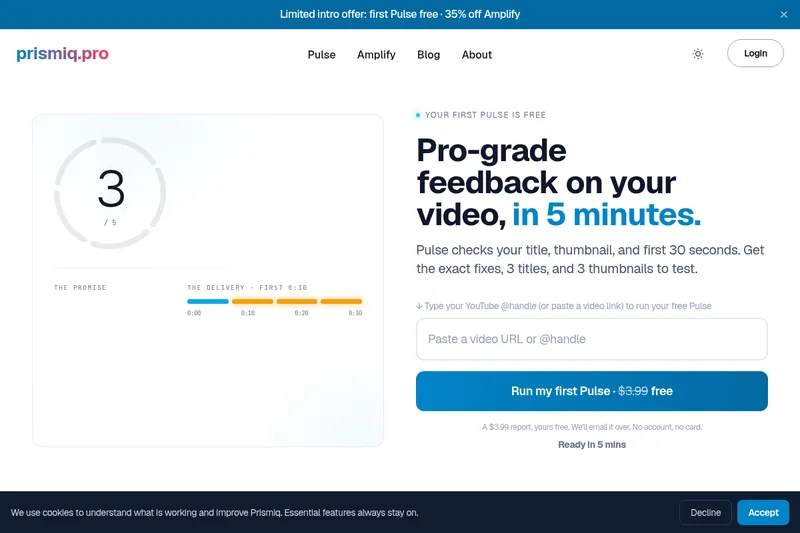
Prismiq Pulse is a post-publish video audit for YouTube that evaluates your title, thumbnail, and first 30 seconds, returns a Pulse score, timestamped friction points, and delivers 3 test-ready title variations plus 3 thumbnail concepts. Reports are ready in about five minutes and can be run by pasting any public YouTube URL.

reccloud-cn
录咖(reccloud)是一款面向创作者与企业的在线AI音视频处理平台,提供语音转文字、字幕生成、文字转语音、视频翻译、视频生成、去水印、人声分离、音视频总结等一键化AI工具与开发者API。


Text Remover
Text Remover is an online AI video cleanup tool that detects and removes text, captions, subtitles, and other overlays, reconstructing the background while aiming to preserve video quality. It is designed for creators, editors, and teams preparing videos for reuse or localization.


Sendpotion
Potion (Sendpotion) is an AI video personalization platform that generates hyper-realistic videos in your own face, voice, and gestures for sales, marketing, support, and education, enabling scalable personalized outreach and video content creation.
