
XIMAGINEAI
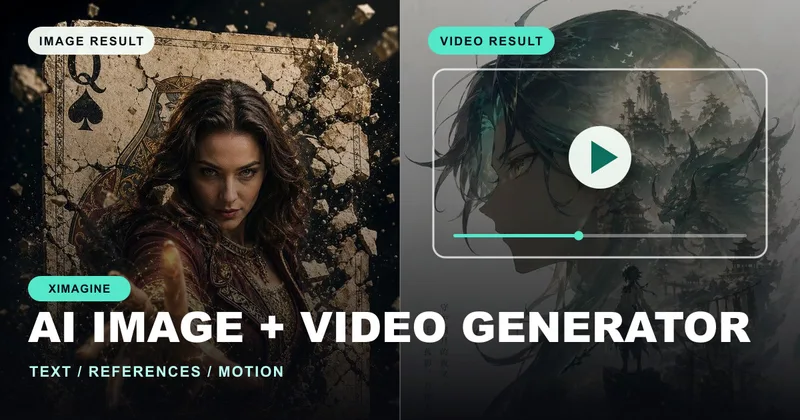
XIMAGINEAI generates and edits images and short videos from text prompts or reference images. Creators, brands, and teams can produce campaign, product, and social content and download the results.
Who it's for
- Creators making social posts, reels, thumbnails, or short video content from prompts or existing images.
- Marketing teams producing campaign concepts, paid social assets, launch visuals, and promotional clips.
- Product and ecommerce teams creating product scenes, feature visuals, and promotional content.
How it fits your workflow
Choose text-to-image, image-to-image, text-to-video, or image-to-video. Add a prompt or upload a reference image, then select an available model and settings for the format, quality, duration, and movement.
Generate and review the result, refine the strongest direction, and download the image or video. The page also lists image finishing tools such as upscaling and removing people or distractions.
Pricing
Free: The page offers a free trial and mentions unlimited free generations, but does not specify trial duration or free-generation limits.
Starter
$19.90/month, or $9.90/month billed annually at $118.80 (50% off, as presented on the page).
- · 500 credits per month
- · Up to 500 images or up to 33 videos
- · Access to available image and video models
- · Watermark-free downloads and commercial use rights
Pro
$39.90/month, or $19.90/month billed annually at $238.80 (50% off, as presented on the page).
- · 1,200 credits per month
- · Up to 1,200 images or up to 80 videos
- · Access to available image and video models
- · Watermark-free downloads and commercial use rights
Elite
$149.90/month, or $99.90/month billed annually at $1,198.80 (50% off, as presented on the page).
- · 8,000 credits per month
- · Up to 8,000 images or up to 533 videos
- · Unlimited generations for GPT Image, Grok Imagine Image, Nano Banana 2 Lite, and Z-Image, as listed
- · Watermark-free downloads and commercial use rights
Prices checked on Oct 28, 2026 from the vendor's site. They can change; confirm before you buy.
Key features
- Text-to-image generation
- Generate images from a written description of a product, character, campaign, or other visual idea.
- Image-to-image transformation
- Use a reference image to guide a variation while retaining visual direction such as the subject, composition, pose, or style.
- Text-to-video generation
- Turn a written scene, action, or campaign idea into a short video with adjustable mood and movement.
- Image-to-video animation
- Animate a product shot, portrait, character, poster, or other existing visual while keeping the source image recognizable.
- Image finishing tools
- Upscale images to improve clarity and detail, or remove people and distractions from photos.
- Model and output controls
- Choose an available model and settings for format, quality, duration, and movement; start and end frame controls and video sound are available on supported models.
Limitations to know
- Starter and Pro plans specify monthly credit allowances and estimated image or video generation counts.
- The page says start/end frame controls and video sound are available only on supported models.
Alternatives to consider
-
Imgex.ai
Choose it if you want to compare outputs across multiple image and video models in one workspace.
-
Seed Imagine
Choose it if you want a creative workspace that also describes editing and production tools for images and videos.
-
ImagineArt
Choose it if you need image, video, and audio generation alongside studio workflows, templates, and automation.
Getting started
- Choose an image or video creation mode, or select a finishing tool.
- Enter a description or upload a reference image.
- Select an available model and adjust the relevant settings.
- Generate, review, refine, and download the result.