
ZilivoAI
Zilivo AI lets creators, marketers, product sellers, and studios generate and edit images and short videos from prompts, images, and product references. It provides a shared workspace for producing visual assets and trying variations.
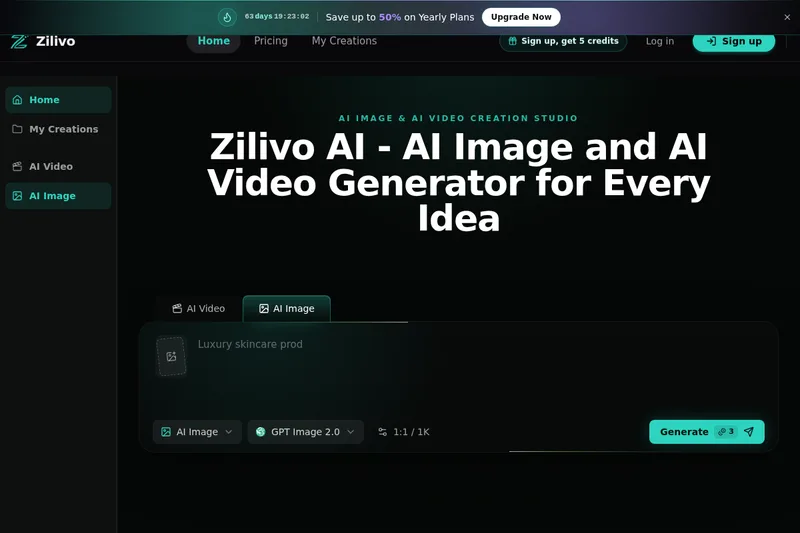
Who it's for
- Content creators making thumbnails, covers, social posts, reels, or Shorts from prompts and reference images.
- Marketing and brand teams exploring ad concepts, product posters, launch visuals, and short-form campaign variations.
- Ecommerce sellers, agencies, and studios creating product scenes, client concepts, and revisions from product images or written briefs.
How it fits your workflow
Choose whether to create an image, edit a visual, animate a still, or generate a short video. Provide a prompt, image, or product reference to guide the work.
Generate assets such as posters, product scenes, social graphics, and short clips. Refine images by changing elements such as backgrounds, objects, lighting, or composition.
For motion work, animate an image or use a scene description to create a clip; the page also describes video retakes and reference-guided motion control.
Pricing
Free: The page offers free trial credits to test prompts, animate stills, and create images or videos. It also advertises savings of up to 50% on yearly plans, but does not state plan prices.
The vendor doesn't publish prices. Check with ZilivoAI directly.
Prices checked on Oct 29, 2026 from the vendor's site. They can change; confirm before you buy.
Key features
- AI image generation
- Generate visual assets from a prompt or reference, including product scenes, campaign images, characters, thumbnails, and social graphics.
- Text-aware designs
- Create posters, ads, covers, and layouts with readable text, spacing, and visual direction.
- Image retouching
- Change backgrounds, objects, style, lighting, or composition while retaining parts of an image the user wants to keep.
- Prompt-to-video generation
- Turn a scene description into a short cinematic clip for formats such as ads, reels, launch teasers, and storytelling.
- Image animation and motion control
- Add movement to portraits, product shots, concept art, and first frames, with references used to guide movement, camera feel, subject action, and scene rhythm.
- Video retakes
- Regenerate a moment, adjust motion, repair a clip, or explore another direction from existing footage.
Works with
- GPT Image 2
- Kling 3.0
- Seedance 2.0
- NanoBanana
Alternatives to consider
-
Image To Video AI
Choose it if your main workflow is turning photos, prompts, references, or start and end frames into short videos using its listed video-model options.
-
ZorqAI
Choose it if you specifically want the stated 1080p output and templates alongside image and video generation with motion control and motion sync.
-
Vireel AI
Choose it if you need the stated iOS or Android apps in addition to an online platform for generating and editing AI images and videos.
Getting started
- Start a free trial and use the available trial credits.
- Choose the visual task, such as image generation, editing, animation, or video generation.
- Enter a prompt or provide an image or product reference.
- Generate the asset and refine it or create a motion version as needed.