
NanoBananaAI
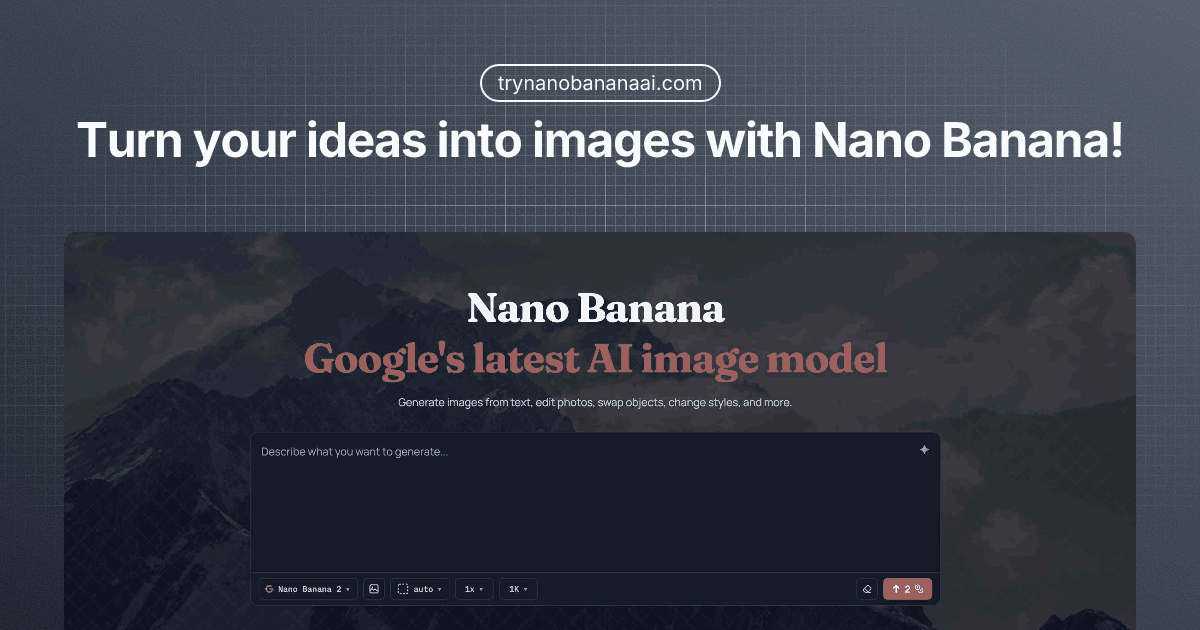
Nano Banana generates and edits images from prompts and reference images, with exports up to 4K. It is aimed at creators producing product visuals, branding assets, posters, and other campaign materials.
Who it's for
- Designers creating product visuals or mockups who want to generate or edit images from prompts and references.
- Marketing and branding teams producing campaign assets, posters, or sticker sheets.
- Creators who need images with recognizable subjects, text rendering, and selectable aspect ratios.
Not the right fit if…
- People who need commercial rights on a free plan: the page limits free-tier images to personal and non-commercial use.
How it fits your workflow
Enter a text prompt describing the image you want. You can optionally upload reference images to guide the subject or style.
Choose an available model and adjust the aspect ratio and resolution, then generate the image. The page says it supports up to 14 reference images and resolutions up to 4K.
Download the generated image in PNG or JPG format. The page describes the platform as browser-based and says no installation is required.
Pricing
Free: Free credits are provided at signup, with no credit card required. Free-tier images are for personal, non-commercial use.
Basic
$9.90 monthly or $6.90/month with annual billing
- · 6,000 credits per year
- · Up to 600 total images
- · Unlimited image dimension
- · Standard generation speed
Pro
$26.90 monthly or $19.90/month with annual billing
- · 24,000 credits per year
- · Up to 2,400 total images
- · Unlimited image dimension
- · Fast response
Ultimate
$74.90 monthly or $49.90/month with annual billing
- · 72,000 credits per year
- · Up to 7,200 total images
- · Unlimited image dimension
- · Fast response
Prices checked on Oct 27, 2026 from the vendor's site. They can change; confirm before you buy.
Key features
- Text-to-image generation
- Describe an image in a prompt and generate a visual, such as a product shot, poster, or concept.
- Multi-image input
- Add up to 14 reference images in a generation to combine visual ideas, styles, or subjects.
- Natural-language editing
- Describe a desired change in everyday language and edit an image without using technical editing tools.
- Consistent subjects
- Keep people, products, and important objects recognizable while changing elements such as the background, pose, or style.
- Text rendering in images
- Create visual concepts such as posters and explainers with text rendering and layout understanding.
- Aspect ratios and high-resolution output
- Choose from 11 aspect ratios and generate images at resolutions up to 4K; exports are available in PNG and JPG.
Limitations to know
- Free-tier images are limited to personal and non-commercial use; the page says commercial rights are included with paid plans.
- The page describes generation as credit-based and lists annual credit allocations and maximum image totals for paid plans.
Alternatives to consider
-
Banananano.ai
Choose it if you want the described one-shot and multi-image workflows with a credit-based model-selection interface.
-
Nano Banana
Choose it if your main need is natural-language editing focused on consistent multi-character edits and scene-preserving transformations.
-
Nano Banana
Choose it if you want the described editing focus on precise instructions for existing photos while preserving subjects and details.
Getting started
- Sign up to receive free credits; no credit card is required.
- Write a prompt describing the image you want.
- Optionally upload reference images, select a model, and set the aspect ratio and resolution.
- Generate the image and download it.
Frequently asked questions
What is Nano Banana?
The page describes Nano Banana as a family of AI image generation and editing models from Google DeepMind built on the Gemini architecture. It says Nano Banana Pro delivers studio-quality output with strong character consistency and text rendering, while Nano Banana 2 delivers about 95% of Pro's quality at 3–5 times the speed.
Do I need technical skills to use Nano Banana?
No. The page says users can describe what they want in plain English and do not need design experience or prompt engineering.
Is Nano Banana free to use?
The page says users receive free credits when they sign up, without a credit card. Paid plans are available for additional credits and higher resolution.
Where can I try Nano Banana?
The page directs users to trynanobananai.com and says no download or installation is required.
What image formats and aspect ratios are supported?
The page lists PNG and JPG exports, 11 aspect ratios, and resolutions up to 4K.
Can generated images be used commercially?
Yes, for paid-plan subscribers, who receive commercial rights without attribution. Free-tier images are for personal and non-commercial use only.