

AI-Flow
AI-Flow is a cloud-first AI workflow builder that chains and orchestrates multiple AI models (OpenAI, Replicate, Anthropic, Google and more) into reusable pipelines, templates, and shareable apps for content creation and automation.
AI-Flow is ai orchestration software teams evaluate for creative & design. Use this page to review pricing, integration signals, and the best alternatives before you commit.
Profile facts come from the vendor source. AiMatch labels unknown pricing or API details instead of estimating them.
Review official source →Used in These Packs
Quick Overview
Best for: Creative & Design
What it does
AI Orchestration software for decision-makers comparing workflow fit and alternatives.
Best fit
Creative & Design
Pricing snapshot
Freemium from Free
Next step
Compare AI-Flow with similar tools before you shortlist it.
Compare this tool before you shortlist it
Review alternatives, pricing posture, and workflow fit side by side.
AI-Flow is a cloud-based AI workflow builder that lets users connect and chain multiple AI models from providers such as OpenAI, Replicate, Anthropic and Google to automate content creation pipelines. The platform offers a visual flow editor to design sequences of models and tools, ready-made templates and mini-apps for common tasks (image generation, video, product mockups), and the ability to expose inputs as simple forms so teammates can run flows without touching the canvas. Users can bring their own API keys (BYOK) or use platform credits; flows can be integrated into projects via APIs or webhooks and shared as apps.
AI-Flow is a no-code AI orchestration studio that enables users—from non-coders to developers—to build, run, and deploy smart workflows using drag-and-drop simplicity, integrating multiple AI models seamlessly on a single visual canvas.
Own this listing?
Claim this page for a one-time $29 to add pricing, features, screenshots, verified owner details, and a clearly labeled 30-day category position after the profile is live.
Claim this listing for $29Key Features
Multi-model integration
Combine AI models from OpenAI, Google, Anthropic, Replicate and others inside the same workflow to create end-to-end automations.
Visual flow editor and app sharing
Design precise workflows on a canvas, then share them as simple apps or links so teammates can run flows via form inputs without editing the workflow.
Templates and mini apps
Ready-to-use templates and mini apps (e.g., Product Shots, Fashion Photoshoot Generator, YouTube Thumbnail Composer) to jumpstart common pipelines.
Bring your own keys (BYOK) or use platform credits
Connect your OpenAI, Replicate, or Anthropic API keys and pay providers directly, or use platform credits with no-key required start.
API & webhook integration
Build and customize APIs for AI workflows; automate inputs and retrieve outputs via API requests or webhooks to integrate flows into projects.
Cloud storage and run management
Cloud-hosted flows and generated media with tiered retention (generated media stored 7 days on free tier, 30 days on higher tiers) and daily free runs for BYOK nodes.
Pricing
Free tier includes 25 welcome credits and 20 free runs/day for BYOK nodes; no credit card required.
Free tier
Free- 25 welcome credits
- 20 free runs/day for BYOK nodes
- No credit card required
Cloud / paid usage
Pay providers directly at their rates; platform charges a small fee for resource usage- Bring your own API keys and pay provider fees directly
- Platform resource usage billed (storage, compute, etc.)
Use Cases
Cinematic video and storyboard generation
Use Seedance and other video models in flows to turn storyboards into cinematic videos or increase resolution and edit footage.
Product video and image generation
Generate product videos from images, create batch product mockups, and produce marketing visuals using image and video model chains.
Automated ad and creative production
Combine text and image models to generate ad copy, visuals, and final deliverables as repeatable workflows for teams.
Embedable AI workflows
Expose flows as APIs or webhooks to run automated AI tasks from external apps and services.
Integrations
OpenAI
Connect OpenAI API keys to use OpenAI models within flows.
Anthropic
Connect Anthropic API keys to include Anthropic models in workflows.
Replicate
Connect Replicate models and run them as nodes inside flows.
Google / Gemini
Support for Google models alongside other providers to combine model capabilities.
APIs & Webhooks
Expose flows via API endpoints and webhooks to integrate with external projects.
Benefits
Limitations
Frequently Asked Questions
Can I use my API keys from AI providers like OpenAI, Replicate, and others on the Cloud Version without additional cost?
Where is my data stored when using AI-Flow?
Can AI-Flow generate images?
Is AI-Flow free to use?
Getting Started
- 1 Step 1: Visit AI-Flow and create an account or Start Creating (free tier available).
- 2 Step 2: Connect your provider API keys (OpenAI, Replicate, Anthropic, Google) or choose to use platform credits / no-keys option.
- 3 Step 3: Pick a template or build a flow in the visual editor, then run, share as an app, or integrate via API/webhook.
Support
Documentation
Documentation and Docs pages available on the site for guides and references.
Blog
Product articles, tutorials and examples available in the Blog section.
GitHub / Release Notes
Links to GitHub and release notes for project updates and code-related resources.
API
Documentation and API reference available via the site's Docs/Documentation pages.
Compare AI-Flow with similar tools
See how it stacks up against alternatives
Related Tools
View all 148 →

TamedTable, AI ETL in Natural Language
TamedTable is a source-available AI-first ETL tool that lets you load tabular data, issue natural-language commands to clean, enrich, classify, validate, and reshape data, and then replay or export those transformation recipes (browser and CLI).
Browser Tools SDK
Browser Tools SDK is an open-source npm package from Libretto that gives AI agents a small set of Playwright-backed browser tools so agents can open real browsers, read page snapshots, and run Playwright actions programmatically.

Document Automation
DocuQueue automates end-to-end document workflows using AI to detect and fill PDF form fields, generate business-ready documents, enforce templates/branding, and integrate with existing systems via API and webhooks. It's targeted at teams across legal, HR, sales, finance, and regulated industries.
Apify
Apify is a web data extraction and automation platform and marketplace (Apify Store) offering ready-to-run 'Actors' for scraping, crawling, and integrating web data into AI agents, apps, and workflows. It supports building, running, monetizing, and scaling scraping tools with integrations, SDKs, and enterprise-grade features.
Enquirygenie
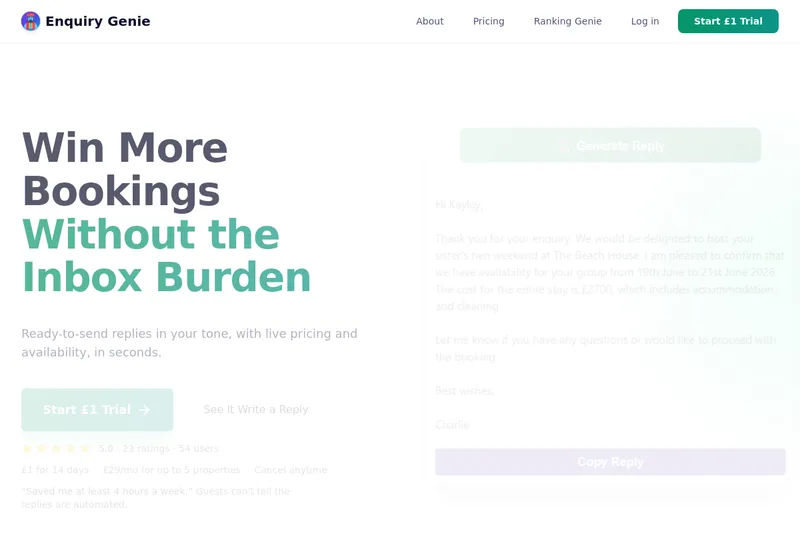
Enquiry Genie is an AI-powered email automation tool for property managers and hosts that drafts replies in your tone with live pricing and availability, integrating with Gmail/Outlook via a Chrome extension to speed up responses and increase bookings.
Premium Alternatives


Productify.ai
Productify.ai is an API-first platform that ingests and normalises unstructured product content (images, packaging, text, tables) into structured, compliant, reusable product data for retailers, agencies, and enterprise teams.
Enquirygenie
Enquiry Genie is an AI-powered email automation tool for property managers and hosts that drafts replies in your tone with live pricing and availability, integrating with Gmail/Outlook via a Chrome extension to speed up responses and increase bookings.

ModularMind
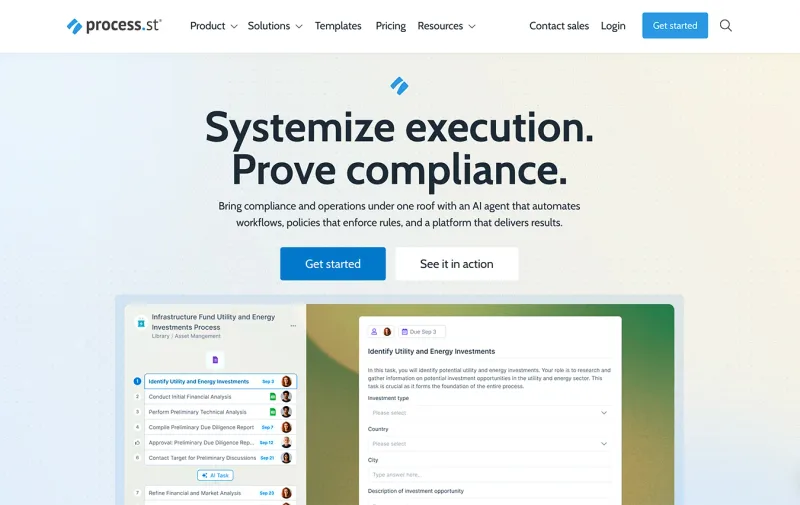
ModularMind is a workflow automation product that lets users "automate your work by describing it," offered with a Maia Plus plan that unlocks advanced AI-powered features and higher usage limits.
ExcelMaster
ExcelMaster is an AI agent add-in for Microsoft Excel on Windows that reads workbook structure, writes and runs VBA or Python, and verifies spreadsheet changes. Users describe a task in plain language and can watch the agent work inside Excel.

AI Content Labs
AI Content Labs is a multimodal AI content creation platform that lets teams design visual workflows, connect multiple AI providers (text, image, voice), and automate production of textual and visual content at scale.