
Aiconverthub
AI Convert Hub is a browser-based file conversion service for video, audio, and images that offers batch uploads, codec-aware controls, FFmpeg-based encoding with AI-optimized compression, and support for 200+ formats.
Aiconverthub is video software teams evaluate for video. Use this page to review pricing, integration signals, and the best alternatives before you commit.
Profile facts come from the vendor source. AiMatch labels unknown pricing or API details instead of estimating them.
Review official source →Used in These Packs
Quick Overview
Best for: Video
What it does
Video software for decision-makers comparing workflow fit and alternatives.
Best fit
Video
Pricing snapshot
Freemium from Generous free tier (daily free credits)
Next step
Compare Aiconverthub with similar tools before you shortlist it.
Compare this tool before you shortlist it
Review alternatives, pricing posture, and workflow fit side by side.
AI Convert Hub is an online converter that processes video, audio, and image files in the browser with batch upload support, codec-aware presets, and AI-assisted compression. It provides a professional-grade, FFmpeg-based encoding pipeline enhanced by AI tuning to reduce file size while maintaining quality, and supports over 200 formats including HEIC, WEBM, and RAW. The service emphasizes fast, distributed conversion, 256-bit SSL transfers, automatic cleanup of artifacts, and a free tier for basic use—while offering paid Pro upgrades for heavy batch jobs.
AI Convert Hub is a browser-based file conversion service for video, audio, and images that offers batch uploads, codec-aware controls, FFmpeg-based encoding with AI-optimized compression, and support for 200+ formats.
Own this listing?
Claim this page for a one-time $29 to add pricing, features, screenshots, verified owner details, and a clearly labeled 30-day category position after the profile is live.
Claim this listing for $29Key Features
Lightning Fast Conversion
Distributed conversion pipeline processes files in parallel and returns results quickly.
Secure & Private
256-bit SSL for transfers and automatic cleanup of artifacts after processing or when you delete them.
Advanced Codec Controls
Codec-aware controls for CRF, bitrate, frame rate, audio channels, and other encoding parameters.
Batch Processing
Drag in folders or multiple files for batch conversions with a persistent conversion action.
High Quality with AI Tuning
FFmpeg-based pipeline augmented with AI tuning to retain quality while shrinking file sizes.
Universal Format Support
Supports 200+ formats, including HEIC, WEBM, RAW, and more.
Pricing
A generous free tier with daily free credits is available for basic conversion tasks; heavy batch processing requires upgrading to Pro.
Free
Generous free tier (daily free credits)- Basic conversions without registration
- Daily free credits for usage
Pro
Price not listed on the supplied page- Upgraded quotas for heavy batch jobs
- Intended for large or frequent conversions
Use Cases
Creator Workflows
Content creators can batch-convert and compress large video files (including 4K) while preserving quality, saving time on manual re-encoding.
Web Development & Asset Optimization
Web developers can convert images (e.g., WebP) and tune parameters precisely for web delivery, as noted by developer testimonials.
Bulk Media Processing
Teams needing to process many files at once can use batch uploads and codec-aware presets to handle large jobs efficiently (with Pro for heavy batch workloads).
Programmatic Conversion
Organizations that require automation can use the site’s API (API Documentation listed) to integrate conversions into workflows.
Integrations
API
API Documentation is listed in Resources, indicating programmatic access for automated conversions and integration into workflows.
Benefits
Limitations
Frequently Asked Questions
Is it free to use?
Do you keep my files?
How do I change video quality?
Getting Started
- 1 Step 1: Open the site and click 'Choose Files' or drag and drop files/folders to upload.
- 2 Step 2: (Optional) Click the settings icon for a file and adjust CRF, bitrate, resolution, audio channels, or other codec-aware controls.
- 3 Step 3: Start the conversion and download the processed files when the job completes. No registration required for basic tasks.
Support
docs
API Documentation listed under Resources for developer guidance.
help
Help Center available for user assistance (listed on the site).
blog
Blog and changelog pages available for announcements and updates.
API
API Documentation page listed in Resources on the site.
Compare Aiconverthub with similar tools
See how it stacks up against alternatives
Related Tools
View all 103 →




Videotoblog
VideoToBlog converts videos and audio into polished, SEO-friendly blog articles in one click — extracting transcripts, screenshots, links, metadata and CTAs to publish directly to websites or newsletters. It targets creators, agencies, and teams looking to repurpose recorded content.

Topaz Video
Topaz Video is Topaz Labs’ AI-powered desktop and cloud video enhancement application for filmmakers and videographers, offering model-based upscaling, denoising, stabilization, SDR→HDR conversion and other production-grade restoration and finishing tools.

Videotranslator
BlipCut (Videotranslator) is an AI-powered online video translation and localization platform that translates and dubs videos into 140+ languages with features like AI voice cloning, lip-sync, subtitle generation, and batch processing.

Premium Alternatives

Text Remover
Text Remover is an online AI video cleanup tool that detects and removes text, captions, subtitles, and other overlays, reconstructing the background while aiming to preserve video quality. It is designed for creators, editors, and teams preparing videos for reuse or localization.

Prismiq
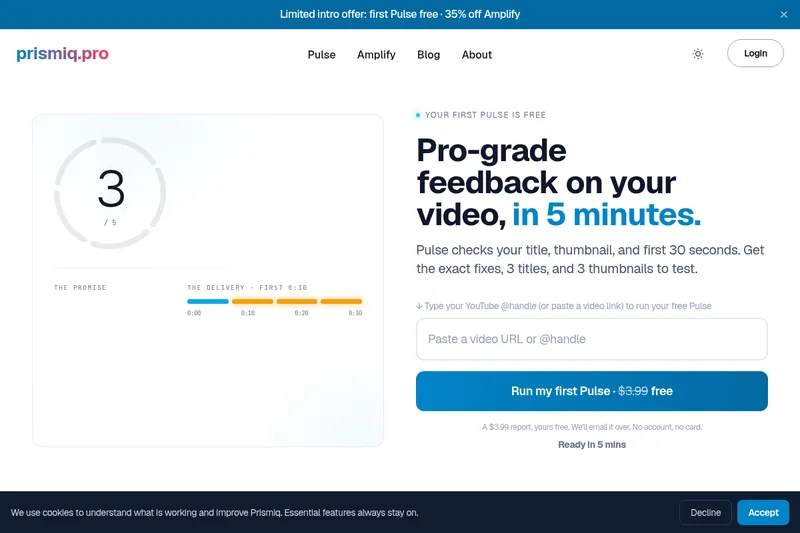
Prismiq Pulse is a post-publish video audit for YouTube that evaluates your title, thumbnail, and first 30 seconds, returns a Pulse score, timestamped friction points, and delivers 3 test-ready title variations plus 3 thumbnail concepts. Reports are ready in about five minutes and can be run by pasting any public YouTube URL.


reccloud-cn
录咖(reccloud)是一款面向创作者与企业的在线AI音视频处理平台,提供语音转文字、字幕生成、文字转语音、视频翻译、视频生成、去水印、人声分离、音视频总结等一键化AI工具与开发者API。

Sendpotion
Potion (Sendpotion) is an AI video personalization platform that generates hyper-realistic videos in your own face, voice, and gestures for sales, marketing, support, and education, enabling scalable personalized outreach and video content creation.
Topaz Video
Topaz Video is Topaz Labs’ AI-powered desktop and cloud video enhancement application for filmmakers and videographers, offering model-based upscaling, denoising, stabilization, SDR→HDR conversion and other production-grade restoration and finishing tools.
