ChatPDF.ae
ChatPDF.ae is a web-based AI assistant that lets users upload PDFs and ask questions, summarize, and extract insights from documents using an AI chat interface powered by OpenAI's ChatGPT.
ChatPDF.ae is education software teams evaluate for education & research. Use this page to review pricing, integration signals, and the best alternatives before you commit.
Profile facts come from the vendor source. AiMatch labels unknown pricing or API details instead of estimating them.
Review official source →Used in These Packs
Quick Overview
Best for: Education & Research
What it does
Education software for decision-makers comparing workflow fit and alternatives.
Best fit
Education & Research
Pricing snapshot
Freemium from Free
Next step
Compare ChatPDF.ae with similar tools before you shortlist it.
Compare this tool before you shortlist it
Review alternatives, pricing posture, and workflow fit side by side.
ChatPDF.ae is an inclusive, web-based AI tool that enables users to upload PDF files and interact with them via a conversational interface. Users can ask questions, request summaries, and extract insights from PDFs in any language. The service is positioned for students, researchers, and professionals who need to quickly understand and navigate documents such as academic papers, contracts, reports, manuals, and training materials. The platform offers a free tier with usage limits and a paid Premium upgrade, and it uses OpenAI's ChatGPT to power its AI responses.
AI tool to chat with PDFs, summarize, and extract insights for enhanced productivity.
Own this listing?
Claim this page for a one-time $29 to add pricing, features, screenshots, verified owner details, and a clearly labeled 30-day category position after the profile is live.
Claim this listing for $29Key Features
Chat with any PDF
Upload a PDF and ask questions, get summaries, and extract insights through a conversational interface.
Multilingual support
Can read PDFs in any language and respond in different languages; you can upload in one language and ask questions in another.
Free tier and Premium upgrade
Free usage available (limits apply) with an option to upgrade to ChatPDF Premium for additional usage.
File handling and deletion
Files are stored in secure cloud storage and users can permanently delete uploaded PDFs and chat history via the chat panel delete icon.
Quick login
Quick login option via Google for faster access.
Reference-backed answers
AI provides precise answers backed by references from the uploaded PDF.
Upload limits
Upload UI indicates a maximum file size (Max 2 MB) and free-tier page limits.
Pricing
Free tier allows 2 PDFs per day, each up to 10 pages.
Free
Free- Limit of 2 PDFs per day
- Each PDF up to 10 pages
Premium
Upgrade available (price not specified on page)- Additional usage beyond the free limits
- Cancelable at any time with access until end of billing cycle
Use Cases
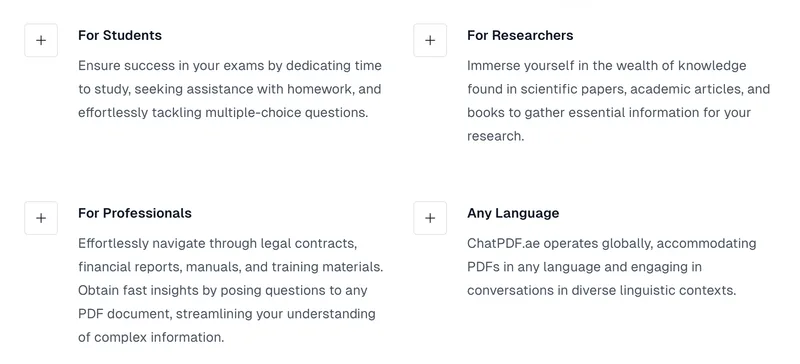
Students
Use ChatPDF.ae to study for exams, get help with homework, and handle multiple-choice questions by asking the PDF directly.
Researchers
Extract essential information from scientific papers, academic articles, and books to support research work and literature review.
Professionals
Quickly navigate legal contracts, financial reports, manuals, and training materials to obtain fast insights and streamline understanding of complex documents.
Integrations
Quick login via Google for account access.
OpenAI (ChatGPT)
Backend AI service powered by OpenAI's ChatGPT to generate answers and summaries from PDFs.
Benefits
Limitations
Frequently Asked Questions
Can ChatPDF.ae understand my language?
Is your pricing model competitive?
Is ChatPDF.ae free to use?
What technology drives ChatPDF.ae?
Are my files safe?
How can I delete a PDF from ChatPDF.ae?
What is the process behind ChatPDF.ae?
What is the cancellation policy?
Getting Started
- 1 Step 1: Open https://www.chatpdf.ae/en and sign in (quick login with Google available).
- 2 Step 2: Click to Upload and select a PDF file (upload max indicated as 2 MB).
- 3 Step 3: Start asking questions in plain language and receive answers, summaries, and references from the PDF; manage or delete chats via the chat panel delete icon.
Support
Docs / Blog
Site includes Blog and informational pages (linked in footer).
Account management
Subscription management and cancellation available via the user icon ('manage my subscription').
API
Compare ChatPDF.ae with similar tools
See how it stacks up against alternatives
Related Tools
View all 124 →
Academa Studio
Academa Studio is an AI-native web editor for authoring Manim (mathematical animation) content, providing an integrated Python runtime, renderer preview, and AI-assisted chat prompts to generate and refine animations.

Language Model Builder
Language Model Builder is a free macOS app and interactive textbook that teaches how language models are built and lets you train small GPT-style models locally on Apple Silicon Macs.
Teacher Planner
Teacher Planner is an online planning tool for teachers to organize lessons by day, week, month, unit, or outline, import a timetable from a photo or PDF, and prepare classroom materials with AI tools. It includes free and paid plans with different planbook and printing features.
LongTerMemory
LongTerMemory is an AI study web application that turns learners’ documents, images, and web pages into quizzes, a personalized study plan, and spaced-repetition reviews. It also lets users chat with their imported study materials.

Studyx
StudyX is an all-in-one AI study platform that lets students upload homework, lectures, PDFs, and videos to get instant step-by-step solutions, organized notes, flashcards, quizzes, and AI writing/originality tools. It offers free access to many tools and paid subscription options for extended features.
scholarrank
ScholarRankAI is an AI-powered, camera-based proctored examination platform for educators and institutions that provides group management, MCQ test creation, proctoring with suspicious-activity detection, and real-time analytics.


Premium Alternatives
eSkilled AI Course Creator
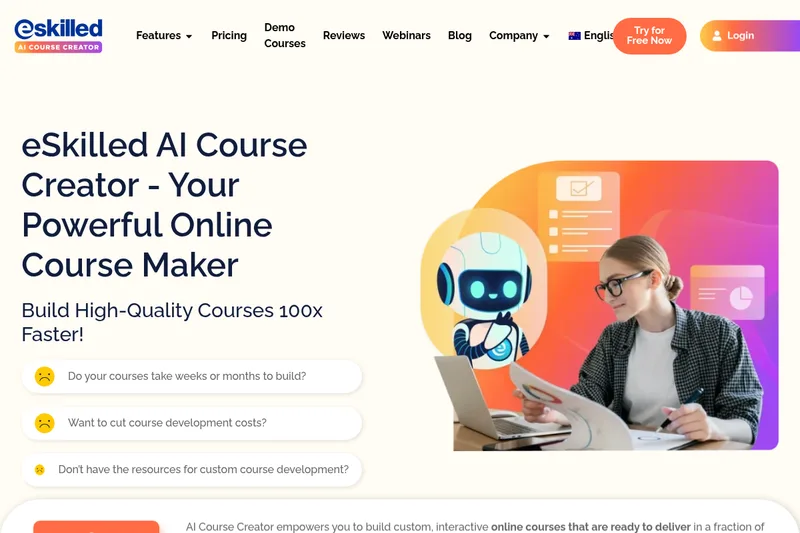
eSkilled AI Course Creator is a cloud-based course authoring platform that uses AI to turn ideas and existing training materials into editable online courses with lessons, quizzes, imagery, and interactive activities. Courses can be shared by URL, embedded, connected through LTI, or exported as SCORM.