

Circlecropimage
Circle Crop Image is a free online tool that instantly converts photos into perfectly circular images for profile pictures, social media, and design projects. No signup is required and all processing happens in your browser to protect privacy.
Circlecropimage is image & design software teams evaluate for image & design. Use this page to review pricing, integration signals, and the best alternatives before you commit.
Used in These Packs
Quick Overview
Best for: Image & Design
What it does
Image & Design software for decision-makers comparing workflow fit and alternatives.
Best fit
Image & Design
Pricing snapshot
Free from Free
Next step
Compare Circlecropimage with similar tools before you shortlist it.
Compare this tool before you shortlist it
Review alternatives, pricing posture, and workflow fit side by side.
Circlecropimage
Circle Crop Image is a web-based utility for transforming rectangular or other-aspect images into perfectly circular crops. The tool is targeted at users who need quick round images for profile pictures, social media, websites, documents, and other design uses. It emphasizes ease of use, privacy (client-side processing), and high-resolution output without requiring signup.
Users upload an image, position and adjust it within a circular frame, preview the result, and download the finished circular PNG (with transparent background). The site supports common image formats and works across desktop and mobile browsers.
Circle Crop Image is a free online tool that instantly converts photos into perfectly circular images for profile pictures, social media, and design projects. No signup is required and all processing happens in your browser to protect privacy.
Own this listing?
Claim this page to add pricing, features, screenshots, and verified owner details.
Claim this listingKey Features
Instant Circle Cropping
Transform any uploaded image into a perfectly circular crop with simple positioning controls and a preview before download.
Free to Use
Completely free tool — no signup, no payment required to crop and download circular images.
Privacy Protected (Client-side Processing)
All image processing happens directly in the browser; images are not uploaded to the server or stored, preserving user privacy.
High-Resolution Output
Crops are downloaded in original quality where possible, providing high-resolution circular images suitable for profile photos and design use.
Transparent Background
Cropped images are downloaded as PNG files with transparency around the circular area, making them easy to place on any background.
Mobile-Friendly
Responsive interface works on desktop, tablet, and mobile browsers without requiring an app.
Supports Common Formats
Accepts JPG, PNG, WEBP, and GIF input files (up to 10 MB).
Pricing
Fully free tool with no signup required, client-side processing, and PNG downloads with transparent backgrounds.
Free
Free- Unlimited circle crops (no signup)
- Client-side processing (privacy protected)
- High-resolution PNG download with transparency
- Supports JPG, PNG, WEBP, GIF up to 10 MB
Use Cases
Profile Pictures
Create circular profile images optimized for platforms that display avatars in round frames (e.g., social networks, forums).
Social Media
Prepare circular images for use in posts, stories, and profile displays across social media platforms.
Design Projects
Generate round assets for websites, marketing materials, presentations, and other design contexts where circular imagery is needed.
Website & Document Assets
Produce transparent PNG circle images that can be placed on web pages, documents, or apps without unwanted background.
Integrations
Claim this listing to add integrations.
Benefits
Limitations
Frequently Asked Questions
How do I crop an image into a circle shape?
How do I make a circular profile picture?
Can I crop photos into round shapes on my phone?
Do you store the images I upload?
What image formats can I use with the circle crop tool?
Will my circular cropped image have a transparent background?
Getting Started
- 1 Step 1: Upload an image (JPG, PNG, WEBP, or GIF up to 10 MB) by clicking or dragging a file into the upload area.
- 2 Step 2: Position and resize your photo inside the circular crop frame so the subject is centered and looks correct in preview.
- 3 Step 3: Preview the circular crop and click 'Crop and Download' to save the image as a PNG with a transparent background.
Support
FAQ
On-site FAQ and help content covering how to upload, crop, and download circular images.
Contact
Contact page referenced on the site (no direct email provided). Visit the website's 'Contact Us' link for inquiries.
Blog / Guides
Blog and help articles linked from the site offering tips and image editing guidance.
API
Compare Circlecropimage with similar tools
See how it stacks up against alternatives
Related Tools
View all 400 →

aliexpress-image-search
aliexpress-image-search appears to be a tool related to image search functionality for AliExpress, but detailed information is unavailable due to access restrictions.

Mojave Paint
Mojave Paint is a macOS image editor built for Apple Silicon with a retro aesthetic, familiar key bindings, and deterministic (non-AI) image operations. The app is a free download with most features enabled; Export is unlocked with a one-time $9.99 purchase.
Aihaircolorchanger
AI Hair Color Changer is a web-based virtual hair color try-on tool that uses AI to produce photorealistic hair color previews from uploaded photos or live camera input, letting users experiment with natural and fashion shades before committing to real dyeing.

masterpiece-studio
Masterpiece Studio offers an innovative platform for creating, editing, sharing, and using 3D content, providing a new way for artists and creators to work with 3D models.
Fantasygen
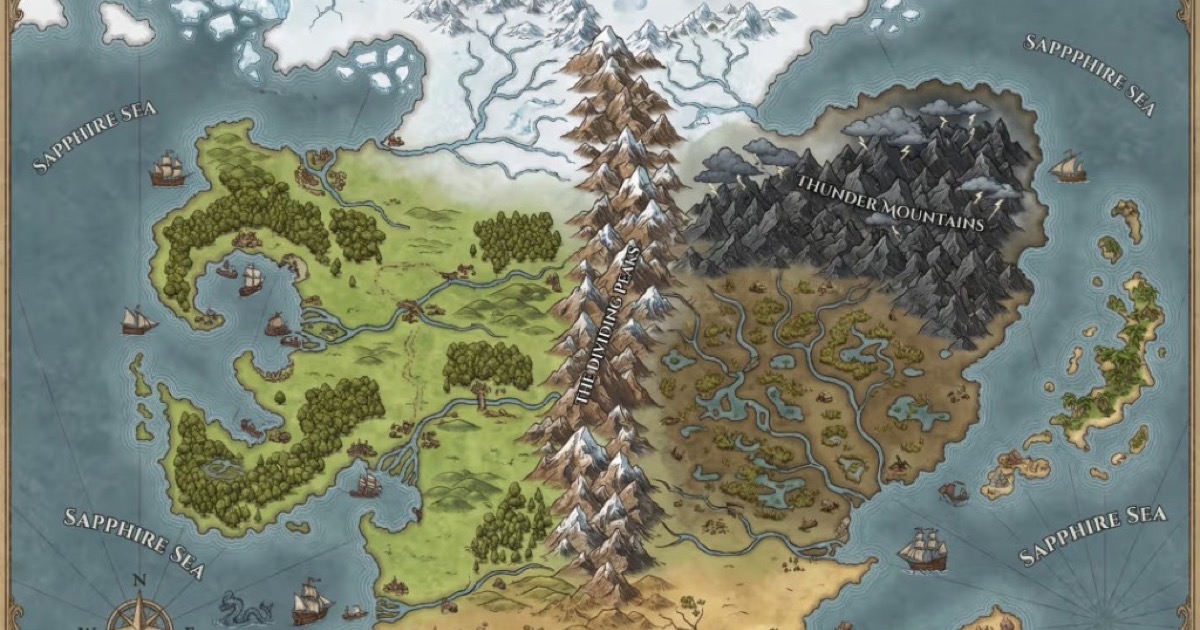
FantasyGen is an AI-powered fantasy map generator and map maker that creates D&D battlemaps, world maps, dungeon maps, city maps, and more instantly from text prompts. It's aimed at game masters, authors, worldbuilders, and game developers who need fast, high-quality maps without drawing skills.

Whereisthisplace
Where is this place is an AI-powered photo locator and image location finder that analyzes uploaded photos to detect GPS coordinates, identify landmarks, and provide evidence-backed location suggestions within seconds.
Premium Alternatives

scanlist
Scanlist is an AI-powered marketing assistant that helps users find business contacts, write personalized message sequences, and create high-quality marketing copies efficiently. It integrates real-time data enrichment and AI-driven content generation for sales, marketing, and recruiting teams.

Soulmatedrawing
Soulmate Drawing generates a personalized soulmate sketch by combining your birth details, astrological archetypes, and an AI artist to create a hand-drawn style digital portrait for entertainment and self-reflection.



ClaudeThings
ClaudeThings provides a pre-built, updatable toolkit of specialized agents, skills, and slash commands that act as an AI engineering and marketing team for Claude Code—adapting to any stack via a project-specific CLAUDE.md and delivered via a one-line npx installer.

Writingmate
WritingMate.ai appears to be an AI-powered writing product sold through Lemon Squeezy. The public page provides pricing information but includes minimal product detail.
