

Fenced
Fenced.ai is a device monitoring and parental-control application that lets parents, schools, and businesses monitor calls, messages, social media, location, photos and other device activity via a remote dashboard to protect children, students, and company devices.
Fenced is security software teams evaluate for security. Use this page to review pricing, integration signals, and the best alternatives before you commit.
Quick Overview
Best for: Security
What it does
Security software for decision-makers comparing workflow fit and alternatives.
Best fit
Security
Pricing snapshot
Contact for pricing
Next step
Compare Fenced with similar tools before you shortlist it.
Compare this tool before you shortlist it
Review alternatives, pricing posture, and workflow fit side by side.
Fenced
Fenced.ai is a commercial monitoring and parental-control application that provides remote device monitoring for parents, schools, and businesses. The site presents a dashboard-based product that can monitor calls, SMS, photos, contacts, location, social media and other on-device activity to help protect children, manage student devices in schools, or supervise employee usage on company devices.
The product is positioned as a real-time monitoring solution with demo and sign-up options and claims outcomes such as '100k Children Protected' and detection/alerts for harmful behaviors. The website also includes legal guidance indicating the software must be used lawfully in the user’s jurisdiction.
Fenced.ai is a device monitoring and parental-control application that lets parents, schools, and businesses monitor calls, messages, social media, location, photos and other device activity via a remote dashboard to protect children, students, and company devices.
Own this listing?
Claim this page to add pricing, features, screenshots, and verified owner details.
Claim this listingKey Features
Monitor Calls
Get call log information from the target device (call history monitoring).
Monitor SMS
View incoming and outgoing text messages from the target device.
Monitor Photos & Multimedia
Access multimedia files and photos stored on the monitored device.
Monitor Contacts
See the contact list on the target device.
Monitor Location / Geofence alert
Track where the device has been and receive geofence alerts.
Monitor Social Media & Messaging Apps
Monitor activity from social media and messaging applications (examples listed include Facebook, WhatsApp, Instagram, Viber, Skype).
Keylogging
Capture keystrokes entered on the target device (listed as a feature).
Monitor Browser History
View web browsing history on the target device.
Remote Device Control via Dashboard
Control device activity remotely using the product’s dashboard according to the site.
Pricing
Claim this listing to add current pricing tiers.
Use Cases
Parental monitoring
Parents can monitor children’s calls, messages, social apps, photos and location to protect them from cyberbullying, risky contacts and excessive screen time.
School device management
Schools can install fenced.ai on institution-owned devices to manage and monitor student activity and maintain a digitally safe learning environment in real time.
Employee / corporate device monitoring
Businesses can install the app on company devices to track how employees use company-provided phones and safeguard corporate data.
Integrations
Claim this listing to add integrations.
Benefits
Limitations
Frequently Asked Questions
Claim this listing to publish FAQs.
Getting Started
- 1 Step 1: Visit fenced.ai and sign up or view the demo ('Get Started' / 'View Demo').
- 2 Step 2: Install fenced.ai on the target device (site instructs to install on institution- or device-owner’s device).
- 3 Step 3: Use the fenced.ai dashboard to monitor activity and receive alerts in real time.
Support
Customer Support
Site references 'Customer Support' and indicates responsive support (e.g., testimonials mention support resolving issues).
Installation Guide / Documentation
The footer lists an 'Installation Guide' resource for onboarding devices.
Contact
Site includes a 'Contact Us' page for sales/support inquiries.
API
Compare Fenced with similar tools
See how it stacks up against alternatives
Related Tools
View all 32 →
equixly
Equixly is a continuous offensive security platform that uses proprietary Agentic AI Hacker agents to discover, attack, validate, and remediate exploitable risks across APIs and applications in real time, embedding testing into CI/CD and supporting compliance for regulated industries.


Plox
Plox is a secure document-sharing and analytics platform for founders, investors and deal teams that lets you share files as tracked links, apply granular security controls (watermarks, passcodes, NDA gates) and see page-by-page engagement in real time.


Sprinto
Sprinto Trust Center is a free, live, shareable security and AI-safety profile created and maintained automatically from your Sprinto compliance data to speed security reviews, demonstrate certifications, and share proof with buyers, auditors, and partners.


Livepatrol
Live Patrol provides remote live video monitoring, access control management, remote concierge services and time-lapse video production for commercial and industrial sites, using AI-powered analytics, facial recognition and license-plate recognition to detect, verify and respond to incidents in real time.
Premium Alternatives
-Bh91Hz9I.png)

Productcapture
ProductCapture is an AI-powered service that transforms supplier or raw product images into professional, sales-ready photos for ecommerce, delivering curated, photorealistic results typically within 24 hours.

Aithumbnail
AIThumbnail.so is an AI-powered thumbnail maker for YouTube that generates high-converting thumbnails in seconds, aiming to increase click-through rates and views for creators without design experience.


Aiportraitgen
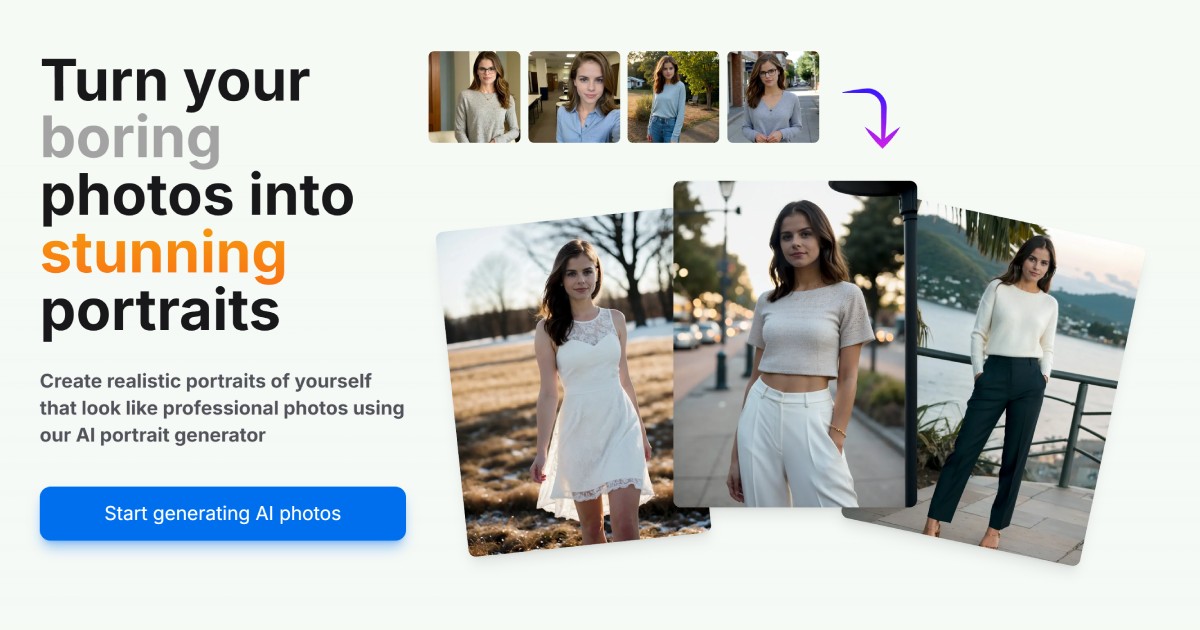
AI Portrait Gen is an online AI portrait generator that creates realistic, high-quality portrait photos from a few user-supplied photos. It offers customizable locations, outfits and styles, pay-as-you-go credits (no subscription), and privacy protections for uploaded images.


brandnetworksinc-com
Brand Networks is an enterprise creator technology platform that enables brands to activate employees, customers, and partners as organic content creators and amplify top-performing creator content through paid media using AI-driven brand safety and AI media buying.