Fixmyexcelfile
Fix My Excel File is a free online tool that analyzes and repairs corrupted .xlsx and .xlsm files using an AI-powered scanner. It offers a Basic free scanner for common corruption and a planned Advanced Scanner (waitlist) for deep repairs like pivot tables and macros.
Fixmyexcelfile is other software teams evaluate for other. Use this page to review pricing, integration signals, and the best alternatives before you commit.
Profile facts come from the vendor source. AiMatch labels unknown pricing or API details instead of estimating them.
Review official source →Used in These Packs
Quick Overview
Best for: Other
What it does
Other software for decision-makers comparing workflow fit and alternatives.
Best fit
Other
Pricing snapshot
Freemium from Free
Next step
Compare Fixmyexcelfile with similar tools before you shortlist it.
Compare this tool before you shortlist it
Review alternatives, pricing posture, and workflow fit side by side.
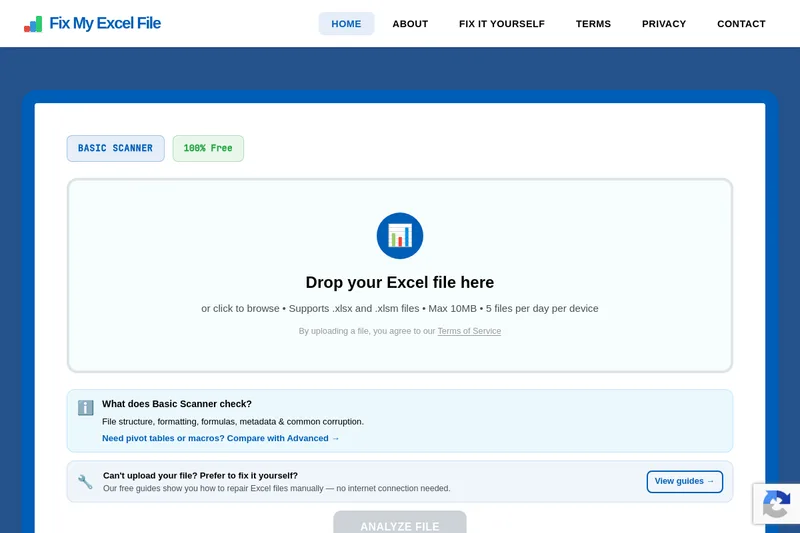
Fix My Excel File is a web-based repair service for corrupted Excel workbooks (.xlsx and .xlsm). It provides a free Basic Scanner that checks file structure, formatting, formulas, metadata and common corruption, and returns a repaired download. The site highlights secure server-side processing and a planned Advanced Scanner (join waitlist) for deeper recovery tasks such as pivot tables, macros, and VBA repair. The tool is aimed at both individual power users and businesses needing quick Excel recovery, and also offers offline DIY guides for manual repairs.
Fix My Excel File is a free online tool that analyzes and repairs corrupted .xlsx and .xlsm files using an AI-powered scanner. It offers a Basic free scanner for common corruption and a planned Advanced Scanner (waitlist) for deep repairs like pivot tables and macros.
Own this listing?
Claim this page for a one-time $29 to add pricing, features, screenshots, verified owner details, and a clearly labeled 30-day category position after the profile is live.
Claim this listing for $29Key Features
Basic Scanner (Free)
Free scanner that supports .xlsx and .xlsm files, checks file structure, formatting, formulas, metadata and common corruption. Limits: max 10MB, 5 files per day per device.
AI Analysis
AI-powered analysis that scans file structure, formulas, and metadata to detect and fix complex issues.
Secure Processing
Files are processed securely on the service's servers and are only stored on request.
Advanced Scanner (Waitlist)
Planned comprehensive scanner for deep analysis and recovery including pivot tables, macros, VBA code, data validation, and chart recovery; includes priority support for joiners.
Fix It Yourself Guides
Free step-by-step guides for manual repair of XLSX components (edit & re-zip, XML fixes) for users who prefer offline repair.
Pricing
Free Basic Scanner available with no hidden fees, subscriptions, or payment required.
Basic
Free- Supports .xlsx and .xlsm
- Max 10MB per file, 5 files/day per device
- Analyze and repair common corruption
Advanced (coming soon)
Join waitlist (pricing not specified)- Pivot table recovery
- Macro and VBA repair
- Deep analysis and priority support
Use Cases
Recover corrupted workbooks
Repair corrupted .xlsx and .xlsm files to restore formulas, data, and workbook structure quickly.
Power-user and business recovery
Advanced Scanner (when available) targets complex components such as pivot tables, macros and VBA code for business-critical file recovery.
Offline manual repair
Follow provided guides to manually fix workbook XML files and components without uploading files.
Integrations
No verified integration details are available.
Benefits
Limitations
Frequently Asked Questions
No verified FAQs are available.
Getting Started
- 1 Step 1: Upload File — Drop your corrupted .xlsx or .xlsm file into the upload zone (max 10MB, 5 files/day per device).
- 2 Step 2: AI Analysis — The site’s AI scans file structure, formulas, and metadata and analyzes issues.
- 3 Step 3: Get Results — Download the repaired file within minutes or view detailed issues and feedback options; view DIY guides if you prefer manual repair.
Support
docs
Fix It Yourself Guides (manual repair instructions for XLSX components) available on the site.
contact
Contact page / support form accessible via the site's Contact link.
API
Compare Fixmyexcelfile with similar tools
See how it stacks up against alternatives
Related Tools
View all 41 →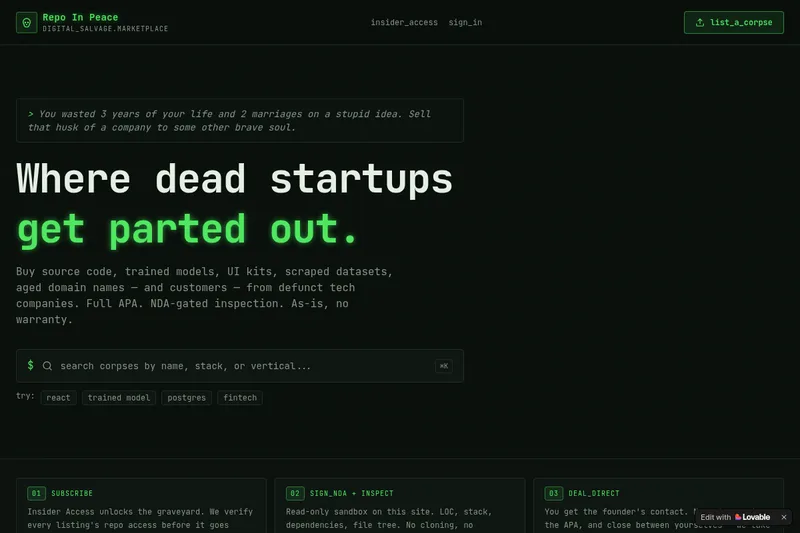
RepoInPeace
Repo In Peace is a digital salvage marketplace for buying and selling assets from defunct tech startups — source code, trained models, UI kits, scraped datasets, aged domains and customers — sold as-is under a full APA with NDA-gated inspection.

Instant Domain Search
Instant Domain Search is a fast domain name search engine and ICANN-accredited registrar that checks availability in real time across 800+ extensions, offers an AI domain name generator, bulk lookup, aftermarket marketplace search, and domain research tools.

nebius
Nebius is an enterprise AI cloud platform that provides end-to-end infrastructure and tooling for training, inference, simulation and physical AI — offering custom hardware (non-virtualized GPUs & InfiniBand), built-in MLOps, serverless and managed inference, and expert support for production AI workloads.

SeenByLLMs
SeenByLLMs runs on-demand checks to show whether AI assistants mention a brand in answers to buyer questions, which competitors are named, and which sources are cited. It runs in the browser using an OpenRouter key, with free and paid options.

sendbridge
SendBridge is an email verification and list-cleaning service that removes invalid, risky, and disposable addresses to improve deliverability and protect sender reputation. It offers a web client for batch uploads, a real-time verification API, free tools, and a free tier with 100 checks/month.

Tryonhaul
TryOnHaul AI is a web-based fashion discovery platform that uses AI-powered search and virtual try-on to surface popular try-on haul videos, aggregate product reviews, and let users virtually try clothing by uploading a photo. It targets shoppers, content creators, and e-commerce professionals.