
Flowmaps
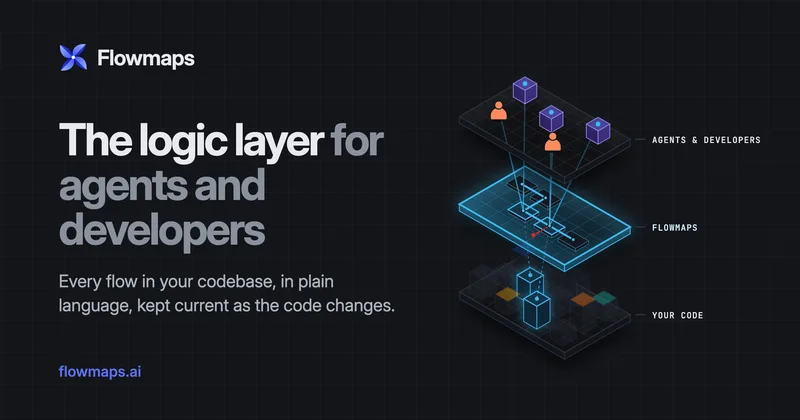
Flowmaps maps code paths to source lines, previews how pull requests change those paths, and shares the maps with coding agents over MCP. It is for development teams that need a common view of repository behavior.
Who it's for
- Software engineers tracing how a request moves through a codebase and checking the source lines behind each mapped step.
- Pull-request reviewers who want to see changed, added, and removed flow steps alongside a code change.
- Teams using MCP-compatible coding agents that need agents to query shared flow maps and inspect relevant code.
Not the right fit if…
- Teams that need more than 1 repository or 25 mapped flows on a free plan: the Free plan is capped at those amounts.
How it fits your workflow
Add a repository to Flowmaps. It creates maps of flows from their triggers through decisions and operations to outcomes, with each step linked to the implementing source lines.
Connect a coding agent over MCP. The agent can search for flows related to a request, find flows touching specified file lines, and open the cited code.
When a pull request changes mapped code, review a before-and-after preview that marks changed, added, and removed steps. Flowmaps also shows how calls connect across repositories and services.
Pricing
Free: The Free plan costs $0 and includes 150 credits a month, 1 repository, up to 25 mapped flows, and basic models. The page also says the first map is free.
Free
$0, free forever
- · 150 credits a month
- · 1 repository
- · Up to 25 mapped flows
- · Basic models
Starter
$30 a month, shown with a $360 total
- · 2,500 credits a month
- · 3 repositories
- · Up to 75 mapped flows
- · Basic models
Developer
$60 a month, shown with a $720 total
- · 6,000 credits a month
- · 10 repositories
- · Up to 250 mapped flows
- · Pick one model for every stage
Pro
$100 a month, shown with a $1,200 total
- · 12,000 credits a month
- · 20 repositories
- · Up to 1,000 mapped flows
- · Pick a model for each stage
Team
$40 per seat a month, shown with a $480 total per seat
- · At least 2 seats
- · 3,500 credits per seat a month, shared by the whole team
- · Unlimited repositories and mapped flows
- · Pick a model for each stage
Prices checked on Nov 28, 2026 from the vendor's site. They can change; confirm before you buy.
Key features
- Step-by-step flow maps
- Maps flows from their trigger to their outcomes, including checks, calls, writes, and failure points. Each step points to the source lines that implement it.
- Flow updates and verification
- Maps redraw when code changes, and flows touched by a merge are re-checked against the new commit. Out-of-date flows are marked stale.
- Agent access over MCP
- Agents can find flows related to a question, identify flows that touch particular file lines, and open the source lines cited by a flow.
- Pull-request flow previews
- Pull requests show before-and-after previews of affected flows, with changed, added, and removed steps marked.
- Repository connections
- Shows how repositories, flows, and services connect. Calls that cannot be matched to a flow are marked as not mapped.
Works with
- MCP-compatible agent clients
- Claude Code
- Cursor, Codex, Windsurf, GitHub Copilot, and Zed
Limitations to know
- The Free plan is limited to 1 repository and up to 25 mapped flows.
- The Starter plan is limited to 3 repositories and up to 75 mapped flows.
- The Developer plan is limited to 10 repositories and up to 250 mapped flows.
- The Pro plan is limited to 20 repositories and up to 1,000 mapped flows.
- The page says calls that cannot be matched to a flow are marked as not mapped.
Alternatives to consider
-
Codetoflow
Choose it if you want source code converted into interactive flowcharts or other diagrams that can be exported, rather than Flowmaps' repository flow maps, pull-request previews, and MCP access for agents.
Getting started
claude mcp add --transport http flowmaps https://mcp.flowmaps.ai/mcp- Start with the Get started option and add a repository to create a map.
- Run the provided MCP command in your terminal to add Flowmaps to Claude Code.
- Sign in with /mcp in Claude Code.
- Ask the connected agent about a flow or code location.